E-5
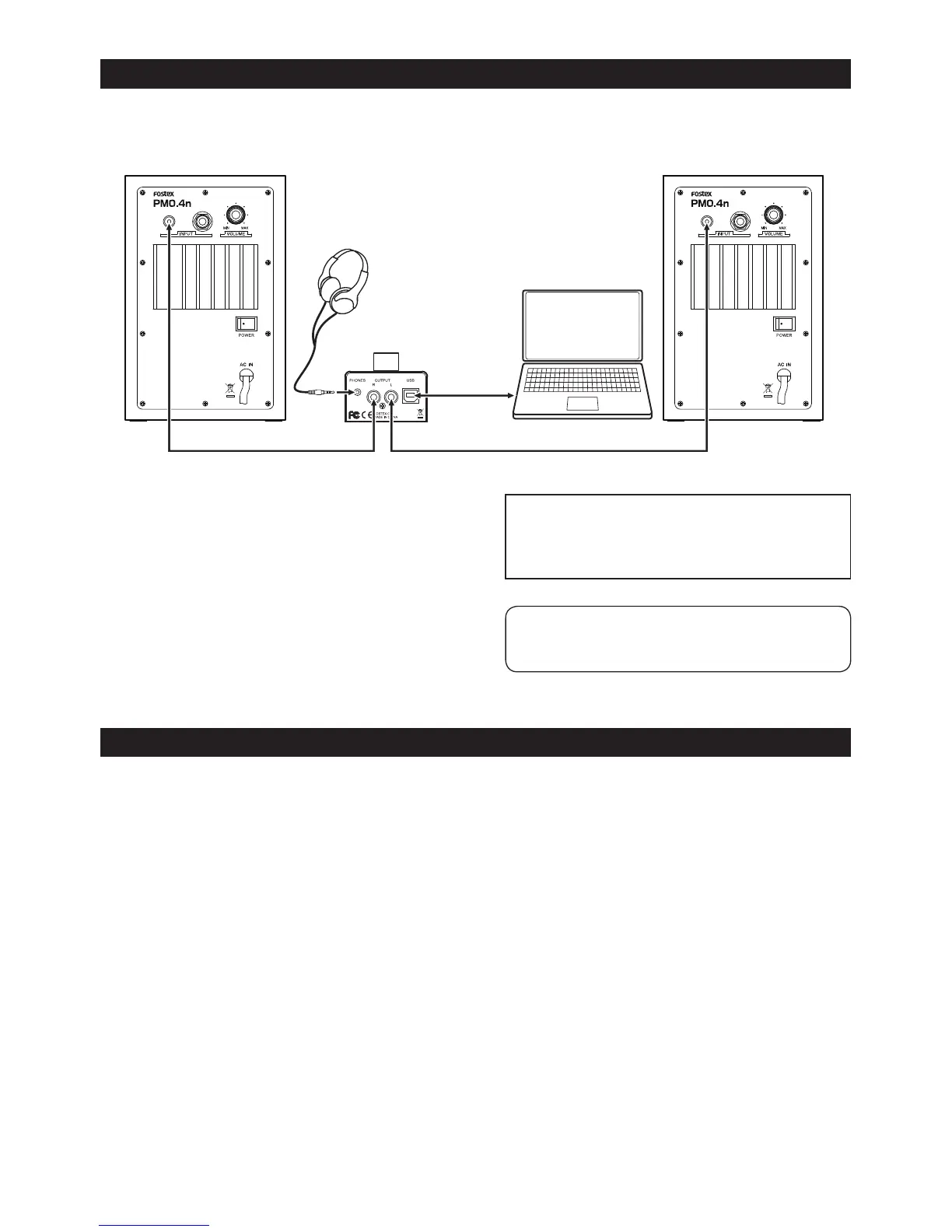
Connection example
<Caution>:Before you connect the PC100USB
to a computer or audio equipment, turn down
the output volume of the audio equipment and
the PC100USB.
<Memo>:When the [PHONES] jack is plugged
in, no signal is output from the [OUTPUT] (L, R)
jacks.
You can connect a computer that meets the following requirements.
• A USB 2.0 port is provided.
• OS: Windows XP, Windows Vista, Windows 7, Mac OS X
Computer requirements
Supplied.USB.
cable
Supplied.RCA.plug.cable
PM04n
Supplied.RCA.plug.cable
PM04n



 To Next Page