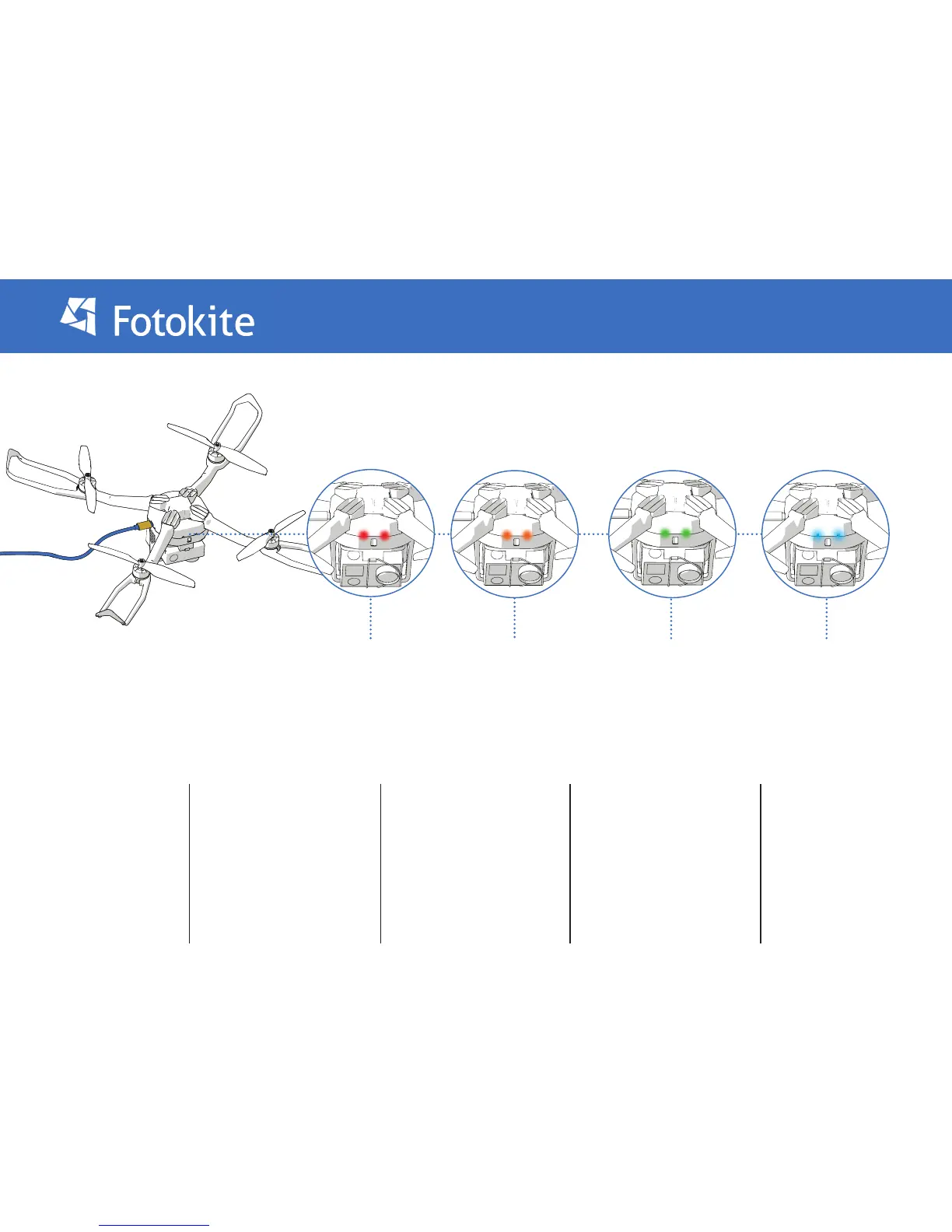
1. Ensurethat the battery is
connected to the Flight frame.
Charging the Fotokite
2. Plug the Fotokite charging
cable into a USB power supply or
into a computer.
3. Plug the Fotokite charging
cable into the Flight Frame.
4. The charging behaves as
follows:
a. Lights will blink regularly
during charging. Their color will
go from orange (when battery
almost empty) to green (when
battery almost full)
b. Once fully charged, the LEDs
will turn to a teal color.
5. Disconnect the charging
cable when charging
is complete.
Fully ChargedCharging
Charging Error Still charging...


 To Next Page