EasyManua.ls Logo

Four-Faith F3834 - User Manual

Default Icon
90 pages
Print Icon
To Next Page IconTo Next Page
Loading...
F3X34 S eries Router
User Manual
D ocumentation No. Product Version Page
Product Name Total: 90
F3X34
F3X34
F3X34
F3X34 S
S
S
S eries
eries
eries
eries Router
Router
Router
Router User
User
User
User Manual
Manual
Manual
Manual
The user manual is suitable for the following model:
Model Product Type
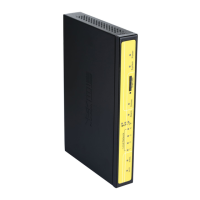
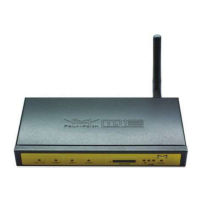
F3134 GPRS WIFI ROUTER
F3234 CDMA WIFI ROUTER
F3334 EDGE WIFI ROUTER
F3434 WCDMA WIFI ROUTER
F3534 TD-SCDMA WIFI ROUTER
F3634 EVDO WIFI ROUTER
F3734 LTE&TD-SCDMA WIFI ROUTER
F3834 LTE&WCDMA WIFI ROUTER
F3A34 LTE&EVDO WIFI ROUTER
Xiamen
Xiamen
Xiamen
Xiamen Four-Faith
Four-Faith
Four-Faith
Four-Faith Communication
Communication
Communication
Communication Technology
Technology
Technology
Technology Co.,
Co.,
Co.,
Co., Ltd.
Ltd.
Ltd.
Ltd.
Add
Add
Add
Add J1-J3,3rd
J1-J3,3rd
J1-J3,3rd
J1-J3,3rd Floor,No.44,GuanRi
Floor,No.44,GuanRi
Floor,No.44,GuanRi
Floor,No.44,GuanRi Road,SoftWare
Road,SoftWare
Road,SoftWare
Road,SoftWare
Park,XiaMen,China
Park,XiaMen,China
Park,XiaMen,China
Park,XiaMen,China Zip
Zip
Zip
Zip Code:361008
Code:361008
Code:361008
Code:361008
Tel
Tel
Tel
Tel +86
+86
+86
+86 592-6300326
592-6300326
592-6300326
592-6300326 6300325
6300325
6300325
6300325 6300324
6300324
6300324
6300324
Fax:+86
Fax:+86
Fax:+86
Fax:+86 592-5912735
592-5912735
592-5912735
592-5912735
http://www.fourfaith.co
Question and Answer IconNeed help?

Do you have a question about the Four-Faith F3834 and is the answer not in the manual?

Summary

Chapter 1 Brief Introduction of Product

1.1 General

Provides an overview of the F3X34 series router's function and applications.

1.2 Features and Benefits

Details the industrial design, stability, convenience, and high-performance features.

1.3 Working Principle

Explains the basic operational chart and principle of the router.

1.4 Specifications

Lists the technical specifications including cellular, WIFI, and hardware details.

Chapter 2 Installation Introduction

2.1 General

General instructions for correct router installation.

2.2 Encasement List

Lists all items included in the router package.

2.3 Installation and Cable Connection

Provides physical dimensions and guides for connecting cables.

2.4 Power

Specifies the power requirements and recommended power adapter.

2.5 Indicator Lights Introduction

Explains the function of each LED indicator light on the router.

2.6 Reset Button Introduction

Describes how to use the reset button to restore factory defaults.

Chapter 3 Configuration and Management

3.1 Configuration Connection

Guides users on connecting the router to a PC for configuration.

3.2 Access the Configuration Web Page

Instructions on how to access the router's web management interface.

3.3 Management and configuration

Covers various settings for managing the router's functions.

Chapter 4 Appendix

How to Setup Windows XP Hyper Terminal

Provides step-by-step instructions for setting up Hyper Terminal for serial port communication.

Summary

Chapter 1 Brief Introduction of Product

1.1 General

Provides an overview of the F3X34 series router's function and applications.

1.2 Features and Benefits

Details the industrial design, stability, convenience, and high-performance features.

1.3 Working Principle

Explains the basic operational chart and principle of the router.

1.4 Specifications

Lists the technical specifications including cellular, WIFI, and hardware details.

Chapter 2 Installation Introduction

2.1 General

General instructions for correct router installation.

2.2 Encasement List

Lists all items included in the router package.

2.3 Installation and Cable Connection

Provides physical dimensions and guides for connecting cables.

2.4 Power

Specifies the power requirements and recommended power adapter.

2.5 Indicator Lights Introduction

Explains the function of each LED indicator light on the router.

2.6 Reset Button Introduction

Describes how to use the reset button to restore factory defaults.

Chapter 3 Configuration and Management

3.1 Configuration Connection

Guides users on connecting the router to a PC for configuration.

3.2 Access the Configuration Web Page

Instructions on how to access the router's web management interface.

3.3 Management and configuration

Covers various settings for managing the router's functions.

Chapter 4 Appendix

How to Setup Windows XP Hyper Terminal

Provides step-by-step instructions for setting up Hyper Terminal for serial port communication.

Four-Faith F3834 Specifications

General IconGeneral
Cellular4G LTE
Wi-Fi802.11 b/g/n
Storage Temperature-40°C to 85°C
Humidity5% to 95% (non-condensing)
Operating Temperature-35°C to 75°C
Power Supply9-36V DC
Network StandardsIEEE 802.3, IEEE 802.3u
Frequency BandLTE FDD: B1/B3/B5/B7/B8/B20; LTE TDD: B38/B40/B41
Wireless Data RatesUp to 150Mbps DL / 50Mbps UL
SecurityWEP, WPA/WPA2
Ethernet Ports1 x 10/100 Mbps LAN port, 1 x 10/100 Mbps WAN port

Related product manuals