EasyManua.ls Logo

Fox 55WOS640E - Page 41

Fox 55WOS640E
56 pages
Print Icon
To Next Page IconTo Next Page
To Previous Page IconTo Previous Page
Loading...
Reset
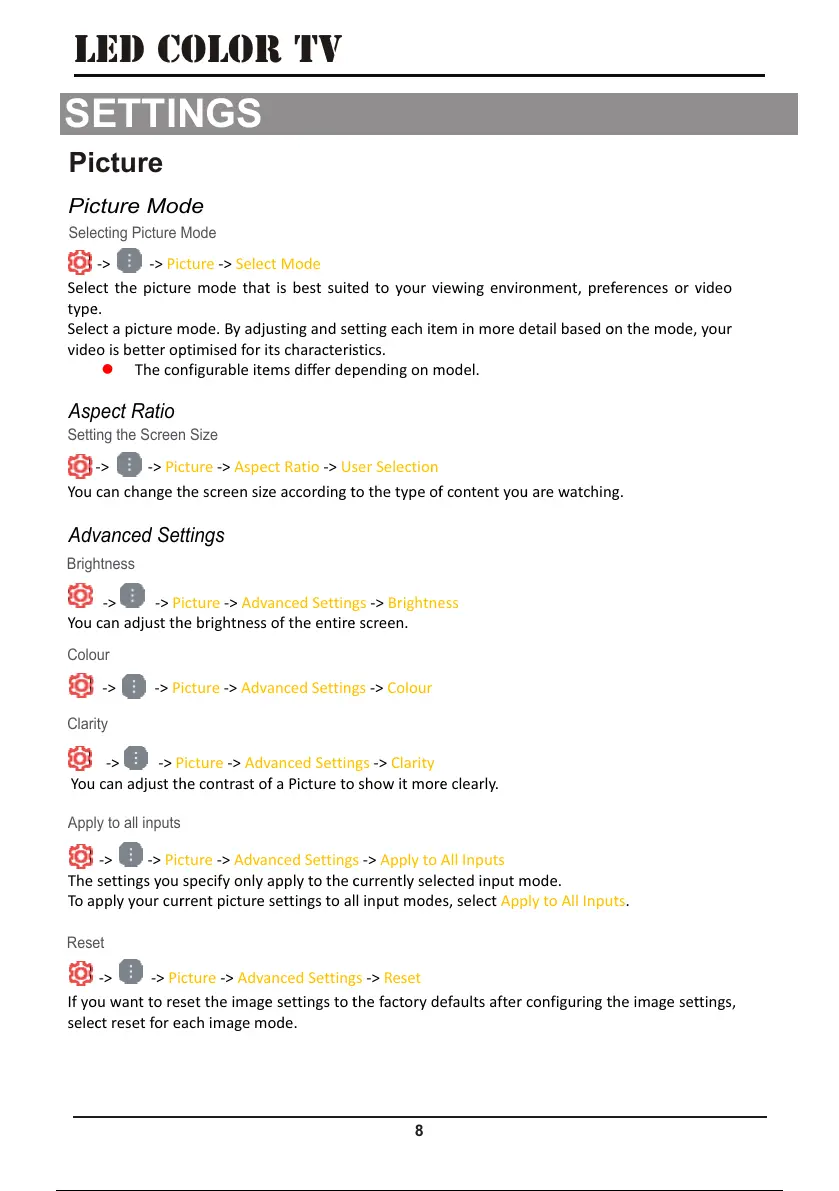
Selecting Picture Mode
Picture
Picture Mode
8
LED COLOR TV
SETTINGS
SETTINGS
Sele
typ
e
Sele
vide
-> -> P
ct the pictu
r
e
.
ct a picture
m
o is better o
p
The co
n
icture -> Sel
e
r
e mode tha
t
m
ode. By adj
u
p
timised for i
n
figurable it
e
e
ct Mode
t
is best suit
e
u
sting and s
e
ts characteri
s
e
ms differ de
p
e
d to your v
e
tting each it
e
s
tics.
p
ending on
m
iewing envir
o
e
m in more
d
m
odel.
o
nment, pre
f
d
etail based
o
f
erences or
v
o
n the mode,
v
ideo
your
You
-> -> P
can change t
icture -> Asp
e
he screen si
z
e
ct Ratio ->
U
z
e according
t
U
ser Selectio
n
t
o the type o
f
n
f
content yo
u
u
are watchin
g.
You
-> -> P
can adjust t
h
icture -> Adv
h
e brightness
anced Settin
g
of the entir
e
g
s -> Brightn
e
e
screen.
e
ss
-> -> Picture -> Advanced Settin
g
g
s -> Colour
You
-> -> P
can adjust t
h
icture -> Adv
h
e contrast o
f
anced Settin
g
f
a Picture to
g
s -> Clarity
show it mor
e
e
clearly.
The
To a
-> -> Pi
c
settings you
pply your cu
r
c
ture -> Adva
specify only
a
r
rent picture
nced Setting
s
a
pply to the
c
settings to a
l
s
-> Apply to
c
urrently sel
e
l
l input mod
e
All Inputs
e
cted input
m
e
s, select Ap
p
m
ode.
p
ly to All Inp
u
u
ts.
If y
o
sele
c
-> -> Pi
o
u want to re
s
c
t reset for e
cture -> Adv
a
s
et the imag
e
ach image m
a
nced Settin
g
e
settings to
t
ode.
g
s -> Reset
t
he factory defaults after configuring
t
t
he image se
t
t
tings,
Brightness
Setting the Screen Size
Aspect Ratio
Colour
Clarity
Apply to all inputs
Advanced Settings
41 / 56 40 / 54 41 / 56 40 / 54 41 / 56

Related product manuals