QG EVE0105 B-(en) SRD991 5
4. START UP (Setting by means of local keys and LCD / LEDs)
After mounting the positioner on the actuator, air and electrical input connected, you can start-up the
SRD. The SRD991 can be adjusted by means of a local key-pad and LCD / LED display.
Attention: Do not touch behind the positioner housing while operating the keys! DANGER OF INJURIES!
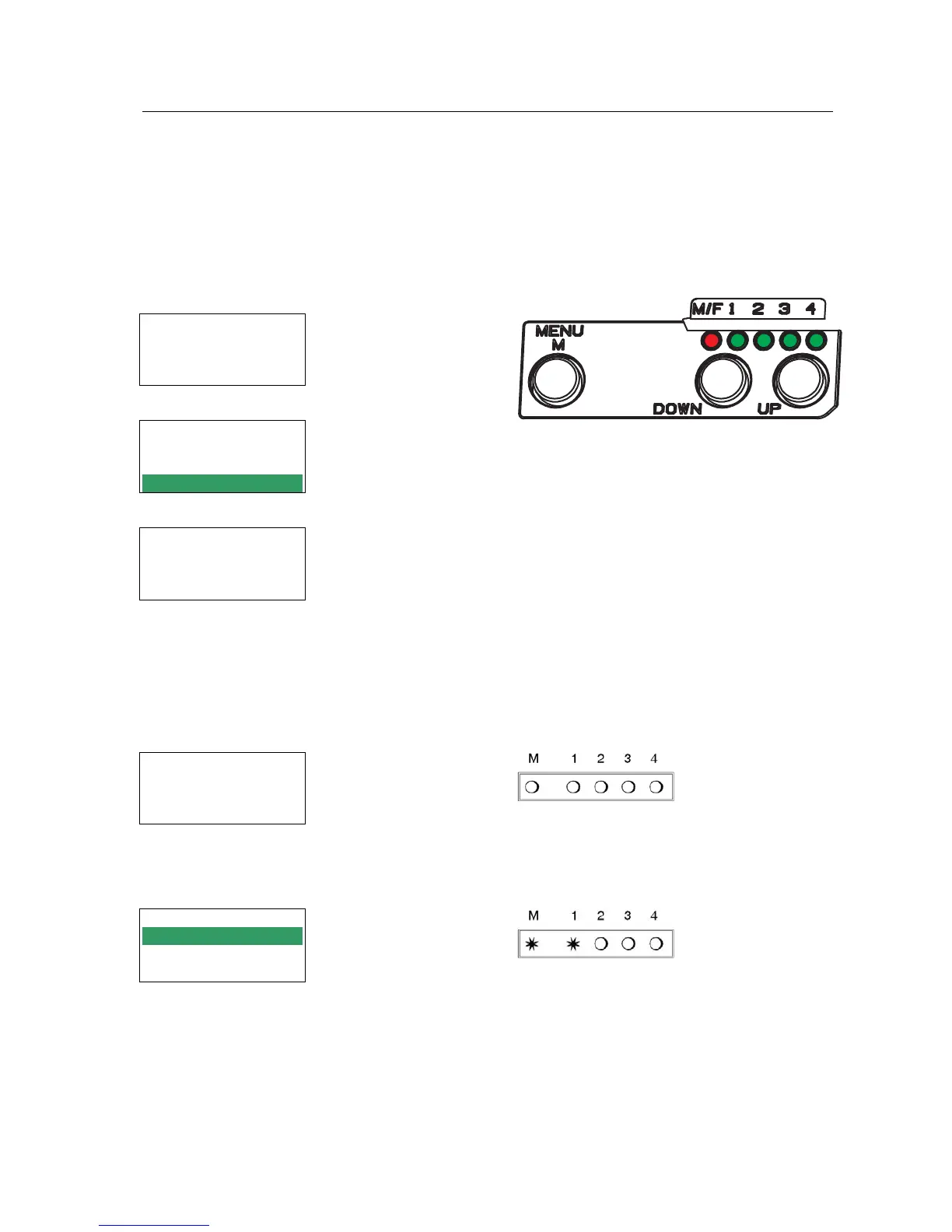
Description of display Push buttons
Process variable
87.5 %
Valve position
Process variable and diagnostics
87.5 %
Valve position
Ctrl diff error
(M)
Enter or
exit main
menu
(D
OWN)
Previous
menu or
Parameter
(UP)
Next menu
or
Parameter
|-both simultaneously:-|
At configuration: Main menu Enter / store
SRD Main Menu
1 Mounting
2 Autostart
3 Valve Action
At configuration the selected item is displayed
with dark background.
Further menus with (UP) key.
Configuration and operation with push buttons
and LCD: and LED display:
An already configurated device may show the
following display:
An already configurated device is IN OPERATION
after power up, and all LEDs are off.
87.5 %
Valve position
For configuration press (M) and main menu
appears.
If the SRD wasn’t configurated yet, the Main
menu*) appears automatically after power-up:
For configuration press (M), and LEDs ‘M/F’ and
‘1’ flash (= menu 1 is offered).
If the SRD wasn’t configurated yet, menu 1 is
offered automatically after power-up:
SRD Main Menu
1 Mounting
2 Autostart
3 Valve Action
In menu 1 you can select the type of mounting. In menu 1 you can select the type of mounting.
*) On delivery the menu language in the display is English.
The menu language can be changed over to another stored
language. For this select 9.8.2 [german] or 9.8.3 [as ordered]
and confirm with keys (UP)+(DOWN) (simultaneously).
Leave menu by repeated pressing of (M) key.


 To Next Page
 Loading...