5
75
RAID driver into this diskette.
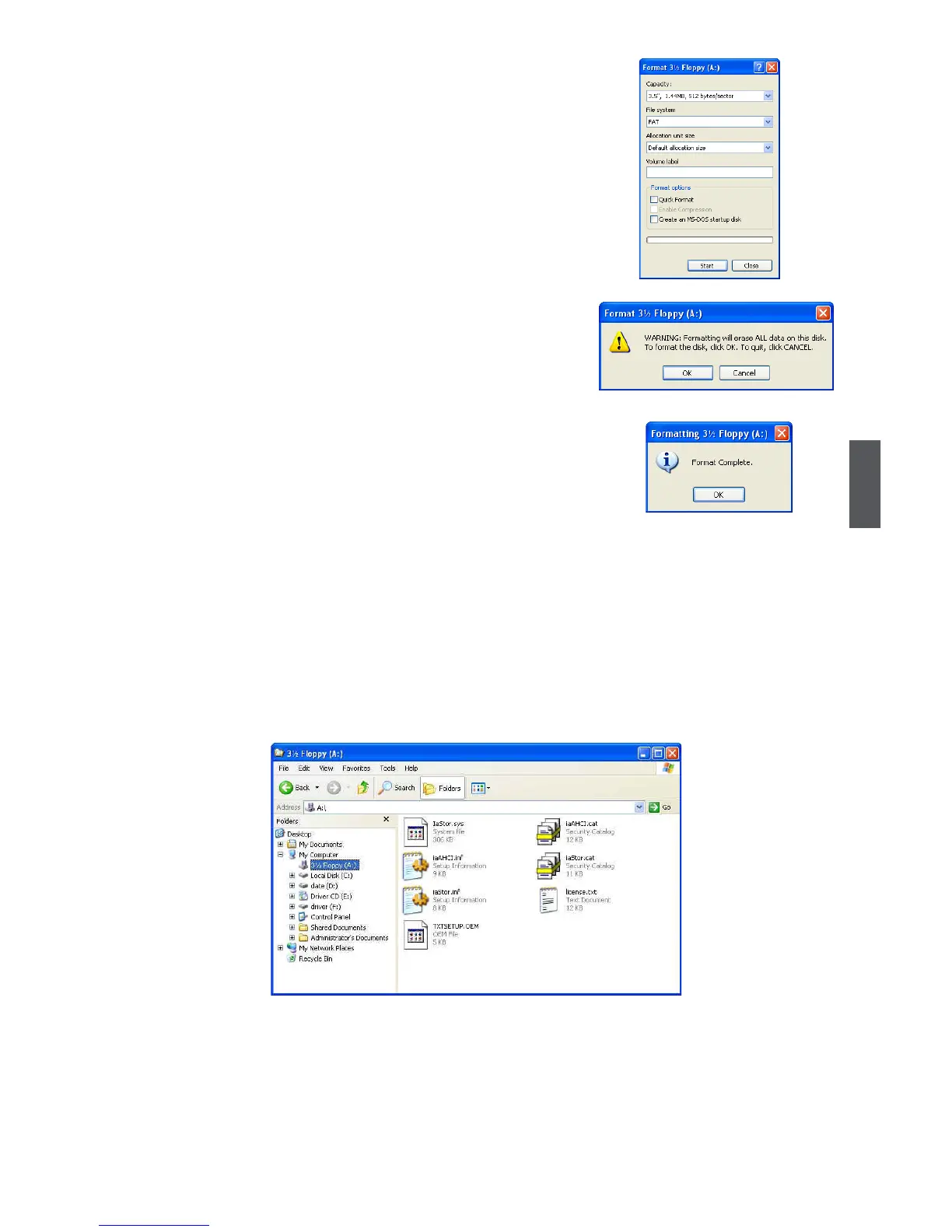
9. Check if the diskette contains the driver les.
Later, when in the process of installing Windows XP in your RAID system, it will ask you
to use this oppy diskette to provide driver for additional specic devices, for example,
a RAID device.
10. Install Serial ATA Hard Disks :
10-1. Shut down your computer.
10-2. Install SATA hard disks into the drive bays, connect all power and SATA
cables.
6. You can input a volume label for this diskette, click
on "Start" to format.
7.Click on "OK" to go through this warning
message.
8. Format nished. Click "OK" to continue copying of







 To Next Page