EasyManua.ls Logo

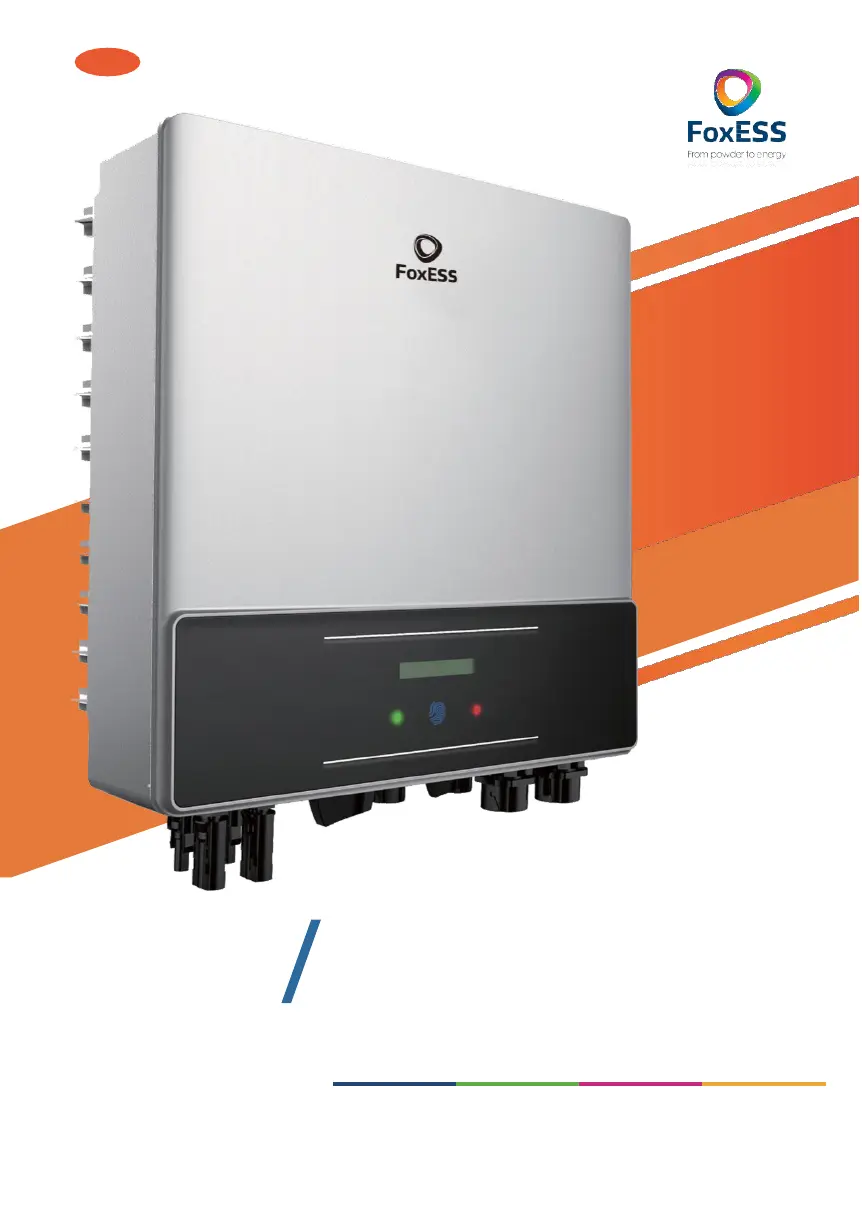
FoxESS E Series - User Manual

FoxESS E Series
47 pages
Print Icon
To Next Page IconTo Next Page
Loading...
EN
3-6kW
E
FSERIES
UserManual
Copyright Declaration
The copyright of this manual belongs to Maitian Energy Co., Ltd. Any corporation or individual should not plagiarize,
partially
or fully copy (including software,etc.), and no reproduction or distribution of it in any form or by any means
is permitted. All rights reserved. Maitian Energy Co., Ltd. reserves the right of final interpretation.

Questions and Answers

  • M
    Michael RobinsonAug 18, 2025
    What to do if my FoxESS E Series shows a Ground Fault?
    • S
      Stephanie RasmussenAug 18, 2025
      If your FoxESS Inverter shows a Ground Fault, first check the voltage between neutral and PE. Next, inspect the AC wiring. If the error persists after restarting the inverter, further assistance may be needed.
  • L
    Lauren JohnsonAug 20, 2025
    What to do if my FoxESS Inverter displays an Over Temp error?
    • J
      jimmy94Aug 20, 2025
      If your FoxESS Inverter is showing an 'Over Temp' error, check whether the environment temperature exceeds the allowable limit. If the temperature is within limits and the issue persists, further assistance may be needed.
  • S
    stacybonillaAug 23, 2025
    What to do if my FoxESS E Series has a Grid Lost Fault?
    • U
      ulewisAug 23, 2025
      If your FoxESS Inverter reports a Grid Lost Fault, check the grid connection, including wires and the interface. Also, verify the grid's usability. If problems persist, further assistance may be needed.
  • M
    Megan WhiteAug 26, 2025
    What to do if my FoxESS E Series shows Grid Volt Fault or Grid Freq Fault?
    • L
      Leah RamirezAug 26, 2025
      If your FoxESS Inverter displays a Grid Volt Fault or Grid Freq Fault, wait one minute to see if the grid returns to normal. Ensure the grid voltage and frequency comply with standards. If the problem continues, further assistance may be needed.
  • D
    David DeanAug 27, 2025
    What should I do if my FoxESS E Series displays a DCI Fault?
    • T
      Terry ThompsonAug 27, 2025
      If your FoxESS Inverter is showing a DCI Fault, wait one minute after the inverter reconnects to the grid. If that doesn't work, disconnect PV (+) and PV (-) with DC. After the LCD switches off, reconnect and check again. If the fault persists, further assistance may be needed.
  • K
    Kenneth SinghAug 30, 2025
    How to fix a GFC Fault on a FoxESS Inverter?
    • R
      Ronald CannonAug 30, 2025
      If your FoxESS Inverter is showing a GFC Fault, disconnect the DC and AC connectors and check the surrounding equipment on the AC side. Reconnect the input connector and check the state of the inverter after troubleshooting. If the problem persists, further assistance may be needed.
  • J
    John KaiserSep 2, 2025
    What to do for SPI Comm Lost on FoxESS Inverter?
    • K
      Kendra RamirezSep 2, 2025
      If your FoxESS Inverter shows a SPI Comm Lost error, disconnect PV (+) and PV (-) with DC. After the LCD switches off, reconnect and check again. If the problem continues, further assistance may be needed.
  • T
    Tiffany MunozSep 4, 2025
    How do I fix a Comm Lost error on my FoxESS E Series Inverter?
    • S
      Sandra FullerSep 4, 2025
      If your FoxESS Inverter shows a Comm Lost error, disconnect and reconnect PV+ and PV-. If the problem persists, further assistance may be needed.
  • S
    Steven ChurchSep 6, 2025
    How to troubleshoot a Consist Fault on a FoxESS Inverter?
    • W
      williampattonSep 7, 2025
      If your FoxESS Inverter displays a Consist Fault, disconnect PV (+) and PV (-) with DC. After the LCD switches off, reconnect and check again. If the problem continues, further assistance may be needed.
  • D
    dandrewsSep 9, 2025
    What should I do if my FoxESS E Series is showing SPS Fault?
    • K
      kathy37Sep 9, 2025
      If your FoxESS Inverter displays an SPS Fault, turn off the PV and grid, and then reconnect them. If the problem persists, further assistance may be needed.

Summary

Notes on this Manual

Scope of Validity

Defines the scope of the product manual for E/F series inverters.

Target Group

Identifies the intended audience for this manual as qualified personnel.

Symbols Used

Explains the meaning of various safety and information symbols used in the document.

Safety Instructions

Appropriate Usage

Describes the primary function of E/F Series inverters as converting DC to AC for the public grid.

Important Safety Instructions

Provides critical safety guidelines for operating and handling the E/F Series inverters.

Symbol Explanations

Details the meaning of all symbols displayed on the inverter and its type label.

CE Directives Compliance

Outlines the compliance with European low voltage and EMC directives for the inverter.

Introduction to E;F Series

Key Features

Highlights the advanced technological features, reliability, and control capabilities of the E/F Series inverter.

Inverter Terminals

Illustrates and labels the various connection terminals on the E/F Series inverter.

Physical Dimensions

Provides detailed physical dimensions of the E/F Series inverter models.

Technical Data

DC Input Specifications

Presents detailed technical specifications for the DC input parameters of the inverter models.

AC Output Specifications

Details the technical specifications related to the AC output of the inverter models.

Efficiency, Safety, and Protection

Lists the efficiency ratings and safety/protection features of the E/F Series inverters.

General Data

Provides general technical and operational data for the E/F Series inverters.

Installation

Transport Damage and Packing

Instructions for inspecting the inverter for transport damage and listing package contents.

Installation Precautions

Key considerations and environmental requirements for safe and effective inverter installation.

Installation Steps

A step-by-step guide for physically mounting and securing the inverter.

PV String Connection

Details how to connect the PV modules to the inverter.

Grid Connection and Advanced Features

Grid Connection and Wiring

Explains how to connect the inverter to the electrical grid and AC wiring procedures.

Fuses and Cable Selection

Guidance on selecting appropriate fuses and cables for the inverter's AC connection.

Communication and Control Interfaces

Details communication ports (WiFi, RS485) and control interfaces (CT, DRM, ESTOP).

Software Upgrade and System Settings

Instructions for upgrading inverter software and configuring system settings like reactive power control.

Operation Method

Control Panel Overview

Describes the physical control panel of the inverter, including the LCD screen, LED indicator, and touch key.

LCD Function Menu Structure

Illustrates the menu hierarchy and flow of the inverter's LCD display.

LCD Operation Guide

Provides instructions on how to navigate and operate the inverter's functions via the LCD screen.

Troubleshooting and Maintenance

Troubleshooting Guide

Offers procedures and tips for identifying and resolving common problems with FoxESS inverters.

Routine Maintenance

Outlines periodic checks and cleaning procedures for maintaining the inverter's performance.

Decommissioning

Dismantling the Inverter

Step-by-step guide on safely disconnecting and removing the inverter from its installation.

Packaging and Storage

Instructions for properly packaging, storing, and transporting the inverter.

FoxESS E Series Specifications

General IconGeneral
BrandFoxESS
ModelE Series
CategoryInverter
LanguageEnglish

Related product manuals