4
1. Getting Started
To avoid personal injury and product damage, please read all operating
instructions before using the Prowler.
1-1 Prowler Overview
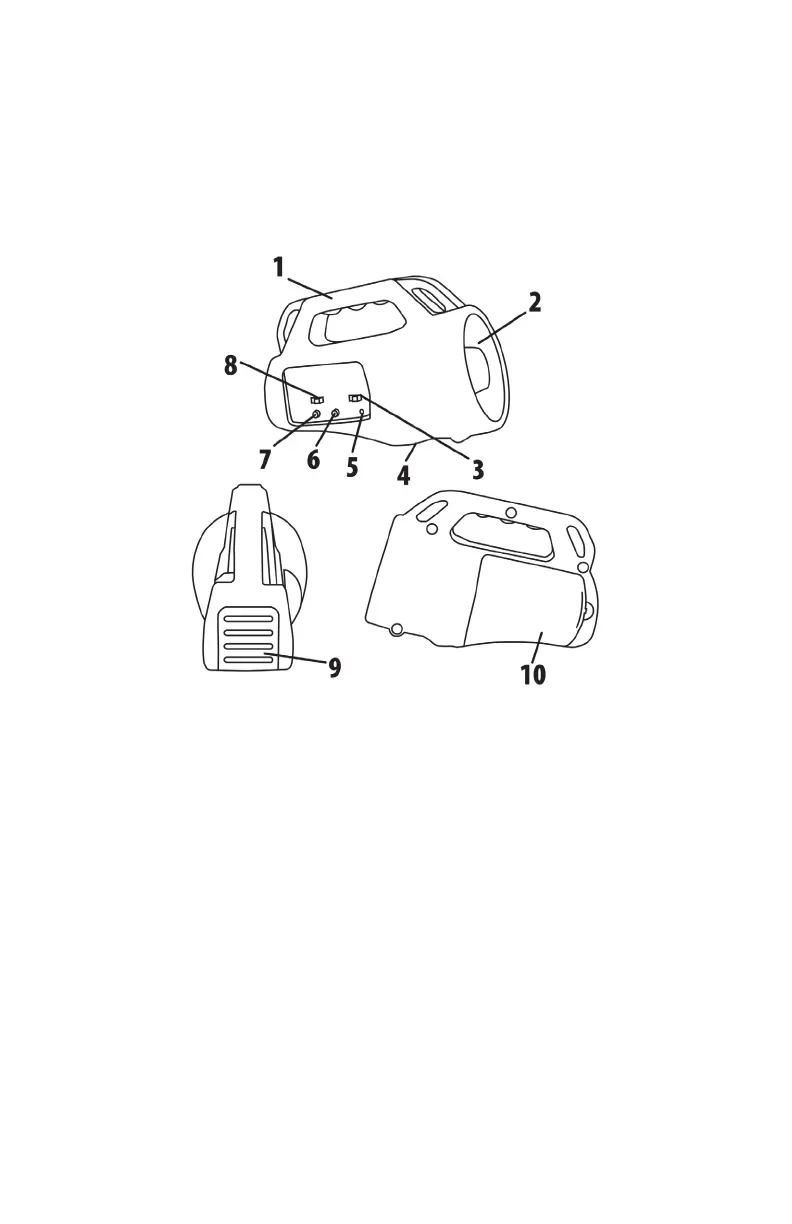
Figure 1 Image of the Prowler
The image shown above features three different views of the Prowler.
Numbered lines are present to highlight different features found on the
Prowler. The following list corresponds with the image:
1. The handle is located at the top of the Prowler.
2. The horn speaker is located on the right side.
3. The horn speaker on/off switch is located to the right of the
power switch.
4. The tripod mount is located on the bottom side of the Prowler.



 To Next Page