FOXTECH Nimbus VTOL V2(DA16S Combo) User Manual
©
2019 FOXTECH All Rights Reserved
18
Appendix
ESC Calibration
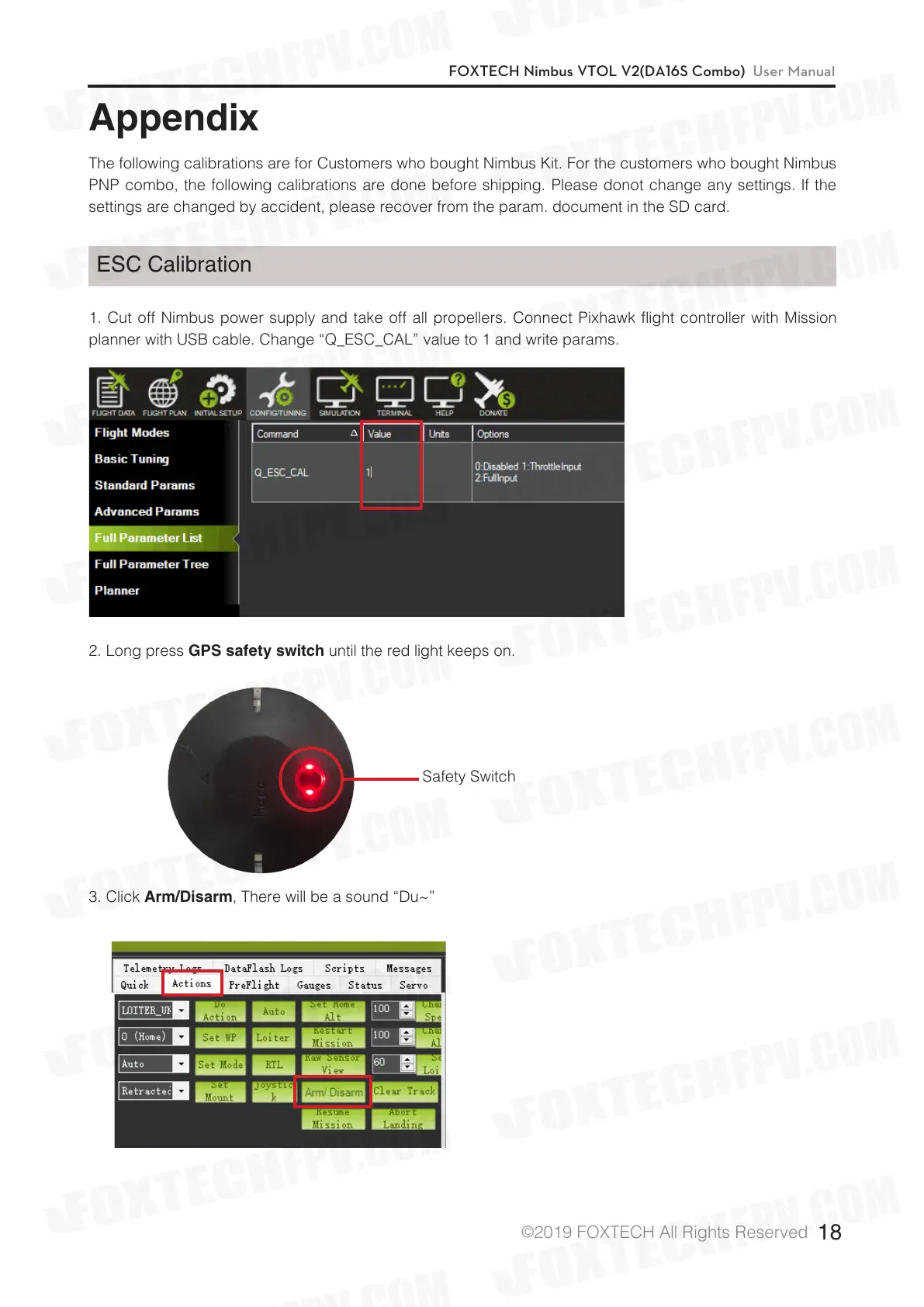
1. Cut off Nimbus power supply and take off all propellers. Connect Pixhawk flight controller with Mission
planner with USB cable. Change “Q_ESC_CAL” value to 1 and write params.
The following calibrations are for Customers who bought Nimbus Kit. For the customers who bought Nimbus
PNP combo, the following calibrations are done before shipping. Please donot change any settings. If the
settings are changed by accident, please recover from the param. document in the SD card.
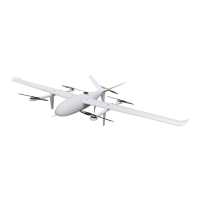
2. Long press
GPS safety switch
until the red light keeps on.
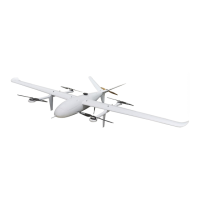
3. Click
Arm/Disarm
, There will be a sound “Du~”
Safety Switch


 To Next Page