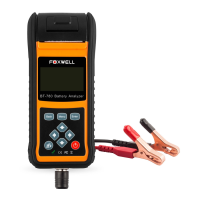
BT705 Battery Analyzer User’s Guide - English Version_V1.00
1. Scroll with the UP or DOWN button to highlight Battery Test from Main Menu and press the
ENTER key.
2. Scroll with the UP or DOWN button to highlight the voltage from Main Menu and press the
ENTER key.
3. Scroll with the UP or DOWN button to highlight OUT OF VEHICLE or IN VEHICLE from
BATTERY LOCATION menu and press ENTER to select the battery location.
4. Scroll with the UP or DOWN button to highlight TOP POST or SIDE POST from POST TYPE
menu and press ENTER to select the battery post type.


 To Next Page