Need help?
Do you have a question about the Fractal Audio axe-fx ultra and is the answer not in the manual?
Details electromagnetic compatibility and interference regulations for the device.
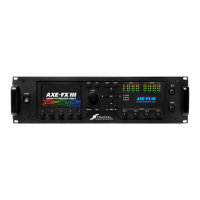
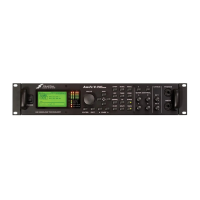
Describes the Axe-Fx Ultra as an enhanced version of the original Axe-Fx, offering more features.
Explains the Axe-Fx's functionality and design philosophy, distinguishing it from modeling processors.
Explains the Axe-Fx's operational concept based on effects inventory and routing grid.
Details the function and connectivity of each rear panel port, including inputs, outputs, and MIDI.
Describes the status indicators, value/enter/exit buttons, navigation, and menu buttons on the front panel.
Provides configurations for using the Axe-Fx with separate preamps and guitar amps.
Guides the user through setting up audio, MIDI, and pedal configurations for the Axe-Fx.
Explains how to assign external controllers to effect parameters and manage global bypass settings.
Details how to configure expression pedals and footswitches for various control functions like bypass and preset switching.
Covers placing effects in the grid, creating and deleting routes, and using auto-routing functionality.
Explains how to move effects within the grid and access/edit individual effect parameters.
Describes the MIX, LEVEL, and PAN controls for individual effects, including bypass modes.
Details the process of assigning external controllers to effect parameters using modifiers.
Explains how to save current settings to presets and recall previously saved presets using the STORE and RECALL functions.
Describes the Noise Gate parameters (Threshold, Ratio, Release) and Compressor parameters (Threshold, Ratio, Attack, Release, Level, Knee).
Details parameters for Gate/Expander (Threshold, Attack, Hold, Release, Ratio) and Multi-Band Compressor (Freq1, Freq2, Threshold).
Explains Filter parameters (Type, Freq, Q, Gain) and Graphic EQ functionality for tone shaping and boosting.
Covers Parametric EQ parameters (Freq, Q, Gain, Type) and Crossover filter settings (Xover Freq, Freq Multiplier, Freq).
Describes the Resonator effect parameters (Mode, In Gain, Master Freq) and Chorus basic parameters (Voices, Rate, Depth, Mix).
Details Quad Chorus parameters (Master Time, Rate, Depth, FDBK) and Flanger basic parameters (Time, Rate, Depth, Feedback).
Explains Phaser parameters (Order, Rate, Depth, Resonance, Frequency) and special 'Vibe Mode' for classic sounds.
Details Rotary Cabinet simulation parameters (Rate, LDepth, HDepth, HLevel, Tempo) for Leslie speaker emulation.
Covers Wah-Wah parameters (Type, FMin, FMax, Res, Track) and Formant Filter vowel sound controls (Start, Mid, End, Res).
Explains Vocoder parameters (In Sel, Bands, FMin, FMax, Res, Shift) for speech synthesis and vocal effects.
Details Pan/Tremolo parameters (Eff Type, Rate, Depth, Width) and Delay common parameters (Type, In Gain, Time, Feedback).
Covers Mono, Stereo, Ping-Pong, Dual, Reverse delay types and their specific parameters like Time, Ratio, Spread, Drive.
Introduces Multi-Delay algorithms like QuadTap, Plex, Band, Quad-Series, Ten Tap, and Rhythm Tap delays.
Explains Diffusor parameters (Master Time, Feedback) and MegaTap Delay controls (Input Gain, Master Level, Coarse Time).
Details the six reverb types (Room, Hall, Chamber, Plate, Spring, Vintage) and their parameters (Type, Time, Size, Color).
Describes Amp Simulator parameters (Type, GLBL, Drive, Boost, Tone Controls) for emulating various amplifier characteristics.
Lists available cabinet simulations (1x6 Oval to 4x12 Recto) and parameters (Type L/R, Mic L/R, Link, Level, Pan, Drive).
Explains the Drive block parameters (Type, Drive, Tone, Level, Bypass Mode) for simulating classic stompbox distortion effects.
Covers Pitch Shifter modes (Detune, Harmony, Whammy) and common parameters (Type, In Gain, Pitch Source).
Details Detune parameters (Voice Detune, Level) and Fixed Harmony parameters (Master Pitch, Delay, Feedback, Pan, Level).
Explains Intelligent Harmony parameters (Master Delay, Pan, Level, Voice Detune, Key, Scale, Track Mode).
Covers Classic Whammy (Mode, Control, Pitch Track) and Octave Divider (Level, Pan, Mix) parameters.
Details Arpeggiator parameters (Scale, Key, Stages, Repeats) and Custom Shifter functionality.
Describes the Synth parameters (Type, Track, Freq, Shift, Tune, Duty, Level, Pan, Filter, Q, Attack) for dual-voice monophonic synthesizers.
Explains Ring Modulator (Freq, FMULT, Track) and Stereo Enhancer (Width, Invert, Pan) parameters.
Details using the effects loop for outboard processors or as an auxiliary output for stage monitoring.
Covers the Mixer block parameters (Gain, Pan) for fine-tuning levels and cross-fading between rows in the routing matrix.
Explains Volume/Pan controls and the Feedback Send/Return blocks for creating feedback loops in the routing matrix.
Introduces internal and external controllers and how modifiers are used to link them to effect parameters.
Details the tempo controller, System Tempo, Global Tempo, and how to set tempo for presets.
Describes Low Frequency Oscillators (LFOs) and Attack-Decay-Sustain-Release (ADSR) generators for parameter modulation and sequencing.
Explains the Sequencer for generating value sequences and the Envelope Follower for dynamic parameter control based on input signal.
Covers the built-in Pitch detector and the support for up to eight external controllers via pedals or MIDI.
Details how modifiers link controllers to parameters, allowing manipulation of response curves and damping.
Explains global tone controls (Bass, Mid, Treble, Phase) and overall mix control for reverb and effects across all presets.
Covers global settings for Amp/Cabinet simulation (Power Amp, Cabinet, Tone Stack) and delay spillover.
Describes the ability to define up to 32 custom scales for use with pitch shifting effects like Custom Shifter.
Covers LCD contrast adjustment, preset dumping to MIDI, and preset updating functions.
Details monitoring CPU usage (Status), factory reset procedures, and firmware update instructions.
Provides guidelines on choosing amp types, experimenting with drive, cabinets, mics, and EQ for optimal sound.
Explains how to connect the Axe-Fx to standard guitar amps, including when to defeat simulations to avoid muddy sound.
Covers live setup recommendations and advice on minimizing interference from external electronic sources.
Provides guidance on cleaning the unit, notes on the cooling fan, and instructions for handling malfunctions and servicing.
Outlines the product warranty terms, limitations, and disclaimers of liability for damages.
Lists technical specifications for front panel input, rear inputs, and A/D conversion details like bit depth and sample rate.
Details specifications for analog outputs (impedance, level, frequency response) and digital I/O (connectors, format, sample rate).
Specifies technical details for the MIDI interface (DIN connectors) and pedal interface (TRS jacks, compatibility).
Provides general specifications like finish, dimensions, weight, power consumption, and environmental operating conditions.
 General
| Brand | Fractal Audio |
|---|---|
| Model | axe-fx ultra |
| Category | Recording Equipment |
| Language | English |

 To Next Page