EasyManua.ls Logo

Fractal Torrent - User Manual

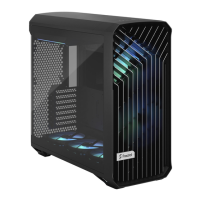
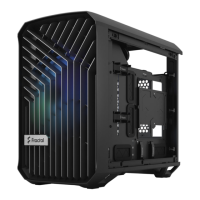
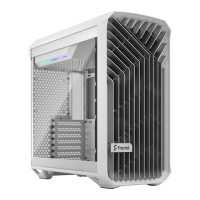
Fractal Torrent
56 pages
Print Icon
To Next Page IconTo Next Page
Loading...
ユーザー ガイド
用户指导 使用者指南
243 544
528
Torrent
User guide
Anwenderleitfaden / Guide de l’utilisateur /
Guía del usuario / Användarguide /
Question and Answer IconNeed help?

Do you have a question about the Fractal Torrent and is the answer not in the manual?

Summary

Introduction

Specification

Detailed technical specifications and dimensions of the PC case.

Builders Guide

Remove Side Panels

Instructions for removing the side panels of the PC case.

Remove Top Panel

Steps to detach and remove the top panel of the case.

Install the Power Supply

Guide to correctly install the power supply unit (PSU).

Install the I;O Shield

Steps for installing the motherboard's I/O shield.

Prepare the Motherboard

Pre-installation steps for the motherboard.

Install the Motherboard Assembly

Instructions for mounting the motherboard in the case.

Connect Cables for Front I;O

Connecting front panel audio and USB cables.

Connect Nexus 9 P Slim Fan Hub

Guide to connecting fans to the Nexus 9P Slim Fan Hub.

Connect RGB Fans

Instructions for connecting RGB lighting fans.

Install the Graphics Card

Steps to install a graphics card into the system.

Install a 3.5 Drive

Guide for installing 3.5-inch storage drives.

Install a 2.5 Drive

Steps for installing 2.5-inch storage drives.

Optional Steps

Remove the Front Panel

Instructions for removing the front panel assembly.

Align Front Panel to Reattach

Guide to correctly align and reattach the front panel.

Remove 180 mm Fans and Cover Plate in the Front

Steps to remove large front fans and cover plate.

Install 140;120 mm Fans in the Front

Instructions for installing smaller fans in the front.

Install 180;140;120 mm Fans in the Bottom

Guide to installing fans in the bottom of the case.

Install Reservoir

Steps for installing a water cooling reservoir.

Add Water Cooling Fillport

Adding a fillport for the water cooling system.

Cable Management in the Back

Tips for organizing cables in the rear compartment.

Install Optional RGB Strips in the Bottom

Installing optional RGB lighting strips at the bottom.

Secure Side Panels for Transportation - Solid

Securing solid side panels for safe transportation.

Secure Side Panels for Transportation - TG

Securing tempered glass side panels for transport.

Additional Info

Possible Fan Locations

Diagrams showing various fan installation positions.

Water Cooling Radiator Options

Compatibility details for water cooling radiators.

Possible Water Cooling Setup

Examples of water cooling system configurations.

CPU Cooler Limitations

Maximum CPU cooler height clearance.

Graphics Card Limitations

Maximum graphics card length clearance.

Dust Maintenance

Instructions for cleaning and maintaining dust filters.

Support and Service

For Assistance, Please Contact

Guide on how to contact customer support for help.

Limited Warranty and Limitations of Liability

Details of the product's warranty and liability terms.

Summary

Introduction

Specification

Detailed technical specifications and dimensions of the PC case.

Builders Guide

Remove Side Panels

Instructions for removing the side panels of the PC case.

Remove Top Panel

Steps to detach and remove the top panel of the case.

Install the Power Supply

Guide to correctly install the power supply unit (PSU).

Install the I;O Shield

Steps for installing the motherboard's I/O shield.

Prepare the Motherboard

Pre-installation steps for the motherboard.

Install the Motherboard Assembly

Instructions for mounting the motherboard in the case.

Connect Cables for Front I;O

Connecting front panel audio and USB cables.

Connect Nexus 9 P Slim Fan Hub

Guide to connecting fans to the Nexus 9P Slim Fan Hub.

Connect RGB Fans

Instructions for connecting RGB lighting fans.

Install the Graphics Card

Steps to install a graphics card into the system.

Install a 3.5 Drive

Guide for installing 3.5-inch storage drives.

Install a 2.5 Drive

Steps for installing 2.5-inch storage drives.

Optional Steps

Remove the Front Panel

Instructions for removing the front panel assembly.

Align Front Panel to Reattach

Guide to correctly align and reattach the front panel.

Remove 180 mm Fans and Cover Plate in the Front

Steps to remove large front fans and cover plate.

Install 140;120 mm Fans in the Front

Instructions for installing smaller fans in the front.

Install 180;140;120 mm Fans in the Bottom

Guide to installing fans in the bottom of the case.

Install Reservoir

Steps for installing a water cooling reservoir.

Add Water Cooling Fillport

Adding a fillport for the water cooling system.

Cable Management in the Back

Tips for organizing cables in the rear compartment.

Install Optional RGB Strips in the Bottom

Installing optional RGB lighting strips at the bottom.

Secure Side Panels for Transportation - Solid

Securing solid side panels for safe transportation.

Secure Side Panels for Transportation - TG

Securing tempered glass side panels for transport.

Additional Info

Possible Fan Locations

Diagrams showing various fan installation positions.

Water Cooling Radiator Options

Compatibility details for water cooling radiators.

Possible Water Cooling Setup

Examples of water cooling system configurations.

CPU Cooler Limitations

Maximum CPU cooler height clearance.

Graphics Card Limitations

Maximum graphics card length clearance.

Dust Maintenance

Instructions for cleaning and maintaining dust filters.

Support and Service

For Assistance, Please Contact

Guide on how to contact customer support for help.

Limited Warranty and Limitations of Liability

Details of the product's warranty and liability terms.

Fractal Torrent Specifications

General IconGeneral
Dimensions544 x 242 x 530 mm
Weight11.1 kg
Expansion Slots7
Maximum CPU Cooler Height188 mm
PSU SupportATX
TypeMid Tower
Motherboard SupportATX, Micro-ATX, Mini-ITX
MaterialSteel, Plastic, Tempered Glass
Front I/O Ports2 x USB 3.0, 1 x USB Type-C, Audio In/Out
Radiator SupportRear: 120/140 mm
Maximum GPU Length461 mm
PSU Max Length230 mm
Dust FiltersFront, Bottom
Cooling SupportFront: 2 x 180 mm / 3 x 120 mm / 2 x 140 mm, Rear: 1 x 140 mm / 1 x 120 mm

Related product manuals