
 Need help?
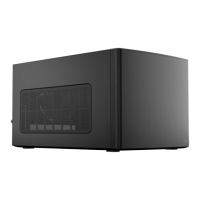
Do you have a question about the Fractal Torrent Nano and is the answer not in the manual?
Technical data and specifications of the computer case, including dimensions and compatibility.
Details the various components and parts of the computer case for assembly.
Lists all included accessories and their quantities for assembly.
Instructions for mounting the motherboard inside the computer case.
How to connect front panel cables to the motherboard for functionality.
Steps for installing the power supply unit into the computer case.
Instructions for installing the graphics card into the computer case.
Guide for installing 2.5-inch storage drives into the case.
Guide for installing 3.5-inch storage drives into the case.
How to get help and submit a support ticket for product issues.
 General
| Type | Mini Tower |
|---|---|
| Expansion Slots | 3 |
| Maximum GPU Length | 335 mm |
| Maximum CPU Cooler Height | 165 mm |
| Color | Black, White |
| PSU Support | ATX |
| Motherboard Support | Mini-ITX |
| Material | Steel, Plastic |
| Front I/O Ports | 1 x USB 3.1 Gen 2 Type-C, 2 x USB 3.0, HD Audio |
| Included Fans | 1 x 180 mm Front |
| Cooling | Air / Liquid |
| Radiator Support | Rear: 120mm |
| Cooling Support | 2x 180mm front fans (included), 1x 120mm rear fan (optional) |


 To Next Page