Frama Matrix F12
36
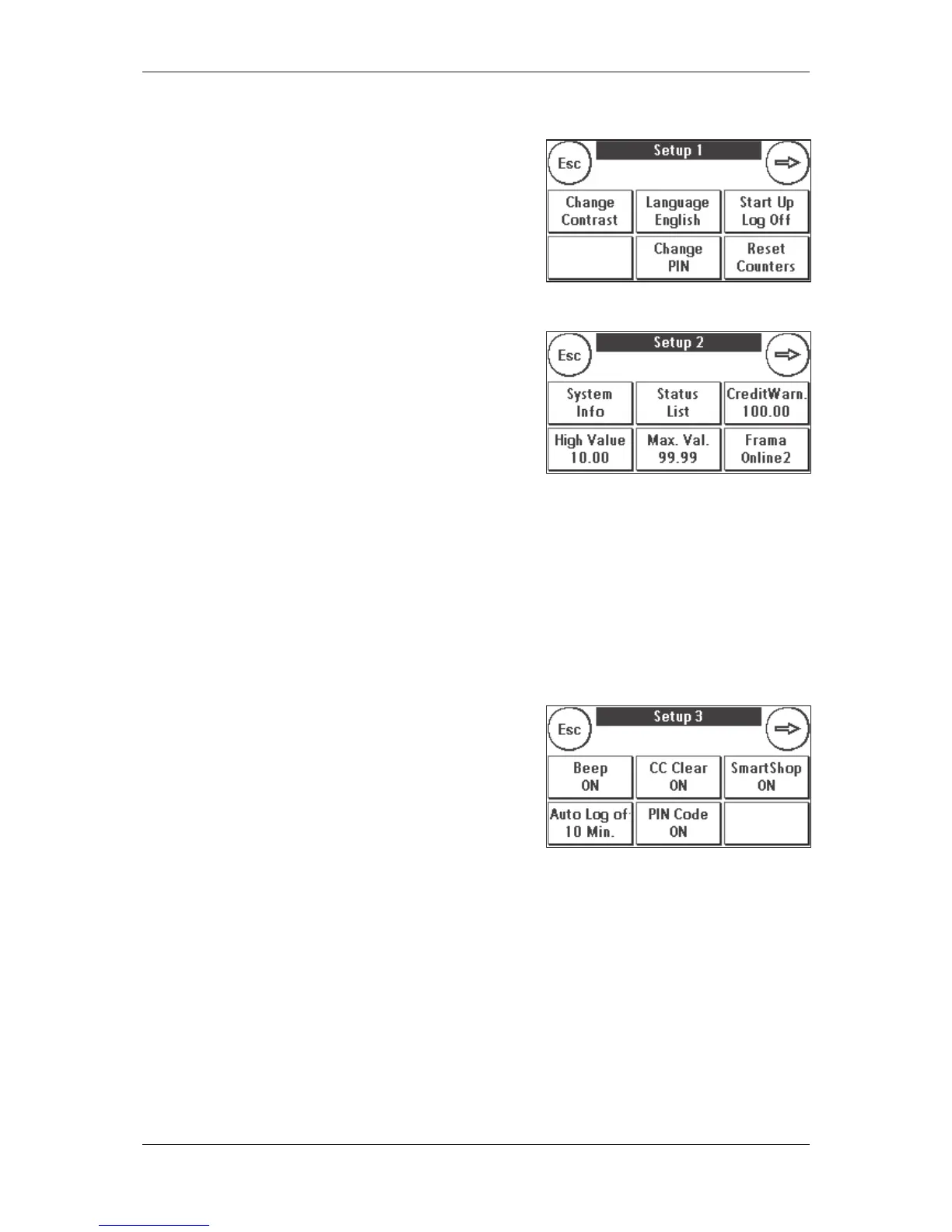
5. Press the Tool key to obtain the basic settings. The basic
settings are divided among four menus. These are desig-
nated as Setup 1, Setup 2, Setup 3 and Setup 4.
Pressing the arrow moves you forward, while pressing ESC
returns you to where you started.
7.2. Setup 2 menu
1. System Info: This displays system data that might be
useful when you obtain advice on the phone after a sys-
tem malfunction/breakdown. Touch the screen to quit
the display.
2.
Status List: This show
s system messages which might be
helpful when you are obtaining advice on the phone.
Touching the screen quits the display.
3.
Credit Warn
ing
: He
re you can define the level of remaining postage credit which, when it is
reached, will trigger a notification. The default value is £100.00.
4.
High Value: This se
tting determines that amount from which, for security reasons, you must confirm
the postage value before this amount can be franked. The default setting is £10.00. Enter the new
desired value and confirm your input by pressing ENTER.
5.
Max. value:
This defines the maximum value which can be franked on a mail item at one time. The
default value is £99.99. Enter the desired value and acknowledge your entry by pressing ENTER.
7.3. Setup 3 menu
1.
Beep ON:
Used to switch the key beep on and off. Press-
ing Beep ON switches off the beep. Pressing it again
switches the beep back on.
2.
CC C
lear ON/OFF
: Usin
g this function, you can define
whether the users of the individual cost centres may or
may not delete their cost centre contents (counter read-
ings and values). Selecting CC Clear OFF means that only
you are allowed to reset counters in Admin mode.
3.
Auto Log off
: Defines the time in minutes until the current cost centre will be closed and the user
logged off. A cost centre must be selected again before work can continue.
Auto Log off
activation and setting Auto Log off
time:
Press the Auto Log off key. Enter the desired
time. Entering zero minutes switches the Auto Log off function off. Press ENTER to acknowledge.
4.
PIN Code O
N/OFF
:
This is used to activate and deactivate PINs for the cost centres. The PIN for
Admin mode cannot be deactivated. For safety reasons, always leave the PIN activated.



 To Next Page