23Chapter 2 Life with your Franke upright cooker
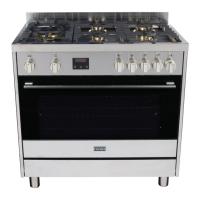
OPERATING YOUR UPRIGHT COOKER
To select a cooking function and choose your desired temperature:
1. Rotate the ‘left knob’ to choose the cooking function.
The symbol chosen will be shown.
2. Rotate the ‘right knob’ to adjust the temperature to your desired pre-set.
3. The oven will automatically begin cooking function.
4. The orange LED indicator shows if the oven has reached your desired temperature.
5. Rotate both control knobs to the off position to switch the oven off.
USING THE TOUCH CLOCK
Mains frequency detection
At power on mains frequency is determined. When the timer is connected to 60Hz, the Celsius symbol
is flashing during start-up.
Power On
At power on, the relay contact is opened. The display and AUTO symbol flashes and time of day starts
from 0:00. Power on state with flashing daytime remains until time of day is set.
Setting Time of Day
Press PLUS and MINUS button simultaneously. At Power On, also MODE button is possible.
Time of day can be set with PLUS or MINUS, while the colon between hours and minutes is flashing.
Quick setting mode starts when PLUS or MINUS is held for more than 1 second. If daytime setting
mode is selected while an automatic program is active, the automatic program Fig.27 is cancelled.
The Buzzer
The buzzer interval alarm signal sounds if minute minder has reached the end time. The signal can be
switched off by pressing any key or by passing the signal duration limit.
Changing the Buzzer frequency
First press Plus and Minus simultaneously (menu far editing the time) and then Mode for selecting the
menu far changing the buzzer frequency. While the text is visible the buzzer signal frequency can be
changed by touching Minus repetitively.
Note: If the touch pad is inactive, a visual alarm will only be reset when a valid key combination is
pressed far more than 2 seconds.
Clearing Programs and Manual function
The duration of the minute minder can be cleared by
a) “Clear Function”: First select minute minder program, then press PLUS and MINUS
button simultaneously. after this clear the display returns from adjustment mode to time
of day immediately.
b) Back counting of duration to zero. The timer remains in adjustment mode.
Minute Minder
While minute minder mode is selected, the Bell symbol flashes and the display reads the remaining
time in hours and minutes, only if the last minute is counting down the remaining seconds are
displayed. An active minute minder program is indicated by the statically illuminated Bell symbol. If
alarm time has finished, an acoustic interval signal sounds and the Bell symbol flashes. The minute
minder program runs independently of other programs.
Key Lock
After power on reset or when no key is pressed for 7 seconds, the key look function is activated.
Pressing a valid key or key combination for 2 seconds or more will deactivate the key lock.


 To Next Page