7
Removing the SIM Card
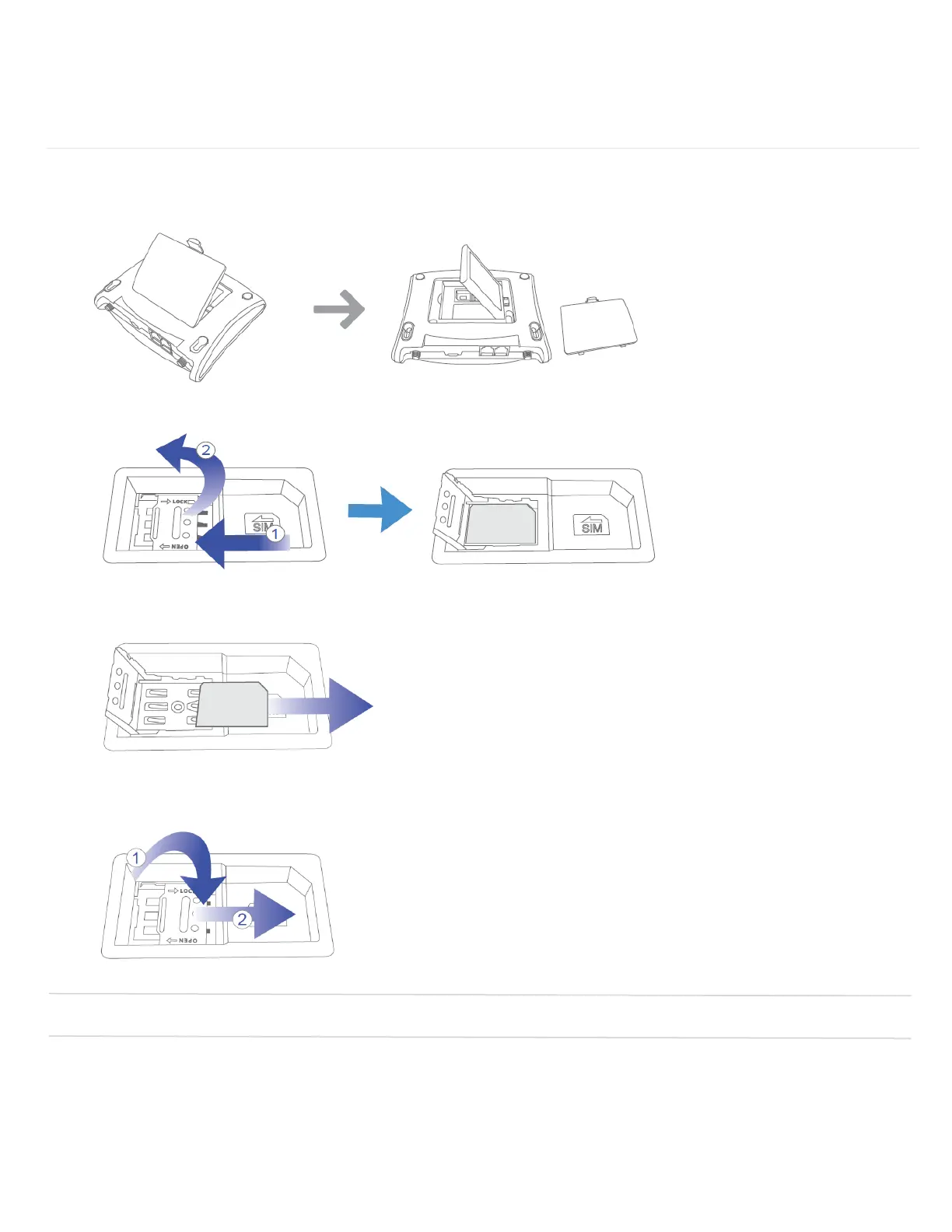
To remove the SIM card, follow the instructions below.
1. Remove the back cover and take out the battery.
2. Softly press and slide to the left to unlock and Lift the right side up to open the cover.
3. Pull the SIM card out.
4. Close the cover first and softly press and slide to the right to lock.
NOTE: Should your SIM card be lost or damaged, contact Customer Care for a replacement.


 To Next Page