4
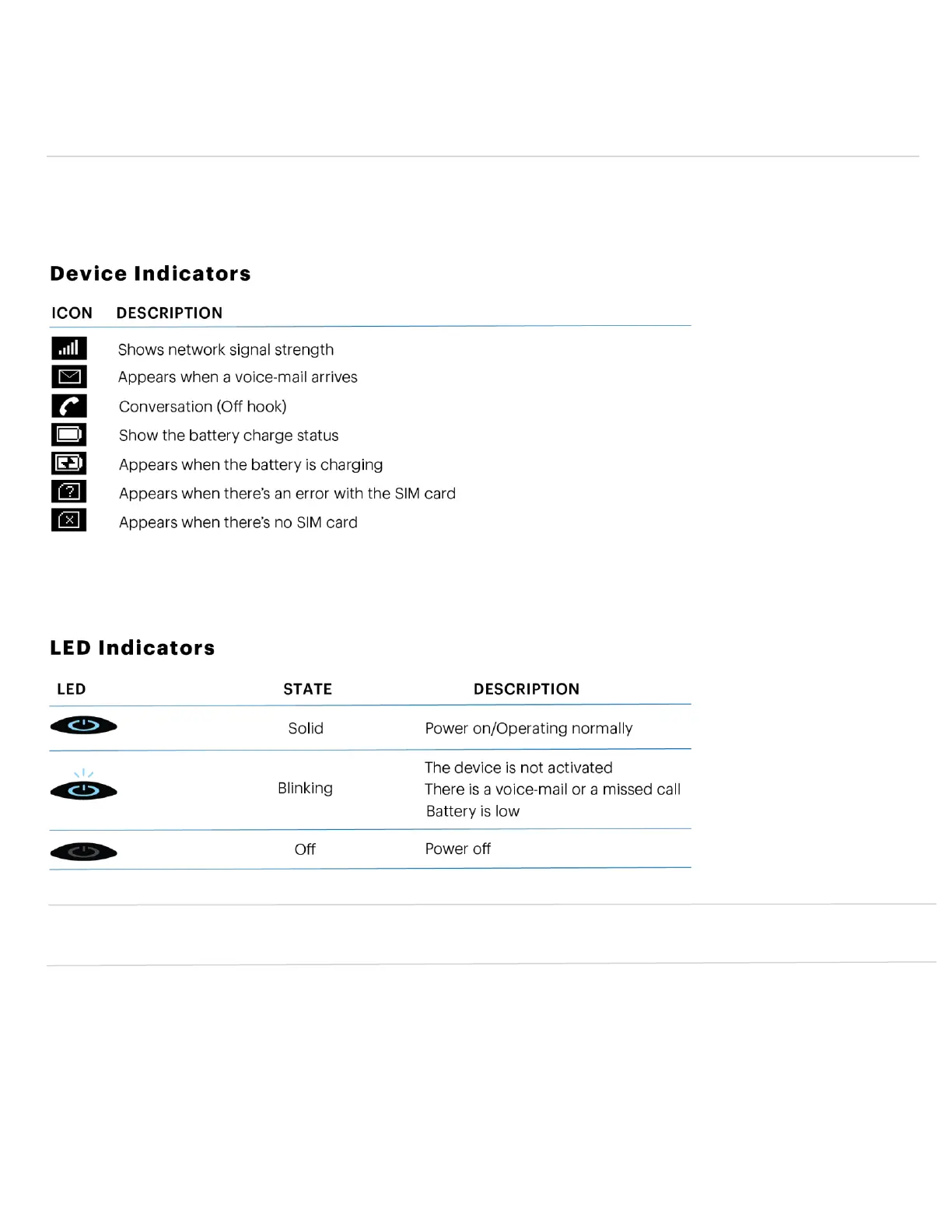
Device Display
The T720 color display screen shows a various kinds of information while the device is in use. It shows device status
such as signal strength, battery, date/time, phone number. Additionally, for examples, during a call, it shows a timer
that measures the length of call. If you receive, make or miss a call, you can view a caller ID on the screen.
IMPORTANT! In order to charge, please use only an approved charger to charge your T720. Improper handling of the
power port, as well as the use of an incompatible charger, may cause damage to your device and void the warranty.


 To Next Page