Franklin JEXtream – Performing a Factory Reset
Page 3 of 3
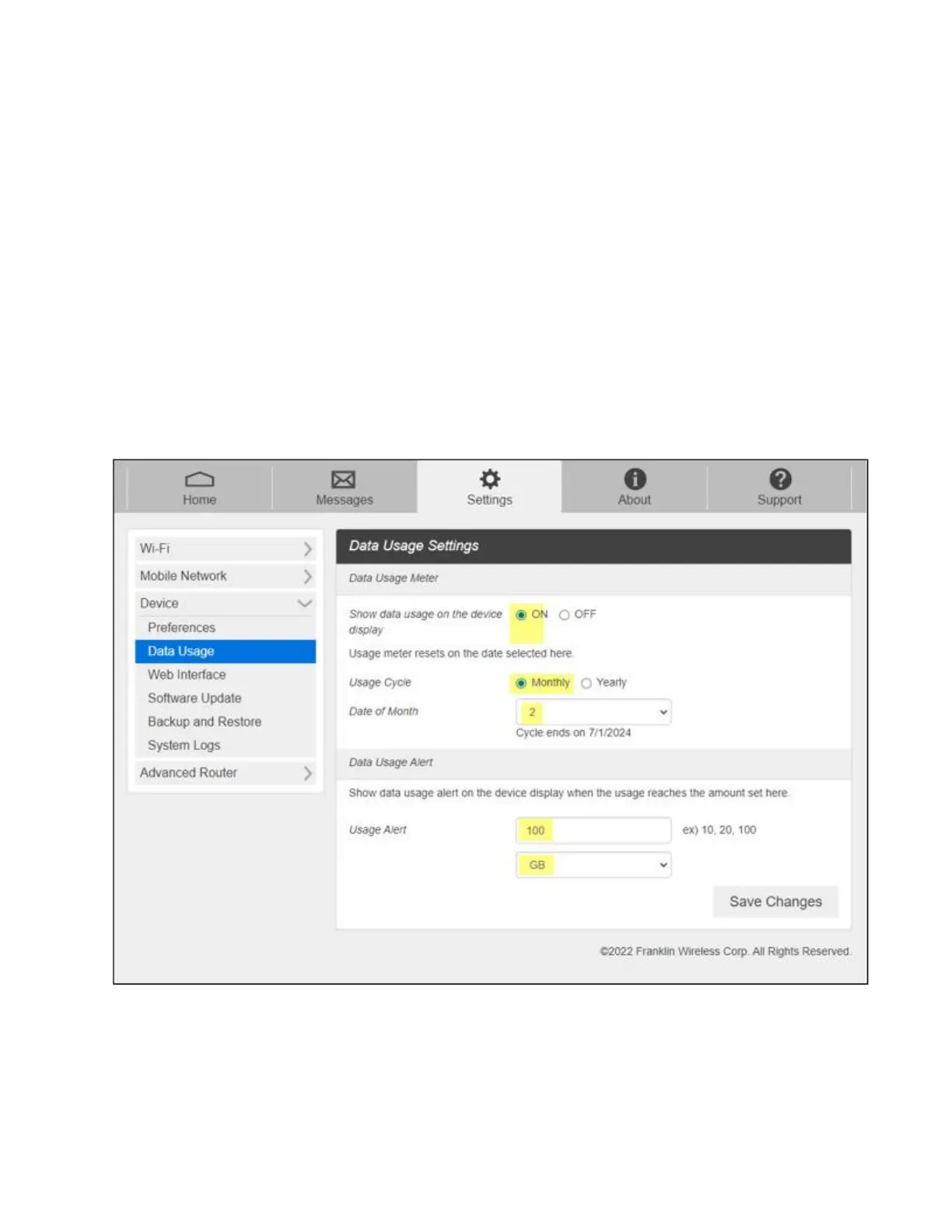
Update the Data Usage Cycle and Limit
1. On the top menu bar, select Settings
2. From the menu on the left side of the screen, select Device and then Data Usage
3. In the box labeled Data Usage Meter:
a. Update “Show data usage on the device” to “ON”
b. Update the Usage Cycle option to be “Monthly”
c. Update Date of Month to be “2”
4. In the box labeled Data Usage Alert, update the Usage limit to be “100” and “GB”
5. Select Save Changes in the bottom right corner.



 To Previous Page