3
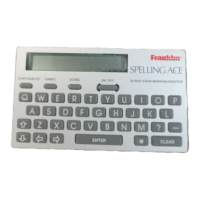
Here’s how you can get started using your
Spelling Ace.
1. Press ON/OFF.
2. Press or repeatedly to adjust
the screen contrast.
NOTE: You can adjust the screen contrast
only when
Ready for word
is in view.
Getting Started
✓ Typing Punctuation Marks
You do not have to type punctuation marks
to find spellings. But if you want to type an
apostrophe in a word, press
. To type a
period, press
. Note, however, that punc-
tuation marks cannot begin words.



 To Next Page