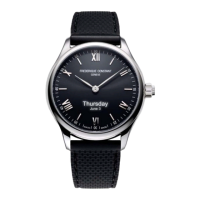
Need help?
Do you have a question about the Frederique Constant FC-285*5B4 series and is the answer not in the manual?
Download the MMT-365 application for iPhone or Android devices from the respective app stores.
Ensure Bluetooth is enabled on your smartphone to connect with the smartwatch.
Complete the setup process by following the guided instructions within the MMT-365 application.
Connect and sync the watch with the MMT-365 application by pressing the crown once.
Check progress towards activity or sleep goals by pressing the crown twice.
View the Worldtimer by pressing the crown three times.
Change between Activity and Sleep modes by pressing and holding the crown for 3 seconds.
Activity tracking mode indicated by the blue hand showing the date.
Sleep monitoring mode indicated by the blue hand showing the moon.
Learn how button presses trigger specific notification responses like call or message alerts.
Visual explanation of how hands indicate activity progress in the watch display.
Visual explanation of how hands indicate sleep status in the watch display.
How the watch vibrates and hands indicate missed calls.
How the watch vibrates and hands indicate received messages.
Automatic time and date synchronization with your smartphone.
Monitor daily steps, calories burned, and total distance.
Track sleep duration and quality (deep, light, awake).
Wake up refreshed with alarms timed to your sleep cycle.
Receive reminders to move if you've been idle.
Personalized suggestions based on activity and sleep goals.
Display a chosen second time zone (hometown).
Activity and sleep data stored independently for 30 days.
Features an electronic movement with over two years of battery life.
FCC rules compliance for digital devices and industry Canada standards.
R&TTE Directive essential requirements compliance.
Official declaration regarding product compliance with directives.
Standards related to health and human exposure.
Electrical safety standards applied to the device.
Standards for electromagnetic interference and compatibility.
Standards for efficient use of radio frequency spectrum.
Information on upcoming features and how to receive updates.
Link to the official website for additional details.
 General
| Model | FC-285*5B4 series |
|---|---|
| Category | Watch |
| Case Material | Stainless steel |
| Crystal | Sapphire |
| Movement | Quartz |
| Dial Color | Silver |
| Water Resistance | 50 meters |
| Strap Material | Stainless Steel |
| Functions | Date |

 To Next Page