33
1
2
7.1. Charging process completion
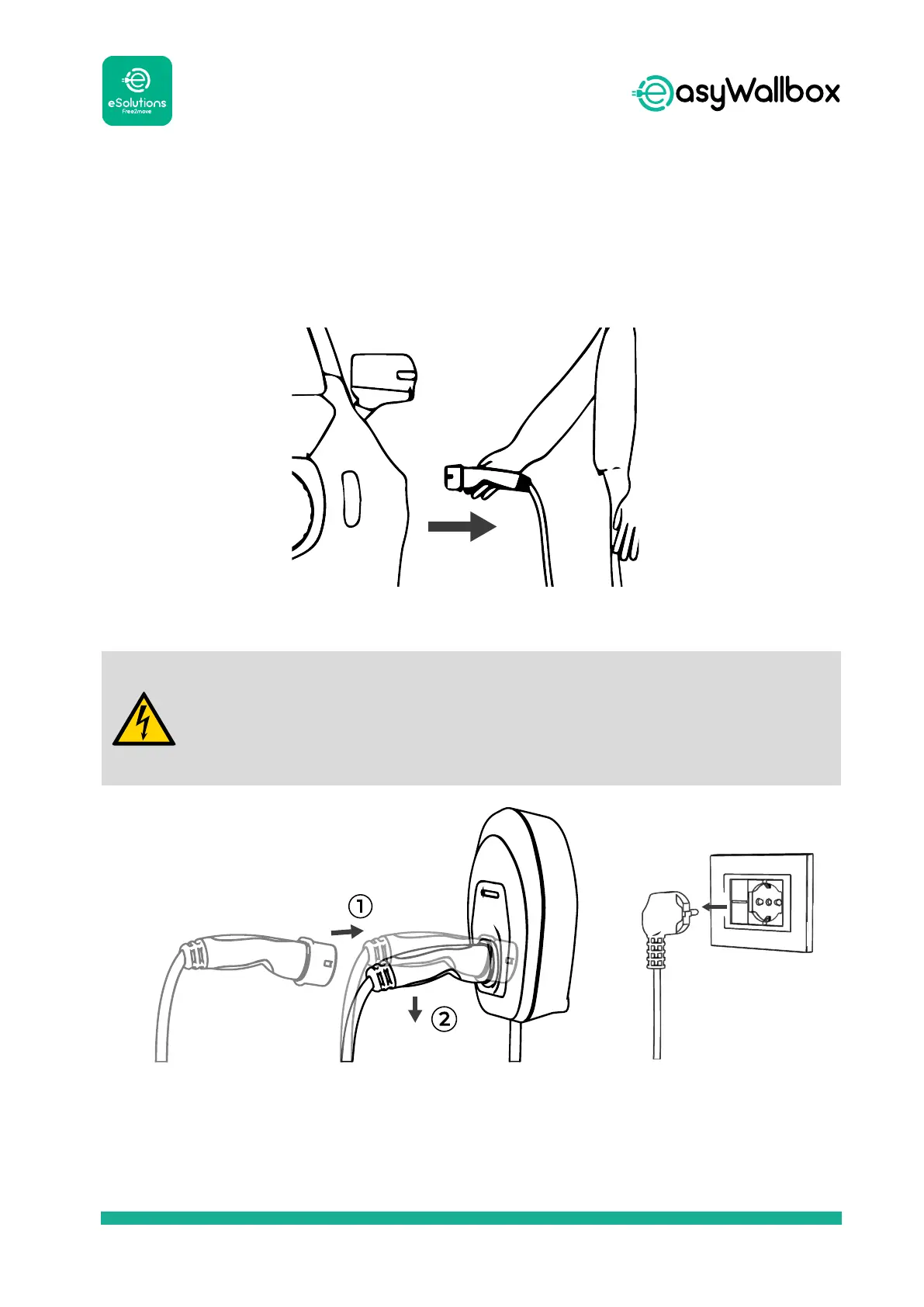
To complete the charging process, see the following instructions:
1. Check if the LED on the device is BLUE.
2. Extract the connector from the vehicle inlet.
Do not extract the connector from the vehicle when the charging
process is NOT completed and the LED on the device is GREEN.
Pulling the cable could damage it and lead to electrocution and
serious injuries.
3. Insert the connector into easyWallbox.
4. To provide maximum safety level, the connection with the power
supply can be interrupted (if necessary by removing the plug from the
socket).


 To Next Page