9
FREECOM MOBILE HARD DRIVE
FREECOM DESKTOP HARD DRIVE
Saving Freecom data (Mac)
The user manuals and complementary software (when applicable) are pre-loaded onto
the hard drive. We recommend that you save these files to your computer ("Documents"/
"Freecom"), to always have a backup of these files in case you (accidentally) reformat
the drive or delete these files from the drive.
Saving these files from the external hard drive to your computer is easy:
1. C
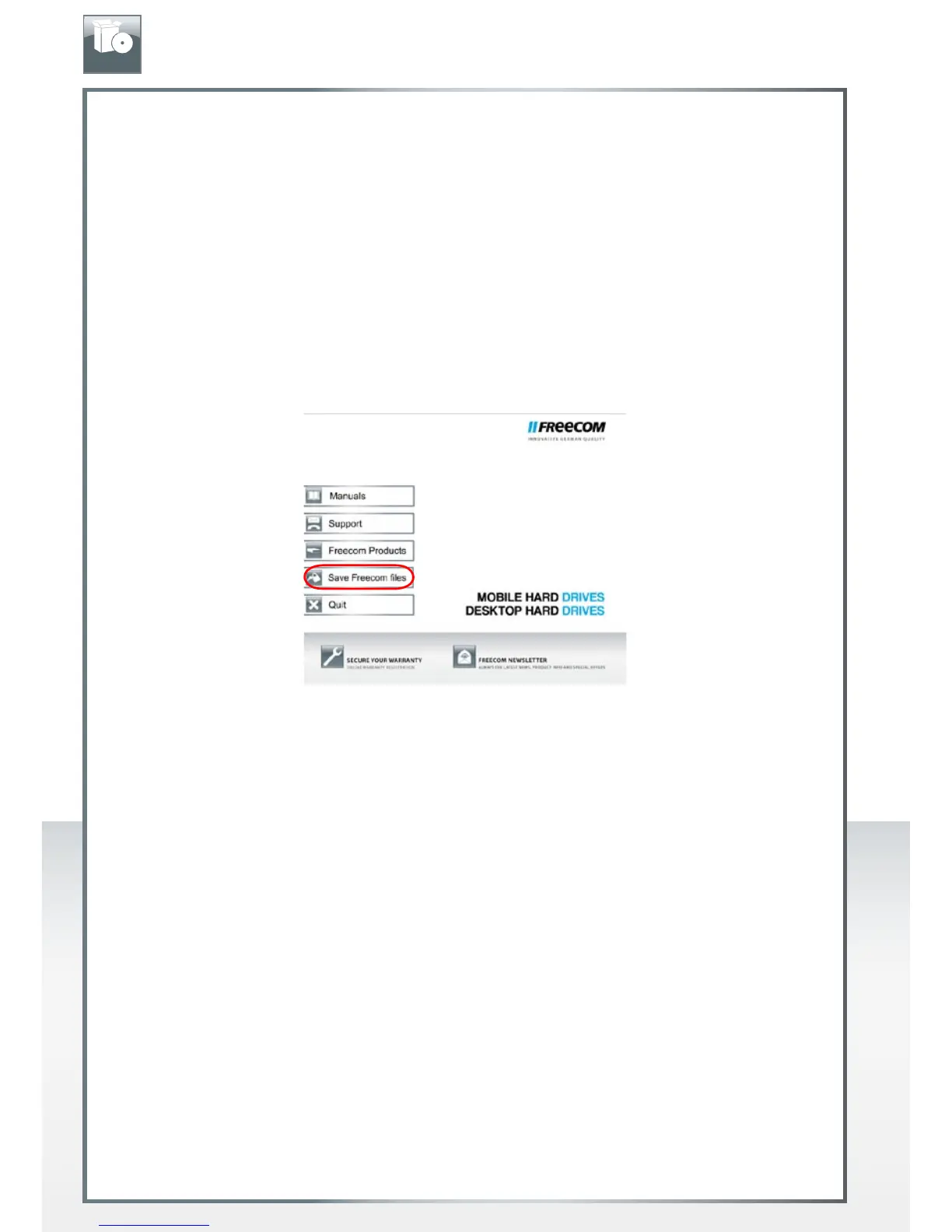
lick on "Start MAC" in the main directory of the hard drive. The Freecom start menu
opens.
2. C
lick on the button "Save Freecom files".
3. All provided data on the Freecom hard drive will be saved to the folder "Freecom"
in "Documents".
EN











 To Next Page