Connecting / Installing Network Drive Pro
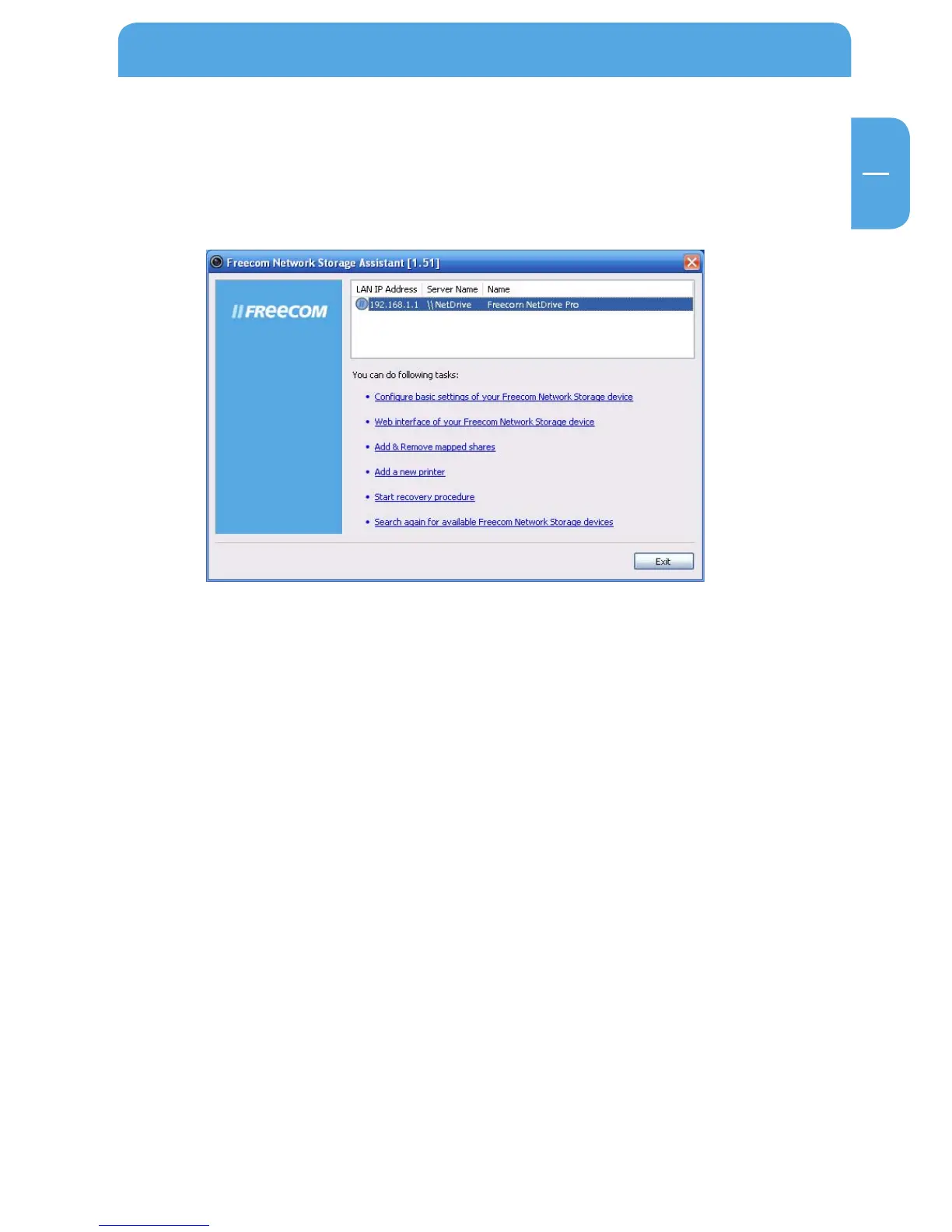
3. Start the Freecom Network Storage Assistant.
4. Check the Freecom Network Storage Assistant whether your Network Drive Pro was
detected. This may take some time. If your Network Drive Pro is not immediately
detected, click "Search again for available Freecom Network Storage devices" to
repeat the search.
5.
For a detailed functional description on the Freecom Network Storage Assistant,
please refer to chapter 4.
1.3 Installation of the Freecom Network Storage Assistant Software (Mac)
The Freecom Network Storage Assistant quickly detects and performs the basic set-up
of your Network Drive Pro. When you start it, it displays all Network Drives Pro available
in your network and helps you configure the Network Drive Pro and the create network
folders.
1. Insert the Freecom Network Drive Pro software & Manual CD into your CD drive.
Please click on "Start" in the main directory of the CD.
2.
Click on "Software Installation" -> "FNS Assistant". The installation starts now. Follow
the instructions on the screen.
3.
Start the Freecom Network Storage Assistant.
4.
Check the Freecom Network Storage Assistant whether your Network Drive Pro was
detected. This may take some time. If your Network Drive Pro is not immediately
detected, click "Search again for available Freecom Network Storage devices" to
repeat the search.
5.
For a detailed functional description on the Freecom Network Storage Assistant,
please refer to chapter 4.



 To Next Page