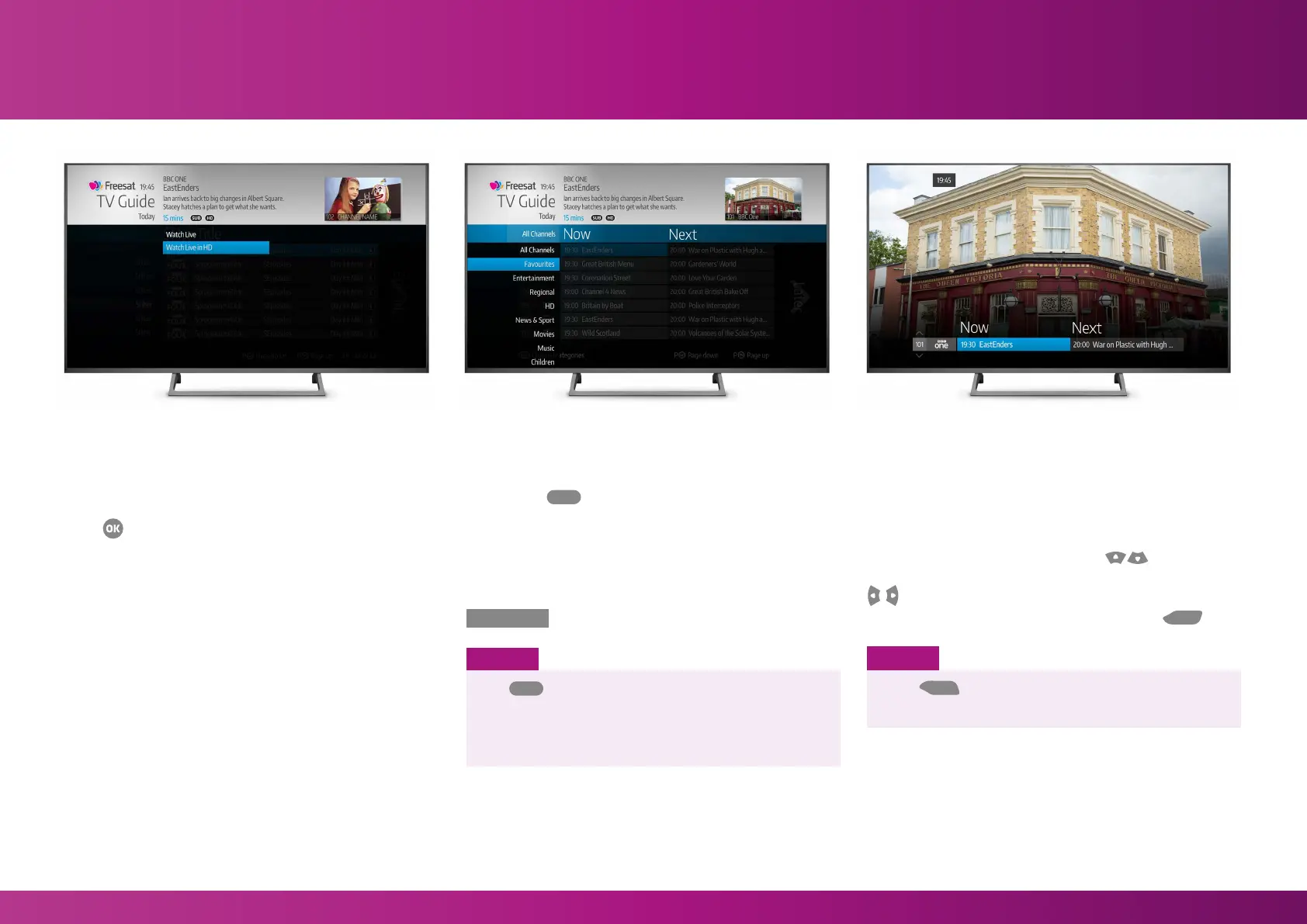
When you highlight a programme, a short
synopsis will appear at the top of the screen.
Press
LIST
TEXT
LIST
TEXT
INFO
BACK
EXIT
INFO
BACK
EXIT
R
R
R
ADSUB
AD
SUB
HOME
on your remote control to see what you can
do with that programme, including:
Watch Live
Takes you straight to the show as it’s being broadcast.
Watch From Start
Where available, this takes you to the beginning of the show
(even if it has already started). Your Box must be connected
to the internet to use this feature.
Watch Live in HD
In some cases, if the show you’ve selected is in SD but
a HD version is available on another channel, selecting this
option will take you to the HD broadcast instead.
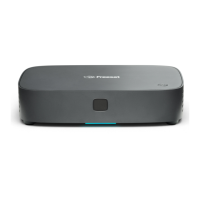
Finding programmes by channel genre
Pressing the
LIST
TEXT
INFO
BACK
EXIT
INFO
BACK
EXIT
R
R
R
ADSUB
AD
SUB
HOME
button on the remote control displays a
menu of channel genres including Entertainment, Lifestyle,
Children and News & Sport.
Selecting a genre will display all the channels within
that category.
You can go back to the full channel list by selecting
All Channels
at the top of the menu.
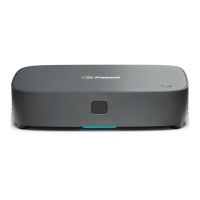
Browsing the Guide while watching TV
You don’t have to stop watching TV to see what else is on.
For a quick snapshot of what’s on now and next, press any
of the arrow buttons on your remote.
To scroll through the channel list press
LIST
TEXT
LIST
TEXT
INFO
BACK
EXIT
INFO
BACK
EXIT
R
R
R
ADSUB
AD
SUB
HOME
LIST
TEXT
LIST
TEXT
INFO
BACK
EXIT
INFO
BACK
EXIT
R
R
R
ADSUB
AD
SUB
HOME
and to see
what was on earlier or later on that particular channel, press
LIST
TEXT
LIST
TEXT
INFO
BACK
EXIT
INFO
BACK
EXIT
R
R
R
ADSUB
AD
SUB
HOME
LIST
TEXT
LIST
TEXT
INFO
BACK
EXIT
INFO
BACK
EXIT
R
R
R
ADSUB
AD
SUB
HOME
.
To go back to watching full screen live TV, Press
LIST
TEXT
LIST
TEXT
INFO
BACK
EXIT
INFO
BACK
EXIT
.
SMART TIP
The
LIST
TEXT
INFO
BACK
EXIT
INFO
BACK
EXIT
R
R
R
ADSUB
AD
SUB
HOME
function can also be used to filter any
channels that you have marked as Favourites.
For more information about setting Favourites see
page 14.
Using Home and TV Guide
Action Menu
SMART TIP
Press
LIST
TEXT
LIST
TEXT
INFO
BACK
EXIT
INFO
BACK
EXIT
R
R
R
ADSUB
AD
SUB
HOME
to see information about the
programme you have highlighted.
11


 To Next Page