3. Drag/drop or copy/paste the s-record precompiled demo file
low_power_demo_freedom.srec available in the "S-RECORD project
examples” folder from the FRDM-KL25Z_v1.00 zip file to the “FRDM-KL25Z”
drive.
4. As Windows 7 doesn’t offer anymore the hyperterminal tool, you need to
download a version of this software, like “tera term Pro“
5. Additional tools
• Plug the multimeter between the two pins from J4 (top side) and select mA mode
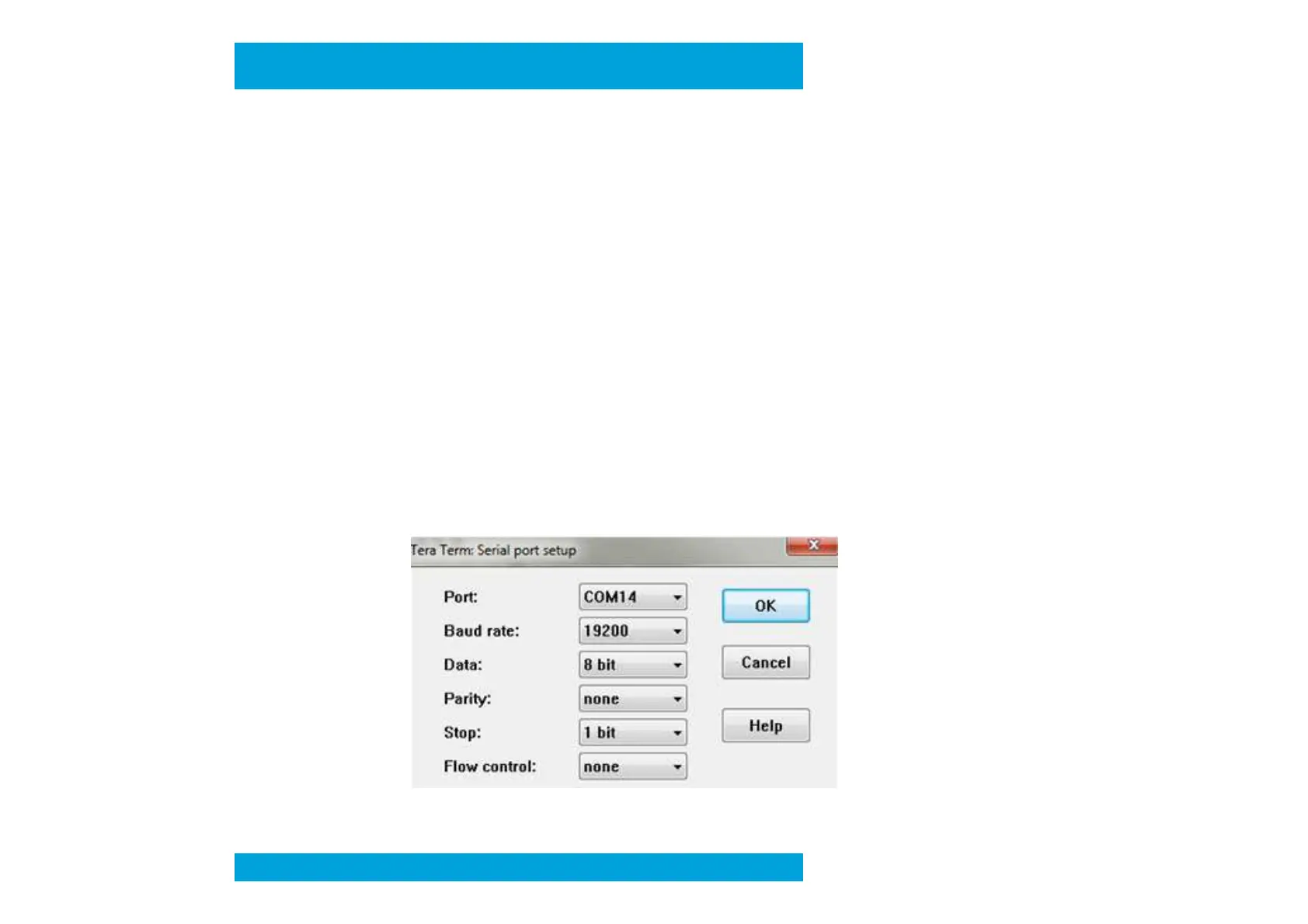
• Run TeraTerm Pro, by selecting it from the Windows Start menu
Select “Serial” option and the Port COM Number corresponding to the
Select “Serial” option and the Port COM Number corresponding to the
“OpenSDA – CDC Serial Port” (information available in Windows Device Manager)
- Select “Setup”, “Serial port …” and Baud Rate “19200” then “OK”
Preliminary



 To Next Page