indoors or in vehicles.
Operating the unit
Turning unit on/off:
1-- Switching on
Press and hold the Menu/PWR until you hear a beep sound.
2-- Switching off
Press and hold the Menu/PWR until you hear a beep sound.
Adjusting the Volume:
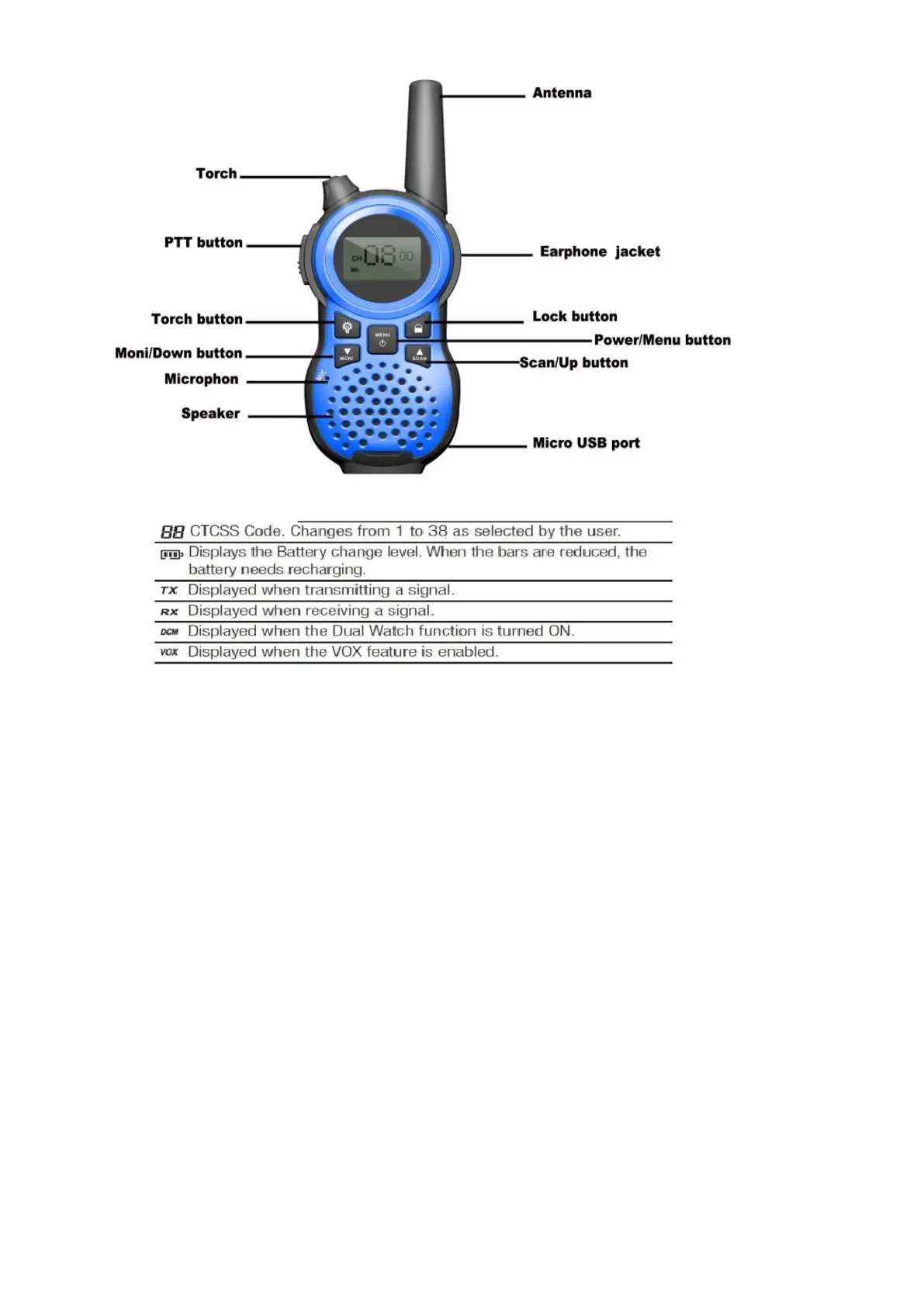
You have 8 preset volume levels. To raise the volume press the Up / Scan button and to decrease the volume, press the
Down /Moni button ,press PTT button or Menu/PWR button to confirm.
Key lock:
Press & hold Lock button 6second ,the unit will be locked and lock icon will be displayed in the LCD screen ,when the units is
locked ,only Torch button , Menu/PWR button, PTT button and Lock button can be available ,Press & hold Lock button 3 second,it will
be unlocked.
Torch:
Press and hold the Torch button ,it will be on ,release the button ,it will be off .when the unit is turn off ,the torch stil can be on/off
by Torch button
Auto scan.
Press & hold the Up / Scan button for 2 seconds to activate auto scan,Press & hold the Up / Scan button for 2 seconds to
deactivate auto scan Or Press Menu/PWR button to deactivate auto scan.
Monitor (Zero squelch)
Press & hold the Down/Moni button for 2 seconds to activate monitor.
Press & hold the Down/Moni button for 2 seconds to deactivate monitor.
Changing Channels
You have channels with the legal frequency at your disposal. To communicate with another device,you must both be on the same



 To Next Page