VILTA
1. Switch to video mode. Tap and choose motion time lapse.
1. Switch to video mode. Tap and choose time lapse.
2. Set shutter interval and time of duration. Tap Start.
3. Tap to exit recording. Video will be automatically
saved to documents.
2. Set shooting points
Auto Mode
Manual Mode
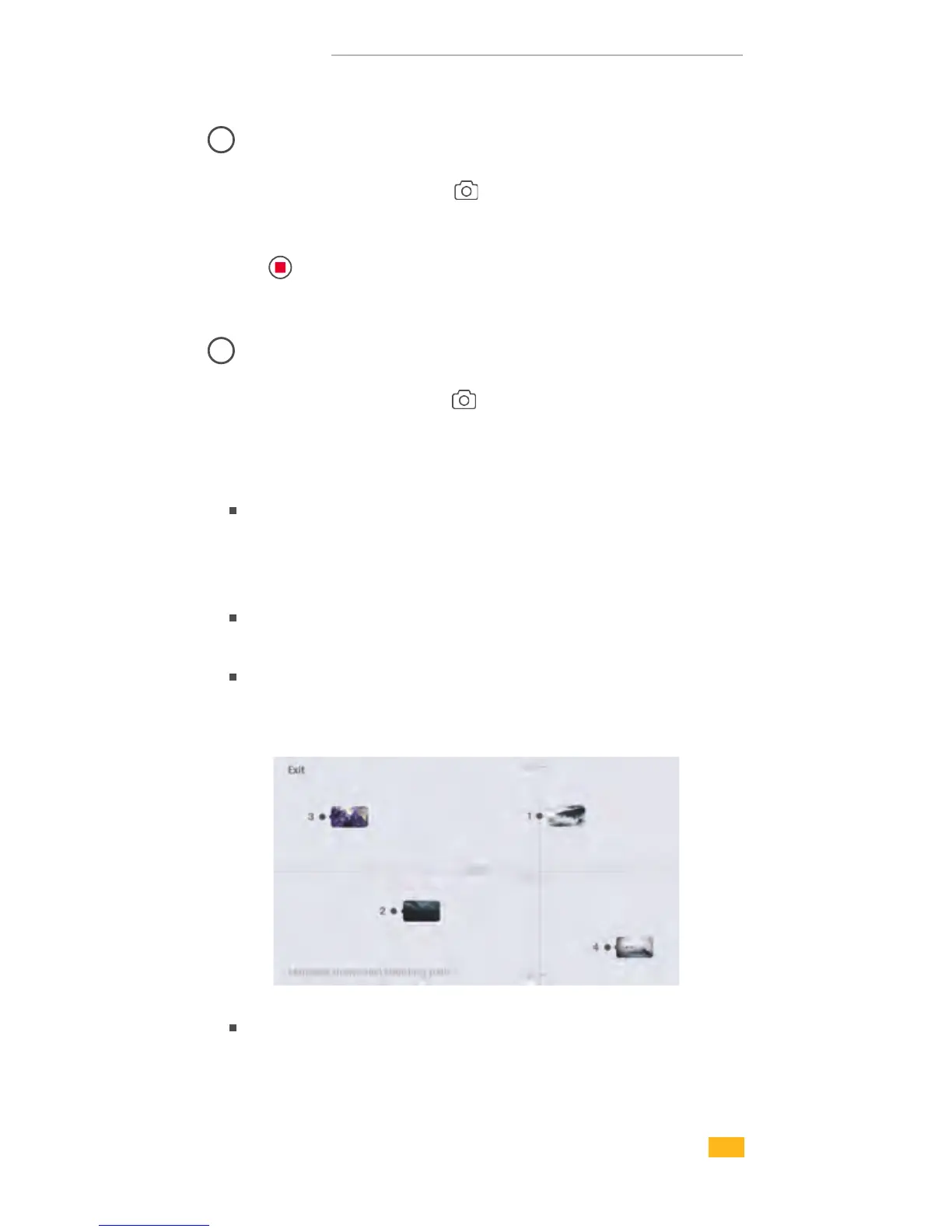
Manually adjust phone to ideal shooting point. Take photo at
that direction and it will be shown as shooting point A on App.
Likewise, the rest shooting points can be done in the same
approach.
According to the shooting points, VILTA will
automatically generate shooting path.
Adjust smoothness of the shooting path.
02
Time Lapse
03
Motion Time Lapse
3. Set shutter interval and time of duration. Tap Start.
Freely set the shooting path by directly drawing on your
phone screen.
18


 To Next Page