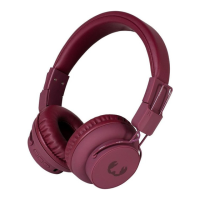
Need help?
Do you have a question about the Fresh 'N Rebel CAPS2 and is the answer not in the manual?
Charge the headphones fully before using them for the first time.
Activate the headphones by pressing the power button.
Activate the Bluetooth function on your mobile device.
Pair the headphones by selecting them from the available Bluetooth devices.
Describes headphone control functions for single click, double click, triple click, and long press.
Follow instructions, avoid fire, consider battery disposal and heat exposure.
Covers 2-year warranty, exclusions, operating frequency, and radio power.
Sitecom declares radio equipment compliance with Directive 2014/53/EU.
 General
| Connectivity | Wireless |
|---|---|
| Wireless | Yes |
| Bluetooth Version | 5.0 |
| Driver Size | 40 mm |
| Microphone | Yes |
| Controls | On-ear controls |
| Frequency Response | 20 Hz - 20 kHz |
| Charging Time | 2 hours |
| Foldable | Yes |
| Impedance | 32 Ohms |
| Wireless Range | 10 m |

 To Next Page