3
4
FC111/113
21
GB
Overview
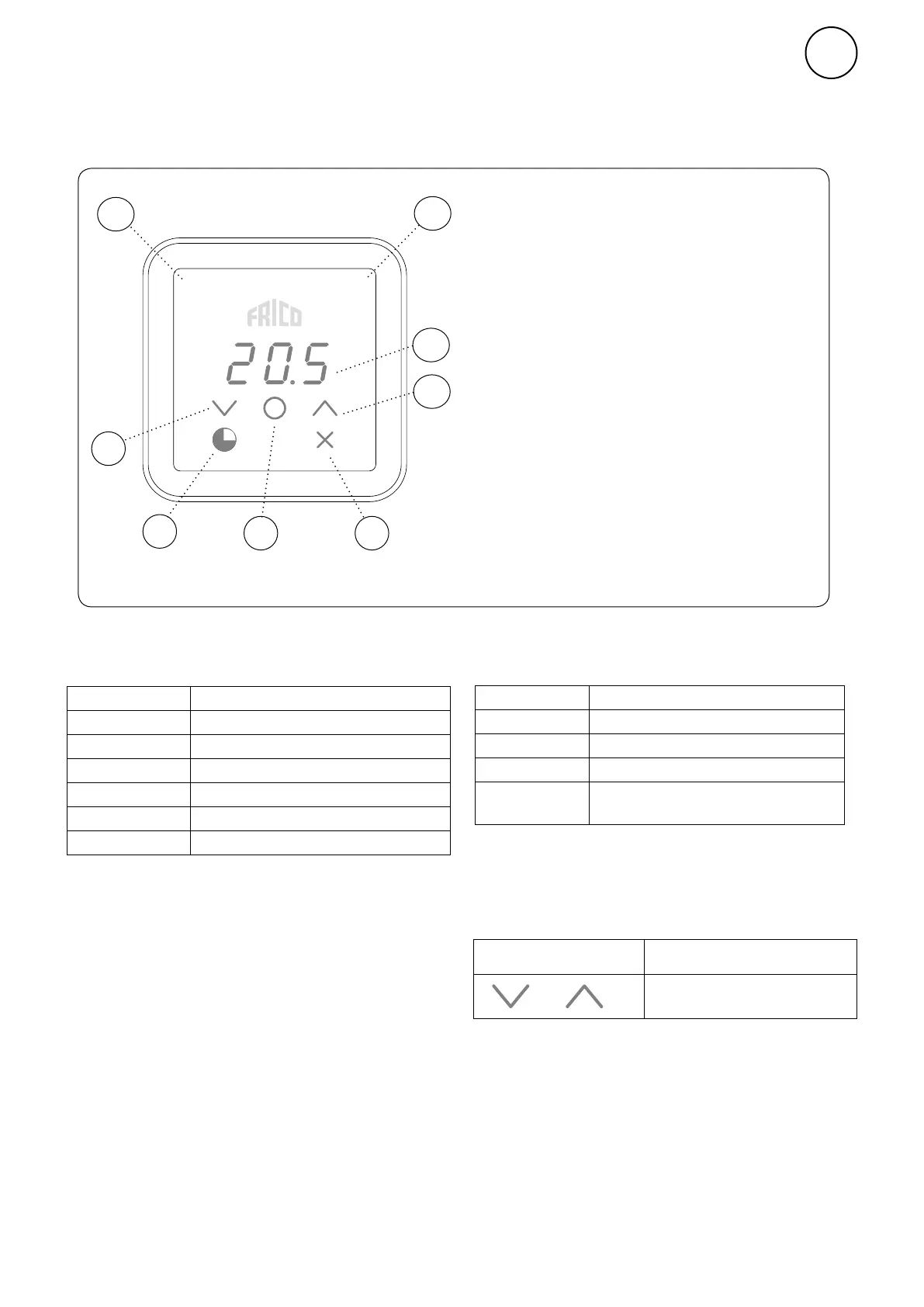
Control panel
Keypad
1 Increase
2 Decrease
3 Menu / OK / Confirm
4 Timer
5 Cancel / Back
4 and 5 appear on the first press of menu
button.
Screen
6 Current room temperature (standby mode) /
Set point temperature (active mode)
Indicators
7 Operating mode
8 Status
5
1
2
6
8
7
+
Press and hold (2 sec) Quick command
Display lock on/off
Display lock
Colour (LED) Status
White
OFF
Red flashing
Purple
Indicator Status (right-hand LED)
Heat on
Heat off
Alarm
Heating blocking
Colour (LED) Operating mode
Indicator Operating Mode (left-hand LED)
During start-up, the text Inlt appears on
screen, then the current room temperature is
displayed.
When the screen is in standby mode, the light
intensity is reduced. Pressing any button will
simply display the set point temperature.
The FC111/113 is delivered with preset values.
The preset set point temperature is 21 °C
and can be easily adjusted using the up/down
arrows. The FC111/113 can also be adjusted to
your own requirements, consult the following
pages.
Normal mode
Comfort mode
Comfort mode - temporary
Reduced (night mode)
Reduced (night mode) - temporary
Timer
OFF
White
White flashing
Green
Green flashing
Yellow


 To Next Page