27 PB
OPERATION
User Interface
The CnCT Menu (WiFi Connection)
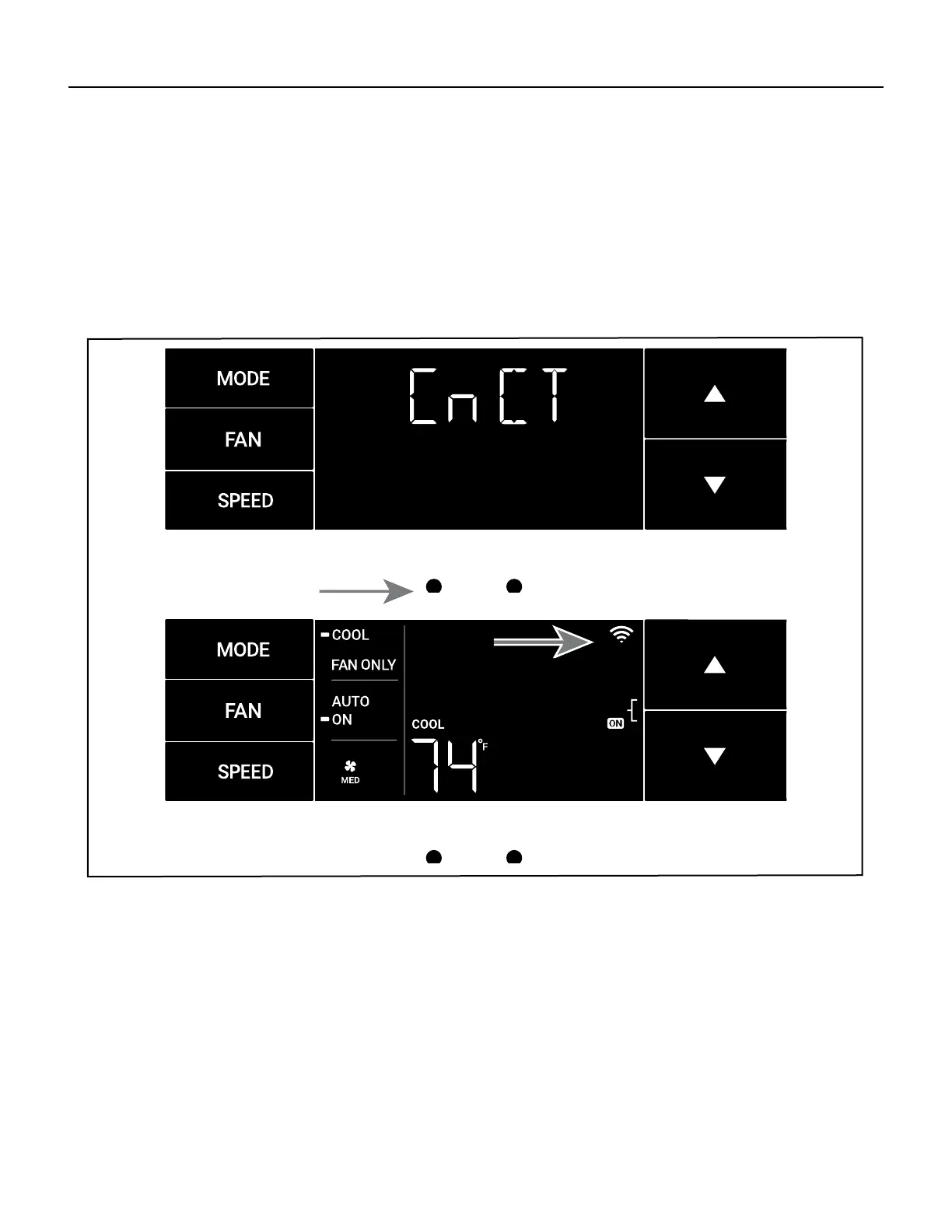
This menu is used to turn on Wi-Fi connection.
This is the CnCT menu. Pressing the menu button will activate Wi-Fi. See Figure 335.
To setup WiFi, refer to Wi-Fi setup instructions.
The Wi-Fi symbol in the top right corner of the display shows Wi-Fi connection is on. See Figure 336.
Figure 335
MENU RETURN
Figure 336
MENU RETURN







 To Next Page