EasyManua.ls Logo

Friedrich KUHL R-410A - User Manual

Friedrich KUHL R-410A
87 pages
Print Icon
To Next Page IconTo Next Page
Loading...
Service Manual
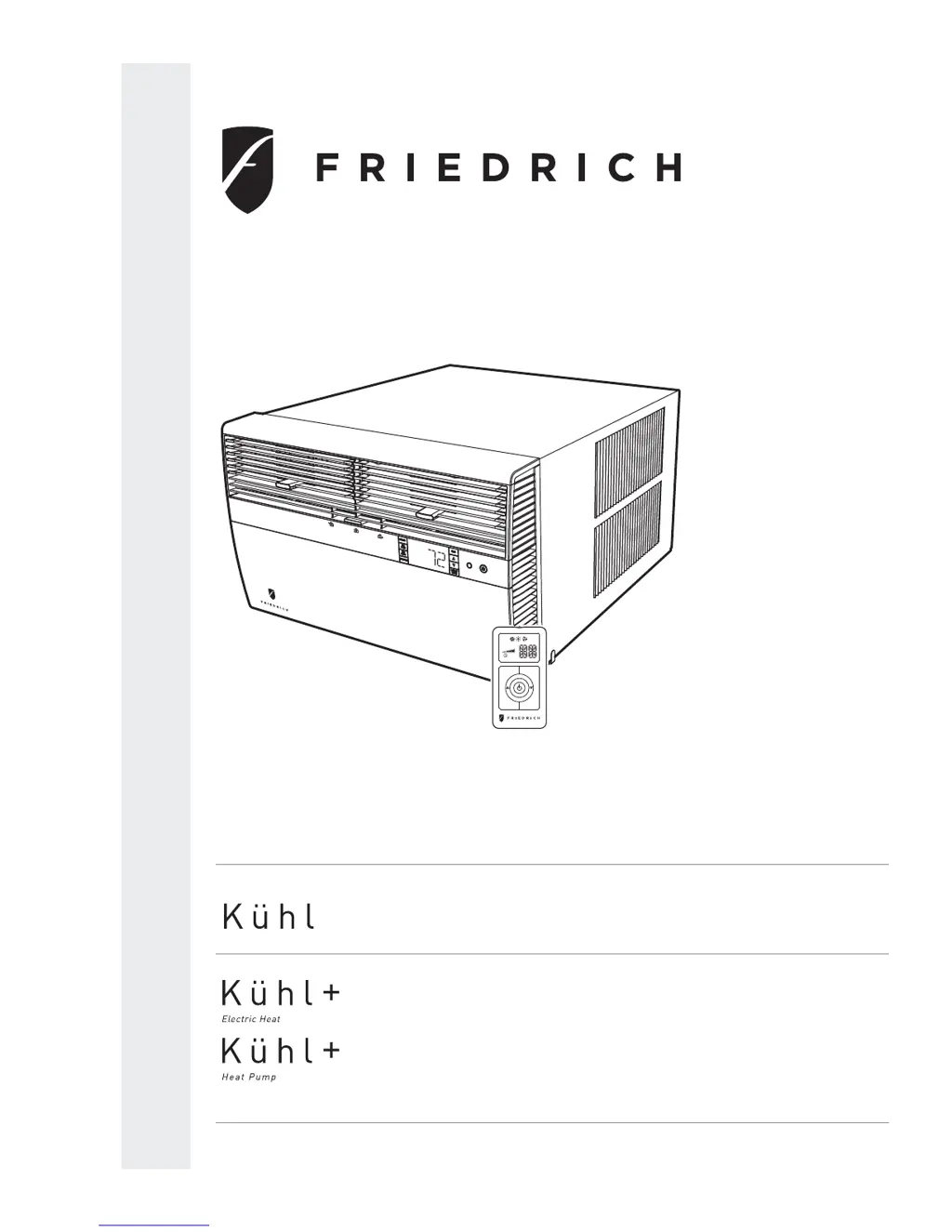
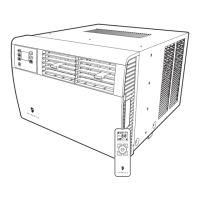
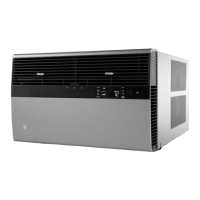
Standard Chassis R-410A Models
Room Air Conditioners
115-Volt:
208-230-Volt:
Cool Only
SS08M10, SS10M10, SS12M10, SS14M10
SS12M30, SS15M30, SM18M30, SM21M30
SM24M30, SL28M30, SL36M30
Cool with Electric Heat
208-230-Volt: ES12M33, ES15M33, EM18M34, EM24M35, EL36M35
Heat Pump with Electric Heat
208-230-Volt: YS12M33, YM18M34, YL24M35
Heat Pump
115-Volt: YS10M10
SYSTEM FAN MODE
SCHEDULE FAN SPEED
AUTO
AUTO
AUTO
CONTINUOUS
°F °C
Kuhl-ServMan (5-10)

Table of Contents

Questions and Answers

  • S
    Sophia BlackAug 14, 2025
    Why does my Friedrich KUHL R-410A not cool properly and turn on and off frequently?
    • D
      David AtkinsonAug 15, 2025
      If your Friedrich Air Conditioner isn't cooling or heating properly and cycles on and off too frequently, ensure that the air grille isn't blocked by curtains, blinds, or furniture. Make sure all windows and doors are closed. Adjust the temperature to a cooler or warmer setting as needed. Clean the coils if they are dirty or obstructed, and use exhaust fans to reduce excessive heat or moisture in the room. If the room is extremely hot, allow extra time for it to cool down.
  • S
    smithtimothyAug 18, 2025
    Why Friedrich KUHL R-410A Air Conditioner does not cool or only cools slightly?
    • K
      Kyle MendozaAug 18, 2025
      If your Friedrich Air Conditioner does not cool or only cools slightly, consider that the unit might be undersized. Check if the indoor ambient thermistor is open or shorted, and replace it if needed. Clean a dirty filter as recommended in the Owner’s Manual and clean a dirty or restricted condenser or evaporator coil using a pressure wash or biodegradable cleaning agent. Adjust discharge louvers and use high fan speed to improve poor air circulation. Ensure the fresh air or exhaust air doors are closed and instruct the customer on using this feature. Check for leaks and repair if the unit has low capacity due to undercharge. Finally, check the amperage draw against the nameplate to see if the compressor is not pumping properly and make a pressure test if necessary.
  • J
    Jamie JonesAug 21, 2025
    How to troubleshoot a Friedrich KUHL R-410A that does not turn on?
    • D
      Deborah HuntAug 21, 2025
      If your Friedrich Air Conditioner does not operate, first, ensure the unit is turned on and the temperature is appropriately set. Check if the LCDI power cord is properly plugged into a grounded 3-prong receptacle. If the LCDI power cord has tripped, press and release the RESET button. Also, verify that the circuit breaker hasn't tripped or the fuse hasn't blown, resetting or replacing them as needed. Finally, if there was a local power failure, the unit should resume normal operation once power is restored.
  • A
    Ashley HughesAug 25, 2025
    What to check if my Friedrich KUHL R-410A Air Conditioner unit does not turn on?
    • M
      Matthew AguilarAug 26, 2025
      If your Friedrich Air Conditioner does not turn on, check the power supply, LCDI plug, wire connections, and whether the panel is locked. If there are issues with the wiring, refer to the appropriate wiring diagram. If the thermistor is defective, replace the thermistor or electronic control board.
  • J
    Jonathan TaylorAug 28, 2025
    Why does my Friedrich KUHL R-410A trip the circuit breaker?
    • J
      Jacob BarnesAug 28, 2025
      If your Friedrich Air Conditioner trips the circuit breaker or blows fuses, it could be due to other appliances using the same circuit. This unit needs its own dedicated outlet. Avoid using extension cords with the air conditioner. Also, ensure the circuit breaker or time-delay fuse has the correct rating. If problems persist, consult a licensed electrician.
  • A
    ashleydavisAug 31, 2025
    What to do if the LCDI power cord trips on my Friedrich KUHL R-410A?
    • J
      Jean FuentesSep 1, 2025
      If your Friedrich Air Conditioner's LCDI power cord trips, indicated by the reset button popping out, it might be due to power supply disturbances, electrical overload, overheating, or a pinched cord. Press and release the RESET button to resume operation. If the power supply cord is damaged, it should be replaced with a new one from the manufacturer; do not attempt to repair it.
  • Z
    zcookSep 3, 2025
    Why does my Friedrich Air Conditioner run too much?
    • A
      aarmstrongSep 4, 2025
      If your Friedrich Air Conditioner runs too much, it may be due to excessive heat in the room from heat-producing appliances or a heavily occupied space, requiring the unit to run longer. It could also be due to an improperly sized unit.
  • S
    Shannon BrownSep 7, 2025
    What to do if the compressor does not run on my Friedrich KUHL R-410A?
    • J
      John VegaSep 7, 2025
      If the compressor of your Friedrich Air Conditioner doesn't run, check the voltage at the compressor, ensuring it's within a 10% variance for 115V & 230V units. Set the temperature lower than the ambient temperature and test/replace the thermistor if inoperative. If the compressor hums but cuts off on overload, hard start the compressor and directly test it, adding starting components if it starts. Check for continuity & resistance in case of open or shorted compressor windings. Test and replace an inoperative overload protector or capacitor. Test the system button for continuity in all positions, replacing if inoperative. Refer to wiring diagrams to check and correct any broken, loose, or incorrect wiring.
  • E
    Eric OconnorSep 10, 2025
    What to do if the fan motor does not run on my Friedrich KUHL R-410A?
    • C
      Carmen CampbellSep 12, 2025
      If the fan motor of your Friedrich Air Conditioner does not run, test the system button and replace the user interface if inoperative. Refer to the applicable wiring diagram for broken, loose, or incorrect wiring. Test the capacitor and replace if inoperative. If the fan speed button is defective, replace the user interface. Test the fan motor and replace if inoperative, ensuring the internal overload has had time to reset.

Summary

Important Safety Information

Personal Injury and Death Hazards

Covers electrical, refrigeration, and mechanical hazards.

Property Damage Hazards

Fire and Water Damage Risks

Risks of fire or water damage from improper operation or installation.

Introduction

Unit Identification and Model Location

Where to find model and serial numbers for unit identification.

Unit Identification

Performance Data and Specifications

Installation Information

Sleeve Dimensions and Circuit Rating

Details on sleeve sizes and electrical circuit requirements.

Electrical Data and Safety

Pre-Operation Warnings

Wiring, Cords, and Receptacle Checks

Ensures correct wiring, dedicated circuits, and proper receptacles.

Power Cord Testing Procedure

Procedure for testing the LCDI power cord.

Control Panel Operation

Display and Basic Controls

Explains the LCD display and basic control buttons.

Fan Speed and Scheduling Settings

How to select fan speeds and use the schedule function.

Temperature Adjustment

Using UP/DOWN buttons for temperature settings.

System Alerts and Special Functions

Alerts: Filter, Maintenance, Wait, Freeze, Battery

Identifies and explains system alerts for maintenance and operation.

Special Functions: Panel Lock & Filter Reset

Functions for panel locking and resetting filter reminders.

User Menu Navigation and Time Setting

Accessing and navigating the user menu and setting time.

Control Panel User Menu Options

Clock, Emergency Heat, and Alerts Settings

Settings for clock format, emergency heat, and alert sounds.

Dead Band and Temperature Units

Adjusting auto changeover dead band and temperature units.

Advanced Control Functions

Freeze Protection and Temperature Offset

Features for preventing freezing and adjusting temperature readings.

Auto Sampling, Firmware, and Error Code Summary

Auto temp sampling, firmware display, and error code summary.

Remote Control Operation Basics

Getting Started and Basic Operation

Installing batteries and operating the remote control.

Key Button Functions

Explains key buttons for mode, fan, and scheduling.

Remote Effectiveness and Range

Information on the remote's operating range and signal strength.

Electronic Control System Maintenance

Introduction and Display Indicators

Overview of maintenance alerts and display indicators.

Testing the Control Panel Display

Procedure to verify the functionality of the control panel display.

Maintenance Section Navigation

Entering Maintenance Menus and Sub-Menus

How to access and navigate maintenance sub-menus (M1-M6).

Maintenance Menu Functions

Temperature Limit Adjustments

Adjusting temperature limits.

System Test Mode Access

Accessing and using the system test mode.

Maintenance Menu: Configuration and Errors

Unit Configuration and Error Code Management

Factory settings, viewing/clearing error codes, and history.

Unit Operation Modes

Front Panel Operation and System Modes

Operating the unit via the front panel and system mode sequences.

Cool;Heat Set Point Configuration

Set Point Mapping and List

How set points relate to internal controls and available set points.

Electronic Control Sequence of Operation

Compressor and Reversing Valve Control

States of compressor and reversing valve in different modes.

Cooling Mode Operation Details

Detailed steps of the cooling cycle, including delays.

Heating Mode Control Operation

Heat Pump Only Heating Control

Operation sequence for heat pump heating cycles.

Heat Pump with Electric Heat Operation

Electric Heat Activation Conditions

How temperature and delta affect switching to electric heat.

Emergency Heat and Auto Modes

Emergency heat function and automatic cool/heat changeover.

Compressor and Fan Operation Logic

Compressor Lock Out and Wait Icon

Compressor lockout timing and wait icon indicators.

Fan Delays and System Modes

Fan delays in cooling/heating and Fan Only mode rules.

Fan Operation Details

Fan Speeds, Icons, and Mapping

Fan speed selection, icon display, and relay mapping.

Unit Operation with Wall-Stat

Wall-Stat Mode Display and Thermostat Requirements

Front panel behavior and thermostat terminal needs.

Removing Unit Components

Front Cover and Chassis Removal

Procedures and warnings for removing front cover and chassis.

Component Replacement Procedures

Indoor Coil Thermistor & Control Board Replacement

Steps for replacing the indoor coil thermistor and control board.

Low Voltage Interface and Thermostat Connection

Adding a Remote Wall Thermostat

Selecting and connecting a remote wall thermostat.

Thermostat Wiring and Terminal Requirements

Wiring diagrams and terminal requirements for thermostats.

Thermostat Location and Airflow Adjustment

Remote Thermostat Location & Airflow Controls

Proper thermostat placement and adjusting airflow direction/fresh air.

Desk Control and Auxiliary Fan Wiring

Connecting desk controls and auxiliary fan relays.

Components Testing: Motors and Capacitors

Fan Motor Testing

Procedures for testing fan motors.

Capacitor Testing and Connections

Procedures for testing and connecting capacitors.

Components Testing: Heating and Drain

Heating Element Testing

Procedures for testing heating elements.

Drain Pan Valve Operation

Explanation of the drain pan valve's function.

Refrigeration Sequence of Operation

R-410 A System Repair Considerations

R-410 A Sealed System Repair Procedures

Required Equipment and Capabilities

Lists necessary tools and equipment for refrigerant system repairs.

Refrigerant Charging Principles

Importance of correct refrigerant charge for unit performance.

Refrigerant Charging Method

Refrigerant System Diagnosis

Undercharged and Overcharged Systems

Symptoms and checks for refrigerant under/overcharging.

Restricted Refrigerant Systems

Hermetic Components Check

Metering Device and Check Valve Operation

Checks for capillary tube restrictions and check valve function.

Reversing Valve Description and Operation

Testing and Checking the Reversing Valve

Solenoid Coil and Valve Operation Checks

Procedures to test the solenoid coil and overall valve operation.

Reversing Valve Troubleshooting Tests

Touch Test and Replacement Procedure

Performing touch tests and steps for valve replacement.

Compressor Checks and Overload Testing

Locked Rotor, Amperage Tests, and Overloads

Procedures for testing compressor voltage, amperage, and overloads.

Compressor Electrical and Efficiency Tests

Resistance, Ground, and Efficiency Tests

Tests for motor resistance, grounding, and compressor efficiency.

Compressor Replacement Procedure

Motor Compressor Burnout Procedure

Routine Maintenance Overview

Cleaning Coils, Blower, and Electronics

Maintenance tasks for coils, blower, fan, housing, and electronic parts.

Routine Maintenance Continued

Sleeve, Drain, Front Cover, and Clearances

Maintenance for sleeve, drain, front cover, and unit clearances.

Routine Maintenance: Filter Servicing

Standard Filter Cleaning and Installation

Step-by-step guide for filter maintenance.

Routine Maintenance: Start-up and Operational Notes

Start-up Checklist and Operational Notes

Checklist for post-maintenance startup and notes on operation.

Control Panel Battery Replacement

Procedure for replacing the control panel battery.

Service and Assistance Information

Obtaining Service and Available Accessories

How to get service and a list of available accessories.

Performance Test Data Sheet

Error Codes and Alarm Status

General Troubleshooting Tips

Troubleshooting Tips (Continued)

Troubleshooting: Cooling Only Models

Troubleshooting: Cooling Only Models (Continued)

Troubleshooting: Cooling Only Models (Continued)

Troubleshooting: Cooling Only Models (Continued)

Troubleshooting: Heat;Cool Models

Troubleshooting: Heat Pump Models

Troubleshooting: Heat Pump Models (Continued)

Reversing Valve Troubleshooting Chart

Electronic Control Board Components

Remote Wall Thermostat Wiring Diagrams

Kühl Cool Only Models Wiring Diagram

Kühl Cool Only Models Wiring Diagram

Kühl+ Cool with Electric Heat Wiring Diagram

Kühl+ Cool with Electric Heat Wiring Diagram

Kühl+ Heat Pump Only Model Wiring Diagram

Kühl+ Heat Pump with Electric Heat Wiring Diagram

Kühl+ Heat Pump with Electric Heat Wiring Diagram

Thermistor Resistance Values

Remote Control Configuration Instructions

Checking Remote Control OPT Code

Kühl User Interface Service Kit

Cooling Load Estimate Form Instructions

Cooling Load Estimate Form

Heat Load Form Instructions

Heating Load Form

Limited Warranty Information

Technical Support Contact Information

Friedrich KUHL R-410A Specifications

General IconGeneral
BrandFriedrich
ModelKUHL R-410A
CategoryAir Conditioner
LanguageEnglish

Related product manuals