23 PB
OPERATION
User Interface
The Lock Menu
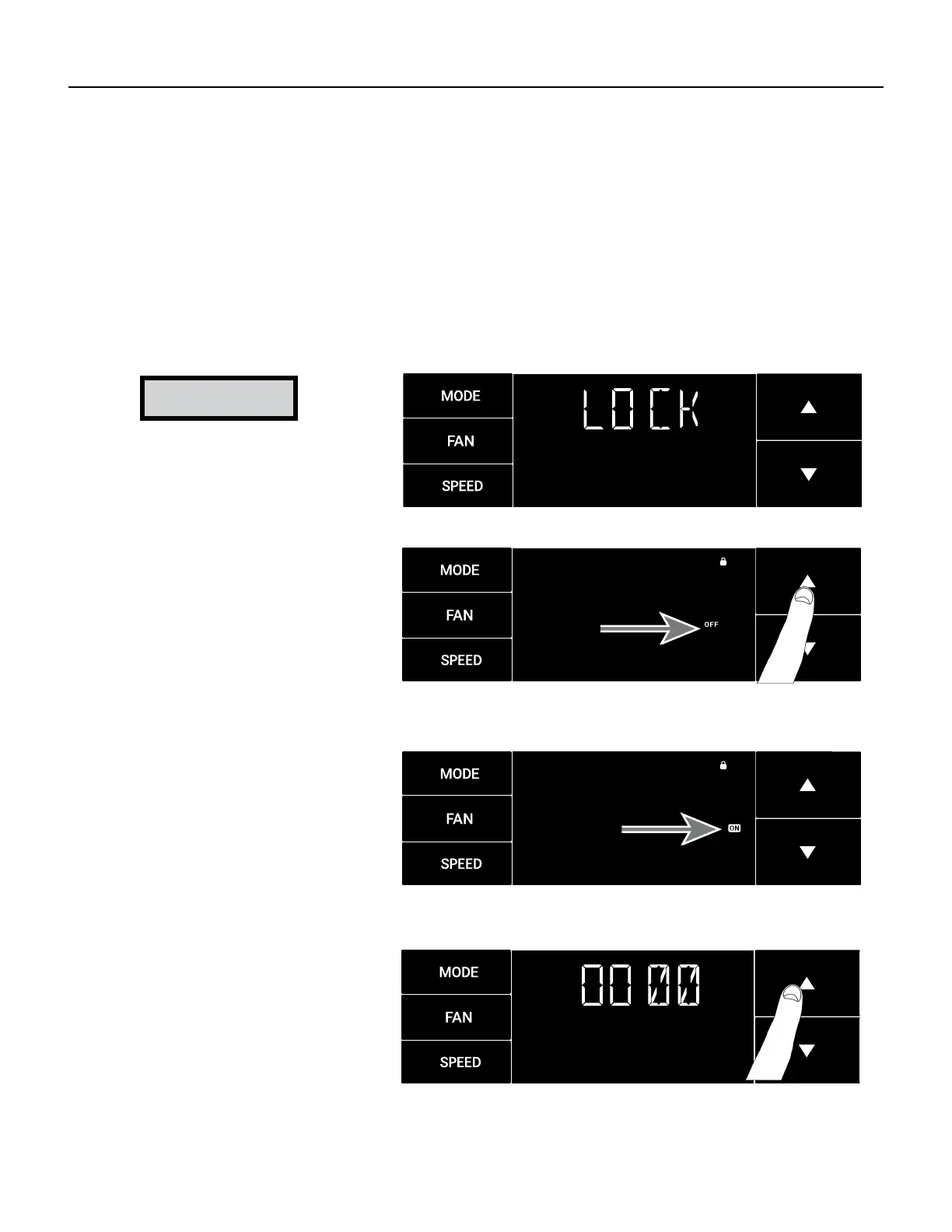
This menu is used to lock the settings with a four(4) digit passcode.
This is the Lock Menu. See Figure 322.
The menu lock is defaulted to off. Use the arrows to toggle between off and on. See Figure 323.
This is LOCK on. See Figure 324.
Set the rst digit of the password using the arrow buttons. Use the menu button to proceed to the next digit. See Figures 306
and 325.
Repeat the previous step for the remaining three(3) digits.
Press the menu button to complete the lock setting process.
Figure 322
Figure 323
Figure 324
Figure 325
NOTICE
Be Sure to write down your
passcode if you activate this
feature.
___ ___ ___ ___
Please contact Technical
Support if you have lost your
lock code.
1-800-541-6645



 To Next Page