18
Setting Silent Control Operation
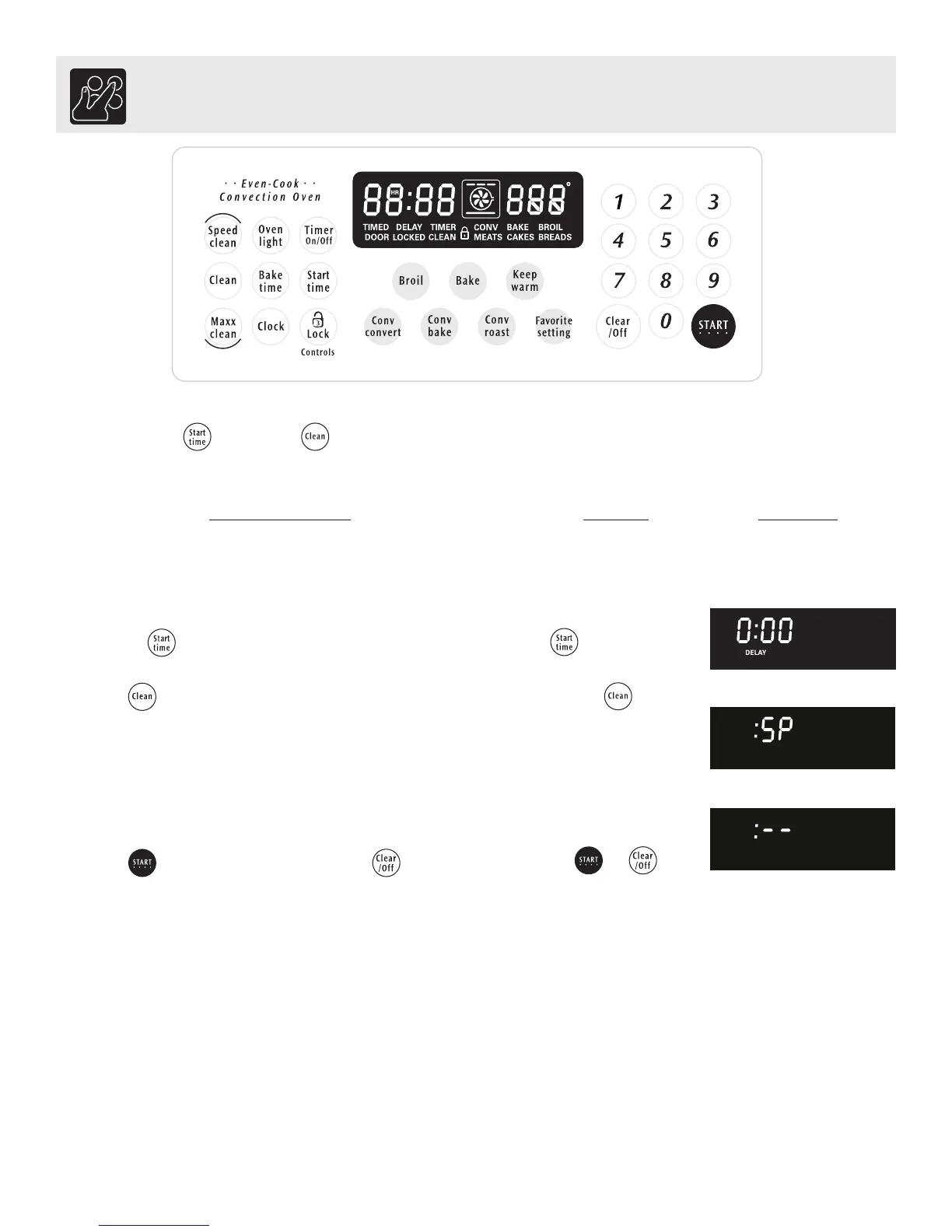
The START TIME and CLEAN pads control the Silent Control operation feature. The Silent Control operation
feature allows the oven control to be operated without sounds or beeps whenever necessary. If desired the control can be
programmed for silent operation and later returned to operating with all the normal sounds and beeps.
for 7seconds
To change control from normal sound operation to
silent control operation:
1. To tell if your range is set for normal or silent operation press
and hold for 7 seconds. "0:00" will appear and "DELAY" will
flash in the display (Fig. 1).
2. Press to switch between normal sound operation and silent
operation mode. The display will show either ":SP" (Fig. 2) or ":--
" (Fig. 3).
If ":SP" appears (Fig. 2), the control will operate with normal
sounds and beeps. If ":- -" appears (Fig.3), the control is in the
silent operation mode.
3. Press to accept the change or press to reject the
change.
or
INSTRUCTIONS PRESS DISPLAY
Fig. 1
Fig. 2
Fig. 3
Setting Oven Controls



 To Next Page