
 Need help?
Do you have a question about the Frigidaire FAD704DWD and is the answer not in the manual?
General safety warnings including fire hazard, electrical shock, flammable liquids, child safety, and electrical information.
Dangers of serious injury or death from internal parts, power cord, wet operation, and improper handling.
Cautions to avoid injury or damage from airflow direction, object placement, liquid containers, filter use, and flammable gases.
Guidelines for optimal placement of the dehumidifier for effective operation and airflow.
Explanation of the dehumidifier's operating principle, coils, moisture collection, and temperature range.
Describes expected operational sounds like rushing air, gurgling, dripping, and high-pitched chatter.
Steps to turn on, plug in, and use the ON/OFF button for continuous mode.
How to adjust humidity levels and fan speed (High/Low) for desired comfort and performance.
Information on the clean filter indicator light and how to use the timer for delay start or stop functions.
Procedure to shut down the unit and explanation of common fault codes (AS, ES, EC) and their solutions.
Step-by-step guide on how to remove, empty, and re-install the water bucket correctly.
Instructions for setting up continuous water drainage using a garden hose and drain.
Procedures for cleaning the filter, cabinet, and water bucket for optimal performance.
Guidance on how to properly store the dehumidifier when not in use, including cord wrapping.
A list of common operating issues and their solutions before contacting service.
Lists items and conditions not covered by the limited warranty, such as misuse or commercial use.
Information on how to obtain warranty service and disclaimers regarding implied warranties and limitations.
This document serves as a comprehensive Use & Care Manual for your Frigidaire dehumidifier, providing specific operating instructions to ensure optimal performance and longevity of the appliance. It emphasizes the importance of adhering to these guidelines for safe and effective use.
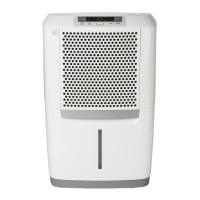
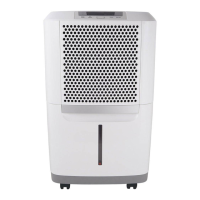
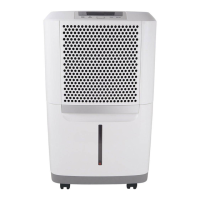
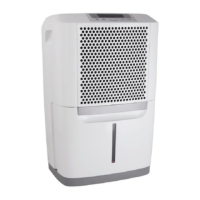
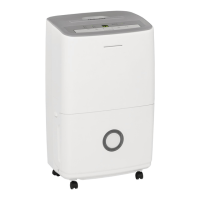
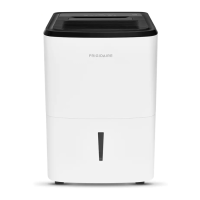
The Frigidaire dehumidifier is designed to remove excess moisture from the air in enclosed spaces, creating a more comfortable and healthier environment. It operates by drawing moisture-laden air over dehumidifying coils, which condense the moisture. The dry, warm air is then released back into the room, while the collected water is gathered in a front-mounted bucket. The unit is engineered to function effectively within a temperature range of 41°F (5°C) to 96°F (35°C). For optimal performance, it is recommended to operate the dehumidifier in an enclosed area with all doors, windows, and other outside openings closed to prevent new moisture-laden air from entering the room.
The dehumidifier incorporates a "Compressor" circuit with an automatic 3-minute time-delayed start. This feature is crucial for preventing overheating of the compressor and potential circuit breaker tripping, especially if the unit is turned off and on quickly. The unit will not operate if the water collection tank is not fitted correctly, ensuring safe and proper functioning.
Location Selection: To maximize effectiveness, the dehumidifier should be placed in a location that does not restrict airflow through the front of the unit or out of the louvers on the left side of the cabinet. A minimum of 12 inches of clearance around the unit is recommended. It's important to note that a dehumidifier operating in a basement may have limited effect on an adjacent enclosed storage area unless there is adequate air circulation. The unit must be placed on a level floor capable of supporting it when the water bucket is full.
Initial Setup and Operation: Before operating, allow the unit to reach room temperature and ensure it has been upright for at least one hour. Plug the power cord directly into a properly grounded 115-volt AC outlet. The power cord features a three-prong grounding plug for safety; never cut, remove, or bypass this prong. If the "BUCKET FULL" light is on, remove and re-install the bucket to reset the float switch.
To turn the unit on, press the ON/OFF button. The dehumidifier will initially run in the factory setting of CONTINUOUS mode with high fan speed. In this mode, the display will show "CO" instead of room humidity. It is advisable to run the unit in CONTINUOUS mode for the first three to four days to effectively eliminate sweating and dampness odors.
Humidity Control: After the initial period, once the relative humidity has declined, you can adjust the desired humidity level using the HUMIDITY ▲ or ▼ buttons. These buttons allow you to select a value between 35% and 85% in 5% increments, maintaining a comfortable humidity level in the room. The display will show the actual room humidity. To return to CONTINUOUS mode, press the HUMIDITY ▼ button until "CO" is displayed.
Fan Speed Adjustment: The FAN SPEED button allows you to switch between HIGH and LOW fan speeds. A higher fan speed facilitates quicker moisture removal, and an indicator light will confirm your selected setting.
Timer Function: The TIMER function offers flexibility for both Delay Start and Delay Stop operations, allowing you to set a delay from 0.5 hours up to 24 hours.
Fault Codes: The unit is equipped with a diagnostic system to alert you to potential issues:
Continuous Drainage: For continuous drainage, you will need a garden hose and a nearby drain. Unscrew the drain cap on the back of the unit, insert the female threaded end of the hose onto the drain connector, and screw it securely. Ensure the hose is free of kinks and elevations to allow water to flow freely into the drain. Select the desired humidity setting and fan speed to initiate continuous draining. It is recommended to use a dehumidifier drain hose of 1/2" (12.7 mm) or larger. If continuous drainage is not chosen, the drain cap must be securely screwed to prevent leakage.
Emptying the Water Bucket: When the water bucket is full, the unit will automatically shut down, and the "BUCKET FULL" indicator will illuminate. Do not move the unit at this time to avoid spilling water. Gently press the sides of the bucket to unclip it, then remove and empty the collected water. Replace the empty bucket back into the unit, ensuring it is correctly seated. You should hear a click when it is in the correct position, and the unit will resume operation. If the "BUCKET FULL" light does not extinguish, verify that the float is correctly snapped in place. The foam embedded under the float is a functional part and should not be removed. Discarded water from the bucket is not potable and should not be used for drinking.
Filter Cleaning: The CLEAN FILTER light will illuminate after 250 hours of operation, signaling that the air filter needs cleaning. To clean the filter:
Cabinet Cleaning: To clean the exterior cabinet, use an oil-free cloth or a damp cloth to dust the surfaces. For the grill, use a vacuum cleaner with a brush attachment to remove dust and debris.
Water Bucket Cleaning: The water bucket should be cleaned periodically with warm water and detergent to prevent mold or mildew buildup.
Storage: When the dehumidifier is not in use for an extended period, unplug it from the power source. Utilize the cord wrap feature, designed for your specific model type, to neatly store the power cord. This helps prevent damage to the cord and keeps the unit tidy.
By following these operating and maintenance instructions, you can ensure your Frigidaire dehumidifier provides efficient and reliable moisture removal for years to come.
 General
| Airflow | 330 m³/h |
|---|---|
| Noise level | 53.4 dB |
| Certification | UL/CUL, AHAM |
| Product color | White |
| Auto power off | Yes |
| Number of speeds | 2 |
| Water tank capacity | 7.7 L |
| Refrigerating medium | R410a |
| Suitable for room volume up to | - m³ |
| Package depth | 330 mm |
| Package width | 440 mm |
| Package height | 650 mm |
| Package weight | 22600 g |
| Sustainability certificates | ENERGY STAR |
| AC input voltage | 115 V |
| AC input frequency | 60 Hz |
| Operating relative humidity (H-H) | 35 - 85 % |
 Weight and Dimensions
| Depth | 290 mm |
|---|---|
| Width | 410 mm |
| Height | 630 mm |
| Weight | 20800 g |


 To Next Page