12
MODE BUTTON
1. Press the button to switch the fan mode in the following
sequence: normal➔ natural➔ sleep➔ normal; the
corresponding indicator will light up.
Normal mode: The product runs at the fan speed set by the user.
The speed options include: high, medium and low.
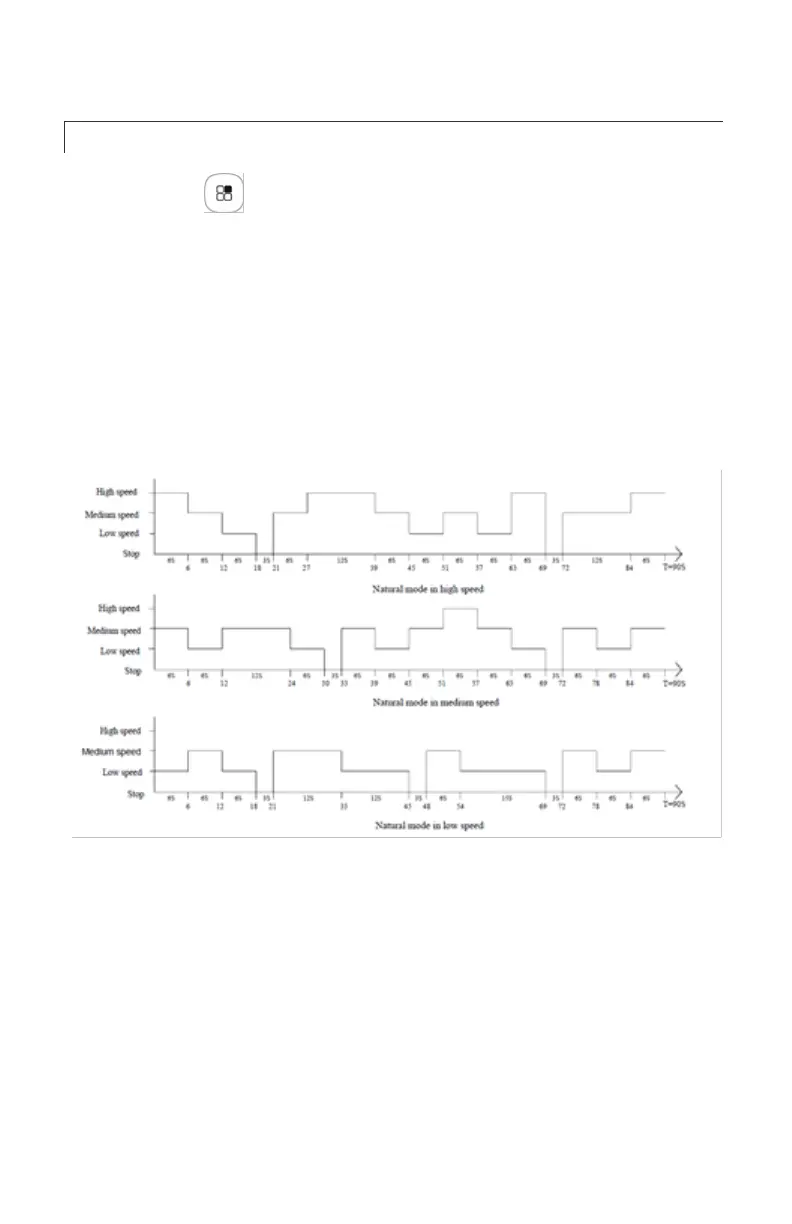
Natural mode: The product switches automatically among high,
medium and low speeds. This mode simulates a relaxing breeze.
The specific waveform of natural mode is as follows:
Sleep mode: This mode prevents people from physical
discomfort due to high fan speed during sleeping; below are the
fan levels and the mode of operation when fan speed is turned
on.
High speed: 30 minutes high natural mode → 30 minutes
medium natural mode→ low natural mode
Medium speed: 30 minutes medium natural mode → low natural
mode
Low speed: Low natural mode



 To Next Page