This document is a user manual for a Frigidaire Room Air Conditioner, providing comprehensive instructions for its safe operation, maintenance, and troubleshooting.
Function Description:
The Frigidaire Room Air Conditioner is designed to cool and dehumidify a room, providing comfort during warm weather. It offers various operating modes including Cool, Fan Only, Auto, and Sleep, allowing users to customize their comfort settings. The unit can also display the room temperature in both Fahrenheit and Celsius. Some models feature a Fresh Air Vent Control, which allows for recirculation of indoor air, introduction of fresh air from outside, or exchange of air from the room.
Important Technical Specifications:
The air conditioner is equipped with a three-prong grounding plug for protection against shock hazards. It requires a properly grounded wall receptacle. Depending on the model, the unit may require a 115V 15A, 230V 15A, or 230V 20A dedicated circuit. The electrical information, including the complete electrical rating, is stated on the serial plate of the unit. The temperature settings can range from 62°F (17°C) to 86°F (30°C) in cooling mode. The timer function allows for setting the unit to turn on or off at a desired time, with increments of 0.5 hours up to 10 hours, and then 1-hour increments up to 24 hours. The unit's display can show temperature settings, fan speed, filter status, and timer settings.
Usage Features:
The air conditioner can be controlled via a touch-pad panel on the unit itself or through a remote control.
- Power On/Off: Press the ON/OFF button to turn the unit on or off.
- Modes:
- Cool Mode: Press the MODE button to select Cool. The unit will cool the room to the set temperature.
- Auto Mode: Press the MODE button to select Auto. The unit will automatically choose between cooling and fan-only operation to maintain the set temperature.
- Fan Only Mode: Press the MODE button to select Fan Only. The unit will circulate air without cooling. Fan speeds can be adjusted (Low, Med, High, Auto).
- Sleep Mode: Press the SLEEP button to activate. In this mode, the unit will automatically increase the set temperature by 2°F (1°C) after 30 minutes, and by another 2°F (1°C) after an additional 30 minutes, maintaining the new temperature for 7 hours before returning to the original setting.
- Temperature Adjustment: Use the UP/DOWN arrow buttons to raise or lower the desired temperature.
- Fan Speed Adjustment: Press the FAN button to cycle through Auto, Low, Medium, and High fan speeds.
- Timer Function:
- Timer Delay Stop/Start: Press the TIMER button. The "timer off" indicator will illuminate. Press the UP/DOWN arrow buttons to set the desired delay time for the unit to turn off or on.
- Timer Reset: To cancel the timer, press the TIMER button again.
- Filter Reset: After cleaning the air filter, press the FILTER RESET button to turn off the filter light.
- Fresh Air Vent Control (on some models): This feature allows users to control the air circulation.
- Vent Closed (Fig. 1): Recirculates inside air.
- Fresh Air (Fig. 2): Draws fresh air into the room.
- Vent Open (Fig. 3): Exchanges air from the room.
- Air Directional Louvers: The louvers can be adjusted Up/Down and Left/Right to direct the airflow throughout the room.
Maintenance Features:
Regular maintenance is crucial for the efficient and safe operation of the air conditioner.
- Air Filter Cleaning: The air filter should be checked at least once a month and cleaned if necessary. Trapped particles in the filter can build up and cause an accumulation of frost on the cooling coils.
- To clean, pull the vent handle to the Vent Closed position (where applicable), open the front panel, and grasp the filter by the center to pull up and out.
- Wash the filter using liquid dishwashing detergent and warm water. Rinse thoroughly and gently shake excess water from the filter. Be sure the filter is thoroughly dry before replacing.
- Alternatively, vacuum the filter clean.
- After cleaning, make sure the tabs on the air filter are on the upper part of the filter and placed outward as shown in the drawing.
- Cabinet Cleaning: The cabinet should be cleaned to prevent shock or fire hazard. Dust with a cloth dampened with a solution of warm water and mild liquid dishwashing detergent. Rinse thoroughly and wipe dry. Avoid harsh cleaners, wax, or polish on the cabinet front.
- Winter Storage: If the unit is to be stored for the winter, remove it carefully from the window according to the installation instructions. Cover it with plastic or return it to the original carton.
- Normal Sounds: The manual describes normal operating sounds such as gurgling/hissing (refrigerant passing), rushing air (fan movement), high pitched chatter (compressor operation), vibration (poor wall or window construction), and pinging/swishing (water hitting condenser). It advises against drilling any holes on the base pan to eliminate normal sounds, as this will void the warranty.
- Troubleshooting: The manual includes a "Before You Call" section with common occurrences and their solutions, such as the air conditioner not operating, air from the unit not feeling cold enough, room too warm or ice forming on cooling coil, dirty air filter, noise, water dripping, and remote sensing issues. It provides contact information for customer service if these solutions fail.

 Need help?
 General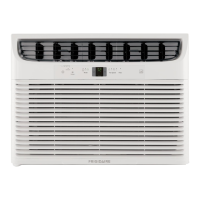



 To Next Page