NOTE
Press pad 2 times .
NOTE
NOTE
OPERATION
17
2. op-2 will display and the START
needs to be pressed to select.
3. lb/kg auto scrolls every 2 seconds
through each selection.
4. Press START pad to confirm your
selection.
Press
pad 4 times .
2. op-4 will display and the START
needs to be pressed to select.
3. on/oFF auto scrolls every 2
seconds through each selection.
4. Press START pad to confirm when
the display shows on.
4. Press START pad to confirm the
LED shows on.
On yes
Filter indicator light on by default
for recirculation.
The filter indicator light will track
the vent fan on time.
Off yes
Turn off the filter indicator light
when vented to outside.
The filter indicator light will not
track the vent fan on time.
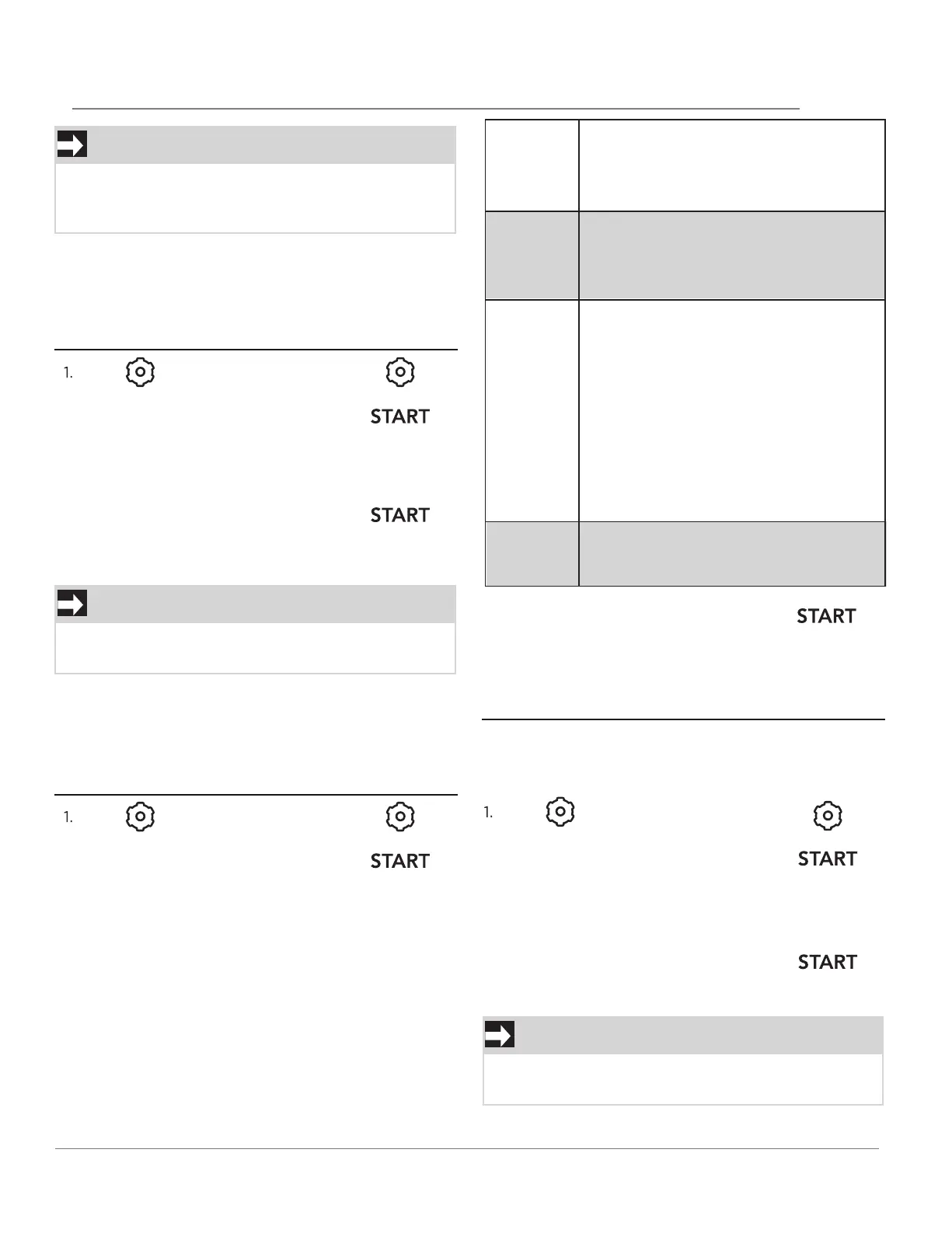
When the cooking cycle is completed END will be
displayed and the audible signal will sound if the
sound is turned on.
SETTING WEIGHT IB/KG
Example: setting weight between pounds
& kilograms:
Press pad 3 times .
2. op-3 will display an d the START
needs to be pressed to select.
3. on yes/oFF yes/rest yes/rest no
auto scrolls every 2 seconds
through each selection.
SETTING THE FILTER
Example: setting the filter on:
SETTING DEMO MODE
Example: setting the demo mode on:
If the display shows kg, pressing the START
button will select the oven controls to kg.
Rest yes
Reset Filter Indicator
The filter indicator light on the
display will track the vent fan on
time.
When it is time to change the
charcoal filter the indicator light on
the display will come on. Once the
charcoal filter is changed, use reset
yes to turn filter indicator off and
begin new time for charcoal filter
replacement.
Rest no
Will not reset the time for filter
indicator light.
Suppose you want to enter Demo mode. When
Demo mode is ON programming functions will work
in a rapid countdown mode with no cooking power.
If the display shows oFF, pressing the START
button will select the demo mode off.



 To Next Page