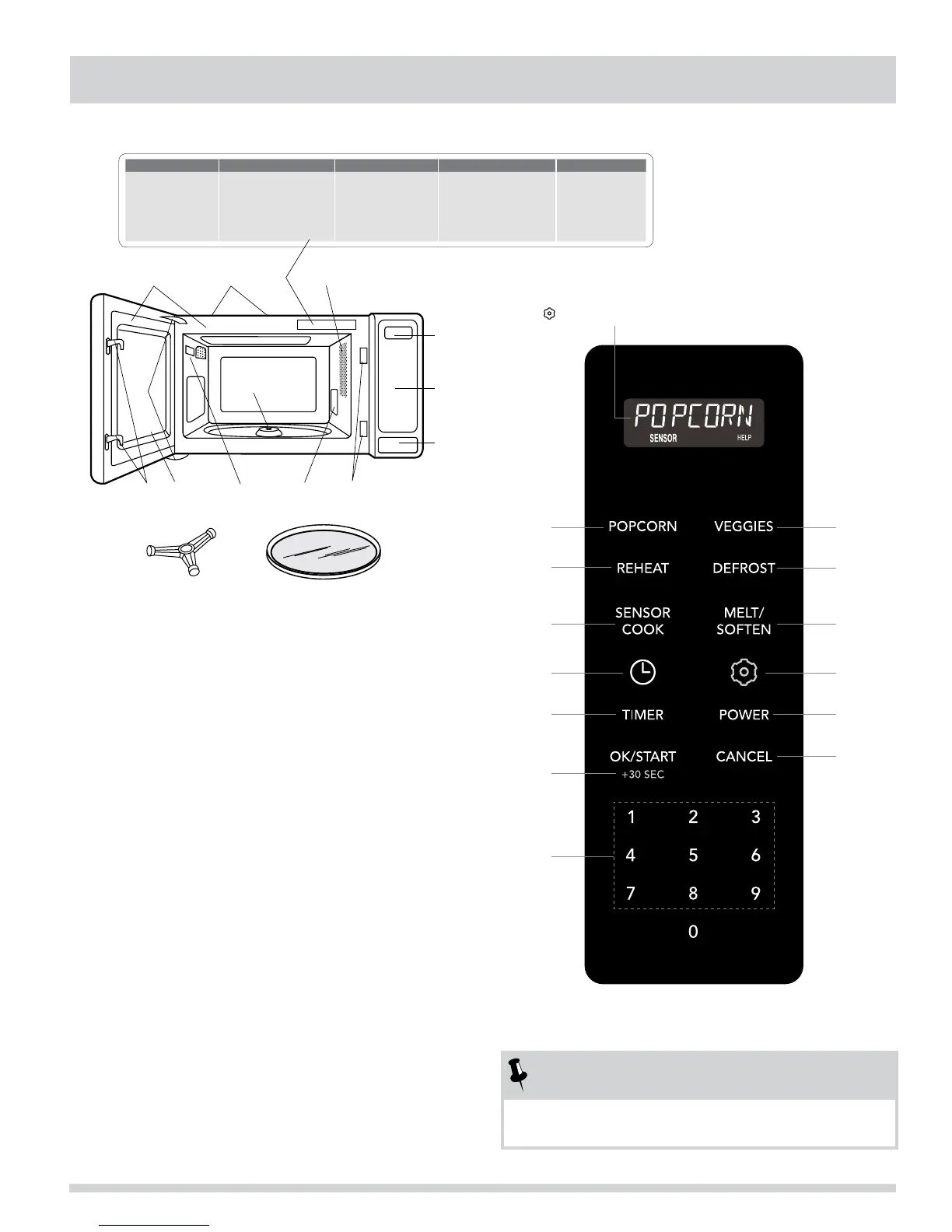
SENSOR COOK REHEAT DEFROST VEGGIES MELT/SOFTEN
1� Frozen Entrees
2� Ground Meat
3� Rice
4� Chicken Breast
5� Fish/Seafood
1� Sensor Reheat
2� Fresh Rolls/Muffins
3� Frozen Rolls/Muffins
4� Pasta
5� Pizza Reheat
1� Ground Meat
2� Steak/Chops/Fish
3� Chicken Pieces
4� Roast
5� Casserole
6� Soup
1� Baked Potato
2� Fresh Veggies - Soft
3� Fresh Veggies - Hard
4� Frozen Veggies
1� Butter
2� Chocolate
3� Ice Cream
4� Cream Cheese
8
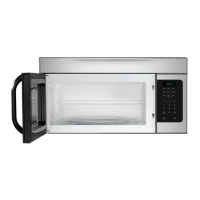
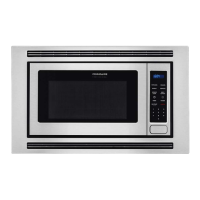
PART NAMES & CONTROL PANEL
1
3 2
4
5 9 15 10
6
7 8
14 11 3
12
13
1� One touch door open button
Push to open door
2� Microwave oven door with see-through window
3� Safety door latches
The microwave oven will not operate unless the
door is securely closed.
4� Door hinges
5� Door seals and sealing surfaces
6� Turntable motor shaft
7� Removable turntable support
Carefully place the turntable support in the
center of the microwave oven oor.
8� Removable turntable
Place the turntable on the turntable support
securely. The turntable will rotate clockwise or
counterclockwise. Only remove for cleaning.
9� Ventilation openings (rear)
10� Microwave oven light
It will light when microwave oven is operating or
door is open.
11� Waveguide cover: DO NOT REMOVE
12� Auto-Touch control panel
13� Interactive display: 99 minutes, 99 seconds
14� Serial plate
15� Menu label
Number next to the control panel illustration indicates page
on which there is a feature description and usage information.
NOTES
When a pad is pressed, an audible signal will be heard
which confirms the pad has been pressed.
The 7-digit Interactive display spells out operating steps and
shows cooking hints. When HELP is lighted in the display, press
the
pad to read a specific hint which may assist you.
14 13
12
14
17
11
9
16
15
9
9
10
10




 To Next Page