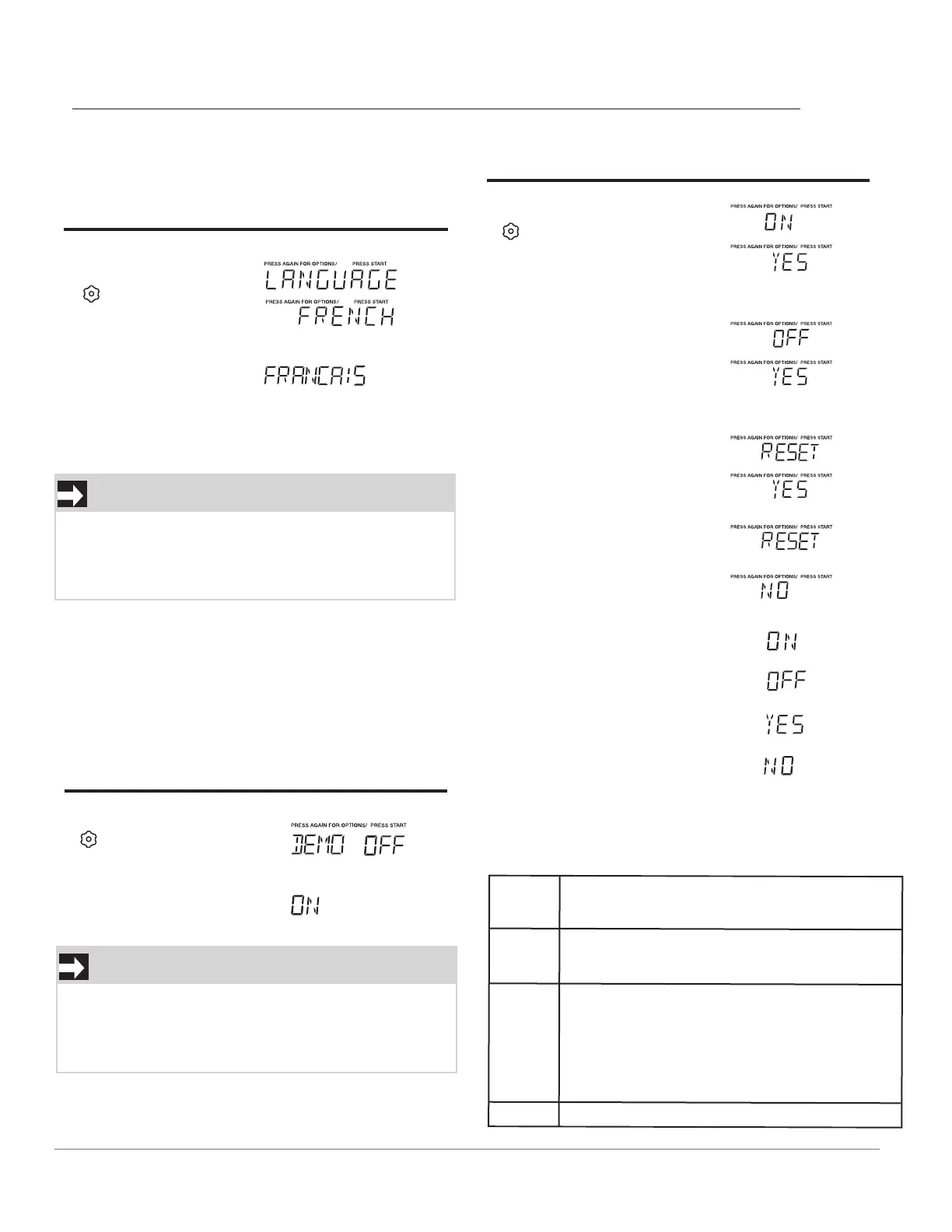
SETTING LANGUAGE
When previous language is english, suppose you
want to set the language.
Touch: Display Shows:
1.
x 4
2.
When the setting is completed, the current time
will display 2 seconds later, if the time is not set, the
oven will return to waiting state.
NOTE
When START is pressed and the previous settin
g
was English it will be set to French. If you want
switch back to English you will have to again
press START four times and then press START.
SETTING FILTER
Touch: Display Shows:
1.
x 5
2. START
DEMO SETTING
Touch: Display Shows:
1.
x 6
2. START
NOTE
When START is pressed and the previous setting
was OFF then it will be set to ON. If you want to
turn the demo mode back OFF you will have to
again press six times and then press START.
On yes
FILTER
indicator light on by default for recirculation.
The FILTER
indicator light will track the vent fan on
time.
Off yes
Reset yes
Reset FILTER
Indicator
The filter indicator light on the display will track
the
vent fan on time.
When it is time to change the charcoal filter, the
FILTER indicator light will come on.
Use RESET YES to reset the vent motor tracking
time and to turn off the FILTER indicator light.
Reset no
Will not reset the time for
FILTER
indicator light.
Turn off the
FILTER
indicator light when vented to
outside. The
FILTER
indicator light will not track the
vent vent fan on time.
FILTER
FILTER
FILTER
FILTER
FILTER
FILTER
FILTER
FILTER
15
OPERATION
START




 To Next Page