Setting the Sabbath Feature (cont'd)
Utis recommended that any oven temperature change with the Sabbath feature activated be foflowed with 2 presses of the
START pad, This wHUinsure the oven remains ON even if the attempt to set the oven temperature was Uoweror higher than
the oven controUcan accept, Ufthe oven temperature is set incorrectUy, the oven temperature wHUdefauUtto 170°F or 550°F,
Try to set the desired oven temperature again,
ShouUdyou experience a power failure or interruption, the oven wHUshut off, When power is returned the oven wHUnot turn
back on automaticafly, The oven wHUremember that it is set for the Sabbath and the food may be safeUyremoved from the
oven while stHUin the Sabbath feature, however the oven cannot be turned back on until after the Sabbath/Holidays, After
_Bakethe Sabbath observance turn OFF the Sabbath feature, At the same time press and hoUdboth the v,,,,_and pads for at
least 3 seconds, SAb will disappear from the display and the oven may be used with all normal functions, For further
assistance, guidelines for proper usage, and a complete list of models with the Sabbath feature, please visit the web at
http:\\www.star-k.org.
Setting the Keep Warm Feature
The _ pad turns ON the Keep Warm feature and will maintain an oven temperature of 170° F, The Keep Warm feature
will keep oven baked foods warm for serving up to 3 hours after cooking has finished, After 3 hours the Keep Warm feature
will shut the oven OFF automatically, The Keep Warm feature may be used without any other cooking operations or can be
used after cooking has finished using TIMED BAKE or DELAYED TIMED BAKE,
INSTRUCTIONS PRESS DISPLAY
To set Keep Warm:
1, Arrange interior oven racks and place baked food in oven, Ifthe
food is already in the oven go to step 2,
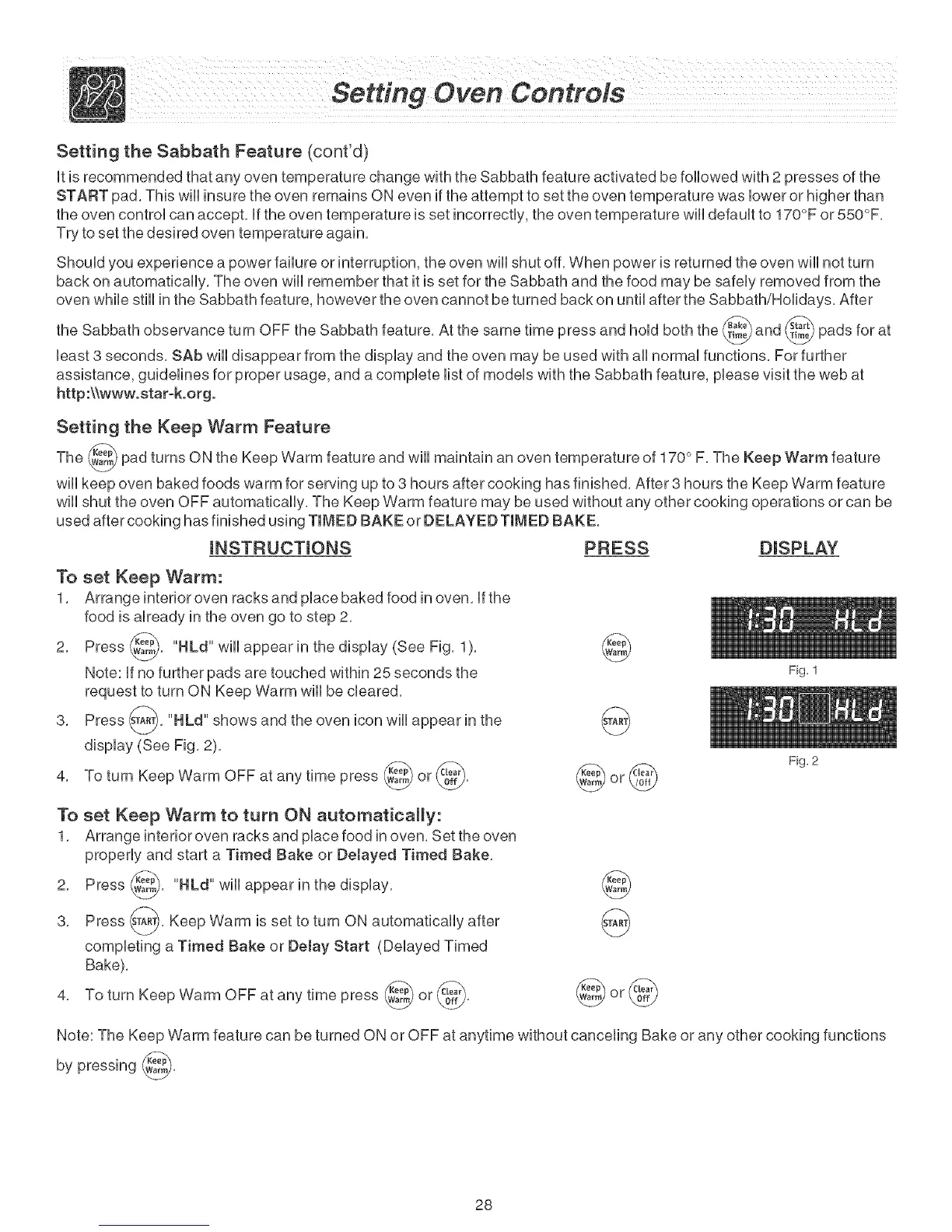
2, Press _, "HLd" will appear in the display (See Fig, 1
),
Note: If no further pads are touched within 25 seconds the
request to turn ON Keep Warm will be cleared,
3, Press _A_, "HLd" shows and the oven icon will appear in the
display (See Fig, 2),
4, To turn Keep Warm OFF at any time press _ or _),
v-:2Y
©
To set Keep Warm to turn ON automatically:
1, Arrange interior oven racks and place food in oven, Set the oven
properly and start a Timed Sake or Detayed Timed Sake,
2, Press _, "HLd" will appear in the
display,
3, Press s_A_, Keep Warm is set to turn ON automatically after
completing a Timed Sake or Detay Start (Delayed Timed
Bake),
4, To turn Keep Warm OFF at any time press _ or _,
©
Fig. 1
Fig. 2
Note: The Keep Warm feature can be turned ON or OFF at anytime without canceling Bake or any other cooking functions
by pressing _,
28



 To Next Page