EasyManua.ls Logo

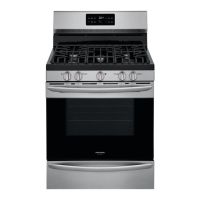
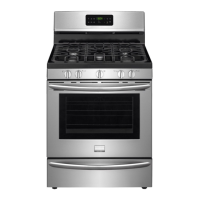
Frigidaire LGGF3043KF - User Manual

Frigidaire LGGF3043KF
28 pages
Print Icon
To Next Page IconTo Next Page
Loading...
All about the
Use & Care
of your
TABLE OF CONTENTS
www.frigidaire.com USA 1-800-944-9044 www.frigidaire.ca Canada 1-800-265-8352
Gas Range
316901203 Rev A (Sep 2009)
Important Safety Instructions ........................... 3-6
Features at a Glance ......................................... 7
Before Setting Oven Controls ........................... 8-9
Before Setting Surface Controls ........................ 10
Setting Surface Controls ................................... 11
Oven Control Functions (330/330i) .................... 12
Setting Oven Controls ..................................13-19
Self-Cleaning ..............................................20-21
Care & Cleaning ..........................................22-24
Before You Call ............................................ 25-26
Major Appliance Warranty ................................ 27
Question and Answer IconNeed help?

Do you have a question about the Frigidaire LGGF3043KF and is the answer not in the manual?

Summary

Important Safety Instructions

Definitions

Clarifies safety alert symbols and terms like WARNING, CAUTION, IMPORTANT.

Using Your Cooktop Safely

Provides safety guidelines specific to operating the cooktop.

Using Your Oven Safely

Offers crucial safety precautions for operating the oven.

Features at a Glance

Before Setting Oven Controls

Oven Vent Location

Explains the location and importance of the oven vent for air circulation.

Types of Oven Racks

Illustrates and describes different types of oven racks and their usage.

Arranging Oven Racks

Guides on how to remove, replace, and arrange oven racks safely.

Air Circulation in the Oven

Details the space needed around cookware for optimal air circulation.

Baking Layer Cakes with 1 or 2 Oven Racks

Provides rack position recommendations for baking cakes.

Effortless Oven Rack System

Explains the features and assembly of the Effortless™™ Oven Rack system.

Before Setting Surface Controls

Using Proper Cookware

Advises on selecting cookware with flat bottoms for optimal burner performance.

Set Proper Burner Flame Size

Guides on adjusting burner flame size for different cooking needs.

Cookware Material Types

Lists common cookware materials and their heat conduction properties.

Setting Surface Controls

Explains how to operate the knobs for surface burners.

Home Canning

Provides guidelines for safe home canning procedures.

Oven Control Functions

Setting Oven Controls

Setting the Clock

Instructions on how to set the time of day on the oven display.

Changing Temperature Display (°F or °C)

How to switch between Fahrenheit and Celsius temperature displays.

Changing between continuous bake setting or 12-Hour Energy Saving feature

Explains how to override the automatic shut-off feature for continuous baking.

Setting a silent control panel

Instructions for disabling audible beeps from the control panel.

Setting Oven Lockout

Describes how to lock the oven door and control panel for safety.

Setting the Minute Timer

How to set and use the oven's built-in minute timer.

Setting Bake

Step-by-step guide to setting the oven for baking.

Setting Timed Bake and Delayed Timed Bake Features

Instructions for programming automatic start and stop times for baking.

Program Oven for Delayed Start

Detailed steps for setting a delayed start time for oven baking.

Quick Bake (some models)

Explains the benefits and operation of the Quick Bake feature.

Setting Broil

Instructions for using the broil feature, including rack positions and settings.

Adjusting the Oven Temperature

How to adjust the oven's temperature calibration.

Operating the Oven Light

Explains how to turn the interior oven light on and off.

Self-Cleaning

Setting a Self-Clean Cycle

Step-by-step guide to starting the self-cleaning cycle.

Stopping or Interrupting a Self-Clean Cycle

Instructions on how to cancel or stop an active self-cleaning cycle.

Care & Cleaning

Cooktop surface and contoured well areas, surface burner heads and caps

Instructions for cleaning the cooktop and burner components.

Cleaning the Cooktop and Surface Burners

Detailed steps for cleaning cooktop areas, burner heads, and caps.

Replacing Oven Light

Guide on how to replace the oven light bulb.

Removing and Replacing the Lift-Off Oven Door

Instructions on how to safely remove and reinstall the oven door.

Before You Call • Solutions to Common Problems

Major Appliance Warranty

Summary

Important Safety Instructions

Definitions

Clarifies safety alert symbols and terms like WARNING, CAUTION, IMPORTANT.

Using Your Cooktop Safely

Provides safety guidelines specific to operating the cooktop.

Using Your Oven Safely

Offers crucial safety precautions for operating the oven.

Features at a Glance

Before Setting Oven Controls

Oven Vent Location

Explains the location and importance of the oven vent for air circulation.

Types of Oven Racks

Illustrates and describes different types of oven racks and their usage.

Arranging Oven Racks

Guides on how to remove, replace, and arrange oven racks safely.

Air Circulation in the Oven

Details the space needed around cookware for optimal air circulation.

Baking Layer Cakes with 1 or 2 Oven Racks

Provides rack position recommendations for baking cakes.

Effortless Oven Rack System

Explains the features and assembly of the Effortless™™ Oven Rack system.

Before Setting Surface Controls

Using Proper Cookware

Advises on selecting cookware with flat bottoms for optimal burner performance.

Set Proper Burner Flame Size

Guides on adjusting burner flame size for different cooking needs.

Cookware Material Types

Lists common cookware materials and their heat conduction properties.

Setting Surface Controls

Explains how to operate the knobs for surface burners.

Home Canning

Provides guidelines for safe home canning procedures.

Oven Control Functions

Setting Oven Controls

Setting the Clock

Instructions on how to set the time of day on the oven display.

Changing Temperature Display (°F or °C)

How to switch between Fahrenheit and Celsius temperature displays.

Changing between continuous bake setting or 12-Hour Energy Saving feature

Explains how to override the automatic shut-off feature for continuous baking.

Setting a silent control panel

Instructions for disabling audible beeps from the control panel.

Setting Oven Lockout

Describes how to lock the oven door and control panel for safety.

Setting the Minute Timer

How to set and use the oven's built-in minute timer.

Setting Bake

Step-by-step guide to setting the oven for baking.

Setting Timed Bake and Delayed Timed Bake Features

Instructions for programming automatic start and stop times for baking.

Program Oven for Delayed Start

Detailed steps for setting a delayed start time for oven baking.

Quick Bake (some models)

Explains the benefits and operation of the Quick Bake feature.

Setting Broil

Instructions for using the broil feature, including rack positions and settings.

Adjusting the Oven Temperature

How to adjust the oven's temperature calibration.

Operating the Oven Light

Explains how to turn the interior oven light on and off.

Self-Cleaning

Setting a Self-Clean Cycle

Step-by-step guide to starting the self-cleaning cycle.

Stopping or Interrupting a Self-Clean Cycle

Instructions on how to cancel or stop an active self-cleaning cycle.

Care & Cleaning

Cooktop surface and contoured well areas, surface burner heads and caps

Instructions for cleaning the cooktop and burner components.

Cleaning the Cooktop and Surface Burners

Detailed steps for cleaning cooktop areas, burner heads, and caps.

Replacing Oven Light

Guide on how to replace the oven light bulb.

Removing and Replacing the Lift-Off Oven Door

Instructions on how to safely remove and reinstall the oven door.

Before You Call • Solutions to Common Problems

Major Appliance Warranty

Overview

This document is a Use & Care Guide for a Frigidaire Gas Range, providing comprehensive instructions for its operation, maintenance, and safety.

Function Description

The Frigidaire Gas Range is a kitchen appliance designed for cooking, baking, broiling, and self-cleaning. It features a cooktop with multiple gas burners and an oven with various cooking modes. Some models include a Quick Bake Cooking System, which utilizes a fan for improved heat distribution and faster cooking. The range also incorporates safety features such as an anti-tip device and an oven lockout function.

Important Technical Specifications

  • Oven Temperature Range: 170°F to 550°F (77°C to 287°C).
  • Factory Preset Bake Temperature: 350°F (177°C).
  • Quick Bake Temperature Range (some models): 300°F to 550°F (147°C to 287°C).
  • Burner BTU Ratings (some models):
    • Simmer burner: 5,000 BTU
    • Standard burner: 9,500 BTU
    • Center or accent burner: 9,500 BTU
    • Quick Boil burner: 12,000 BTU, 14,000 BTU, or 17,000 BTU (depending on model)
  • Oven Racks: Adjustable interior oven rack(s), with some models featuring an Effortless™ Oven Rack system.
  • Electrical Requirements: Equipped with a 3-prong grounding plug for protection against shock hazard.
  • Power Outage Operation: Surface burners can be lit manually during an electrical power outage.
  • Oven Light: 40-watt appliance bulb.

Usage Features

Cooktop:

  • Burner Control: Each surface burner has a dedicated control knob. Users push in and turn the knob counterclockwise to the LITE position to ignite the burner, then adjust to the desired flame size (HI, 6, 5, 4, 3, 2, LO).
  • Flame Size Adjustment: Flame color should be clear and blue. Adjust flame to not extend beyond the edge of the cooking utensil to conserve energy and prevent burns.
  • Cookware Compatibility: Flat-bottomed cookware is recommended for optimal cooking results. Various materials like aluminum, copper, stainless steel, cast iron, porcelain-enamel on metal, and glass are discussed for their heat conduction properties.
  • Home Canning: Instructions for safe home canning practices, including using quality flat-bottom canners and adjusting heat settings.

Oven:

  • Clock Setting: The clock can be set by pressing the "set clock" pad and using the up/down arrow pads.
  • Temperature Display: The oven can display temperature in Fahrenheit (°F) or Celsius (°C). This setting can be changed by pressing "broil" and using the up/down arrow pads.
  • Silent Control Panel: The control panel can be set to silent operation, disabling beeps when pads are pressed.
  • Oven Lockout: This feature locks the oven door and control pads for safety, preventing accidental operation. It is activated by pressing and holding "cancel" (or the lock icon on some models).
  • Minute Timer: An independent timer that beeps when the set time runs out, without affecting oven cooking.
  • Bake Feature: Allows baking at temperatures from 170°F to 550°F. The factory preset is 350°F. Temperature can be adjusted in 5°F (1°C) increments.
  • Timed Bake: Programs the oven to start immediately and shut off automatically after a set baking time.
  • Delayed Timed Bake: Programs the oven to begin baking at a later time and shut off automatically after a set baking time. Caution is advised for perishable foods.
  • Quick Bake (some models): Utilizes a fan for convection cooking, resulting in faster and more even cooking. Recommended to reduce oven temperature by 25°F from recipes and preheat for cookies, biscuits, and breads.
  • Broil Feature: Provides direct flame heat for browning. Users can select HI or LO broil settings and are advised on rack positions and preheating for optimal results. A broiler pan with an insert is recommended to drain grease.
  • Oven Temperature Adjustment: The oven temperature can be adjusted up or down by 35°F (19°C) in 5°F (1°C) increments if cooking results are consistently too hot or too cool.
  • Oven Light: The interior oven light automatically turns ON when the door is opened and can be manually turned ON/OFF using the light pad.
  • Effortless™ Oven Rack System (some models): Racks partially extend when the oven door is opened, providing easier access to food. Assembly instructions are provided, and it's important to note that this system should only be used in specific rack positions.

Maintenance Features

Self-Cleaning Oven:

  • Process: The oven cleans itself using high temperatures, reducing soils to ash that can be wiped away.
  • Precautions:
    • Remove all oven racks, broiler pan, utensils, and aluminum foil before self-cleaning.
    • Do not use oven cleaners or protective coatings.
    • Do not clean or damage the oven door gasket.
    • Wipe up excessive spills, especially sugary or acidic foods, from the oven bottom, frame, door liner, and front center of the oven bottom before starting the cycle.
    • Move birds to a well-ventilated room due to sensitivity to fumes.
    • Do not force the oven door open during or immediately after the cycle as it will be very hot and the door locking system could be damaged.
  • Cycle Duration: Typically 2 or 3 hours, with some models offering a 4-hour option.
  • Stopping a Cycle: The self-clean cycle can be interrupted by pressing "cancel." The door will remain locked until the oven cools.

Care & Cleaning Table:

  • Aluminum (trim pieces) & Vinyl: Use hot, soapy water and a cloth.
  • Painted & Plastic Control Knobs, Body Parts, Decorative Trim: Use hot, soapy water and a cloth. For difficult soils, apply liquid detergent for 30-60 minutes. Do not use abrasive cleaners. Knobs are removable for cleaning.
  • Chrome Control Panel & Decorative Trim (some models): Turn controls to OFF, remove knobs, and clean with hot, soapy water and a dishcloth. Avoid excess water around controls.
  • Easy Care™ Stainless Steel (some models): Clean with warm soapy water and a clean sponge or cloth. Do not use abrasive cleaners, chlorides, chlorines, or ammonia. A 50/50 solution of water and vinegar is recommended.
  • Porcelain Enamel Broiler Pan & Insert, Door Liner & Body Parts: Gentle scouring with a soapy scouring pad. For difficult spots, use an ammonia-soaked paper towel. Do not use spray oven cleaners on the cooktop.
  • Oven Racks: Must be removed before self-cleaning. Clean with a mild, abrasive cleaner.
  • Oven Door: Clean top, sides, and front with soap & water. Glass cleaner can be used on the outside glass. Do not immerse the door in water or allow water/cleaner into door vents. Do not clean the oven door gasket.
  • Cooktop Surface, Contoured Well Areas, Surface Burner Heads & Caps:
    • Clean cooktop with a clean, damp cloth.
    • Burner grates: Clean when cool with nonabrasive plastic scrubbing pad and mild abrasive cleanser.
    • Burner caps: Remove when cool, clean with plastic scrubbing pad and absorbent cloth. Do not use abrasive cleaners or clean in dishwasher.
    • Burner heads and ignition ports: Use a clean damp cloth to soak up spills. Use a small nonabrasive brush or wire/needle to clear food from burner slots and ignition ports. Avoid hitting the electrode.
  • Replacing Oven Light: Turn off electrical power, press the wire holder to release the glass shield, replace with a new 40-watt appliance bulb, and reassemble.

Oven Door Removal and Replacement:

  • Instructions are provided for safely removing and replacing the oven door for cleaning or service, emphasizing caution due to its weight and the presence of glass.

Frigidaire LGGF3043KF Specifications

General IconGeneral
BrandFrigidaire
ModelLGGF3043KF
CategoryRanges
LanguageEnglish

Related product manuals