
 Need help?
Do you have a question about the Frigidaire LRA067AT7 and is the answer not in the manual?
General safety guidelines and precautions for safe operation and handling of the unit.
Instructions for testing and ensuring the proper function of the power supply cord's current detection device.
Steps for recording model and serial numbers and registering the product with the manufacturer.
Instructions for removing packaging and inserts from the air conditioner unit.
Explanation of common operational sounds like chatter, rushing air, gurgle/hiss, and pinging.
Explanation of the electronic control panel, its buttons, indicators, and display for unit operation.
Step-by-step guide for turning the unit on using the touch pad or remote control.
Guide on how to adjust the desired temperature using the up/down buttons on the control panel or remote.
Instructions on selecting and adjusting the fan speed, including auto, high, medium, and low settings.
Explanation of how the auto fan mode adjusts speed based on room temperature for optimal comfort.
How to use the unit for air circulation or ventilation without cooling, displaying actual room temperature.
Guide to using the Energy Saver mode, which cycles the compressor on and off to save energy.
Instructions for activating the sleep mode, which adjusts temperature gradually for comfort during sleep.
How to set a timer for delayed start or stop operation of the air conditioner unit.
Explanation of the filter indicator light and how to reset it after cleaning the air filter.
Details on activating the electronic air purifier to remove pollen and impurities from the air.
How to use the remote control's sensing feature to set temperature from a distance and understand its operation.
Information on error codes, specifically the 'AS' code indicating a sensor failure and recommended action.
Instructions on how to switch the temperature display between Fahrenheit and Celsius.
Steps to properly turn off the air conditioner unit using the ON/OFF button.
Important operational notes including 3-minute delay start, 2-second compressor delay, temperature maintenance, and power outage memory.
How to use the fresh air vent to recirculate indoor air or draw in fresh outdoor air.
Instructions for cleaning the air filter and the unit's cabinet to maintain performance and appearance.
Guidance on how to properly store the air conditioner unit during the winter season.
Tips for efficient operation and energy conservation, such as placement, insulation, and appliance usage.
A list of common operational issues and their corresponding solutions to troubleshoot before calling for service.
Detailed solutions for common occurrences like unit not operating, insufficient cooling, rapid cycling, and water dripping.
List of conditions and situations not covered by the limited warranty, such as cosmetic damage or commercial use.
Legal information regarding implied warranties and limitations on customer remedies and Electrolux liability.
Instructions on how to obtain warranty service, including contact information and necessary documentation.
This document serves as a comprehensive Use & Care Manual for a Frigidaire Room Air Conditioner, providing detailed instructions for its operation, maintenance, and troubleshooting. It emphasizes safety precautions, explains various features, and offers guidance on energy-saving practices.
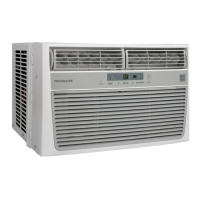
The Frigidaire Room Air Conditioner is designed to cool and circulate air within a room, offering various modes to suit different comfort needs. Its primary function is to provide cooling, but it also includes features for air circulation (Fan Only mode) and energy saving (ECON mode). The unit is equipped with a current detection device in its power supply cord to reduce the risk of fire, and a grounding plug for electrical safety. Some models include a "Clean Air" feature, which energizes an electronic air purifier to remove pollen and impurities from the air. The unit also features an air filter to trap particles, contributing to more efficient operation and cleaner air.
The air conditioner can be controlled via a touch pad on the unit itself or through a standard remote control. Some models come with a remote control that includes a display and a remote sensing button, allowing for more precise temperature control based on the remote's location.
Turning the Unit On/Off: To turn the unit on, simply press the ON/OFF button. To turn it off, press the ON/OFF button again.
Temperature Setting: The desired temperature can be adjusted using the UP (Λ) or DOWN (V) buttons. The display will show the set temperature, which can range between 60°F (16°C) and 90°F (32°C). In Fan Only mode, the display shows the actual room temperature. The control is capable of displaying temperature in either Fahrenheit or Celsius, which can be changed by pressing and holding the UP/DOWN buttons together for 3 seconds.
Fan Speeds: The unit offers multiple fan speeds (Auto, Hi, Med, Lo). In Auto Fan mode, the fan speed adjusts automatically based on the room temperature. For example, if the room is warm, the fan will run at a higher speed, and as the room cools, it will slow down. Manual adjustment of fan speed is also possible using the FAN SPEED button.
Operating Modes:
Timer Feature (Delay Stop / Start): This feature allows users to set a delay for the unit to either turn off (Delay Stop) or turn on (Delay Start). The delay can be set in 0.5-hour increments up to 10 hours, and then in 1-hour increments up to 24 hours. The control counts down the remaining time. Pressing the ON/OFF button at any time cancels this function.
Remote Sensing Feature (on some models): This feature, activated from the remote control, allows the unit to sense the temperature at the remote's location, providing more accurate temperature control where the user is. The unit's control panel will pulse to indicate it received the signal, and the remote control will pulse each time it sends a signal. If the unit does not receive a signal for 3 minutes, the remote sensing mode ends.
Fresh Air Vent Control (on some models): The Fresh Air Vent allows the air conditioner to:
Air Directional Louvers (Auger Type): These louvers allow users to direct airflow Up or Down and Left or Right by rotating the Auger Wheels and pivoting horizontal louvers.
Air Filter Cleaning: The air filter should be checked at least once a month for cleaning. Trapped particles can accumulate and cause frost on the cooling coils, reducing efficiency. To clean, push the vent handle to the Vent Closed position, open the front panel, grasp the filter by the center, and pull it out. Wash the filter with liquid dishwashing detergent and warm water, rinse thoroughly, and gently shake off excess water. Ensure the filter is thoroughly dry before replacing. Alternatively, the filter can be vacuumed clean. When replacing, ensure the tabs on the air filter are on the upper part and placed outward.
Check Filter Feature: This feature acts as a reminder to clean the air filter. An LED light illuminates after 250 hours of operation. After cleaning the filter, press the "Filter Reset" button to turn off the light.
Cabinet Cleaning: To clean the cabinet and front, unplug the air conditioner. Dust with an oil-free cloth or wash with a cloth dampened in a solution of warm water and mild liquid dishwashing detergent. Rinse thoroughly and wipe dry. Avoid harsh cleaners, wax, or polish. Wring excess water from the cloth before wiping around the controls to prevent damage.
Winter Storage: If storing the air conditioner during winter, remove it carefully according to installation instructions, cover it with plastic, or return it to its original carton.
Troubleshooting: The manual includes a "Before You Call" section with common occurrences and their solutions, helping users diagnose and resolve minor issues without needing service. This includes problems like the unit not operating, insufficient cooling, ice formation on coils, rapid cycling, noise, and water dripping. Fault codes, such as "AS" indicating a failed sensor, are also explained, directing users to contact an authorized service center if encountered.
 General
| Energy Efficiency Ratio (EER) | 9.7 |
|---|---|
| Refrigerant | R-410A |
| Voltage | 115 V |
| Weight | 42 lbs |
| Operating Voltage | 115 V |
| Operating Frequency | 60 Hz |
| Noise Level (High) | 54 dB |
| Type | Window |
| Cooling Capacity | 6000 BTU |
| Coverage Area | 250 sq ft |


 To Next Page