20
SETTING SURFACE CONTROLS
Setting induction cooking zones
To operate an induction cooking zone:
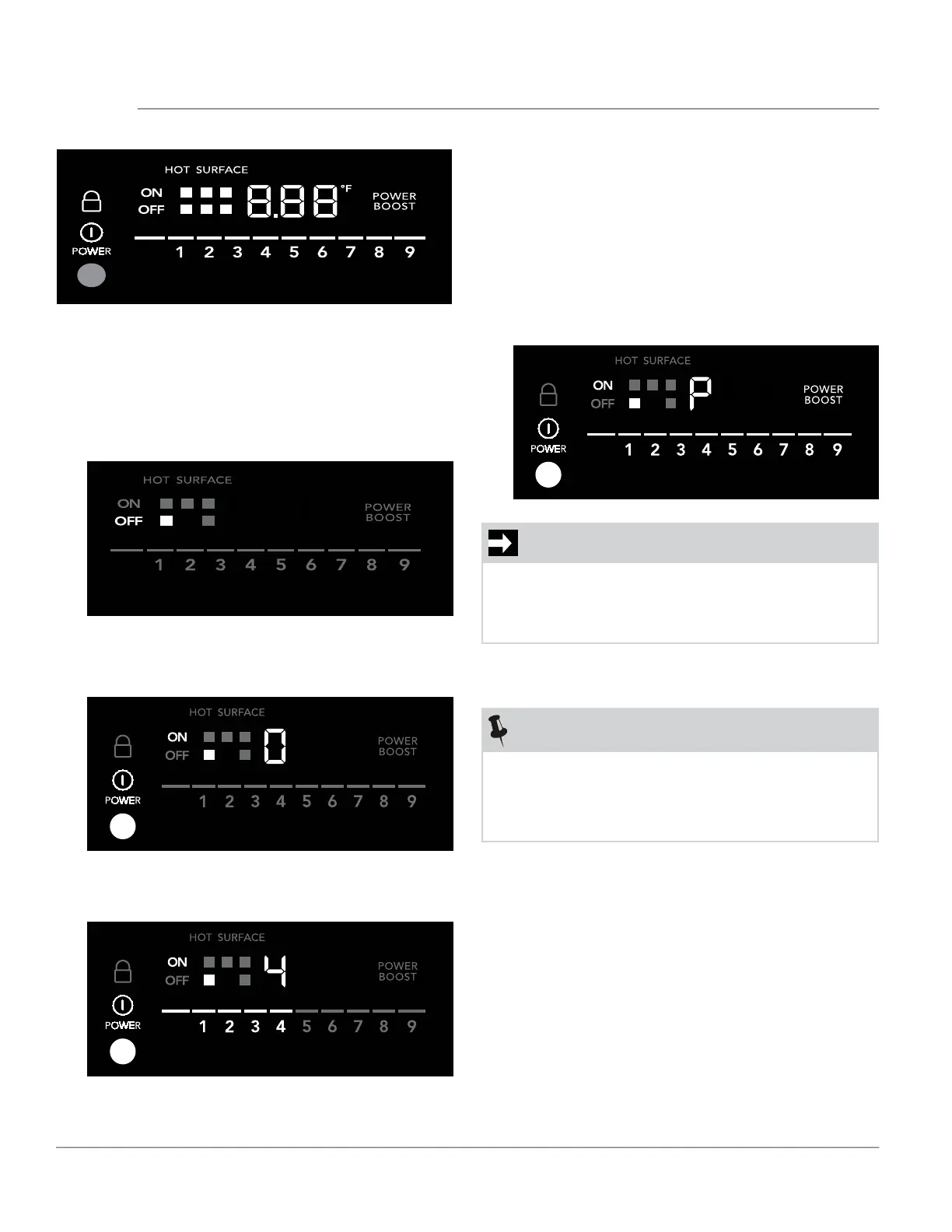
1. Turn the cooktop on by pressing the Power key.
2. Place correctly sized cookware on the front left
cooking zone. The zone will become active, and
the OFF indicator will light up.
Figure 12: Induction cooking zone control
NOTE
A cooking zone will not become active without
proper cookware in position.
If the cooktop does not detect cookware within
30 seconds, it will turn o.
IMPORTANT
Do not leave empty cookware on an operating
cooking zone. Cookware will heat very quickly
and may be damaged or warped if left on the
cooking zone empty.
3. Press the ON-OFF key for the front left cooking
zone. The Power Level Indicator for the cooking
zone will show “0”.
4. Press 4 on the power level selection bar. The
power level indicator will show 4.
5. When cooking is complete, turn the induction
cooking zone o by pressing its ON-OFF key or
the Power key before removing the cookware.
If all of the zones are o , the cooktop will auto-
matically power o in 30 seconds.
At any time, you can change the setting for an ac-
tive cook zone by pressing the number of the new
setting.
To activate Power Boost, press the POWER BOOST
indicator.



 To Next Page