15
CONTROLS AND SETTINGS
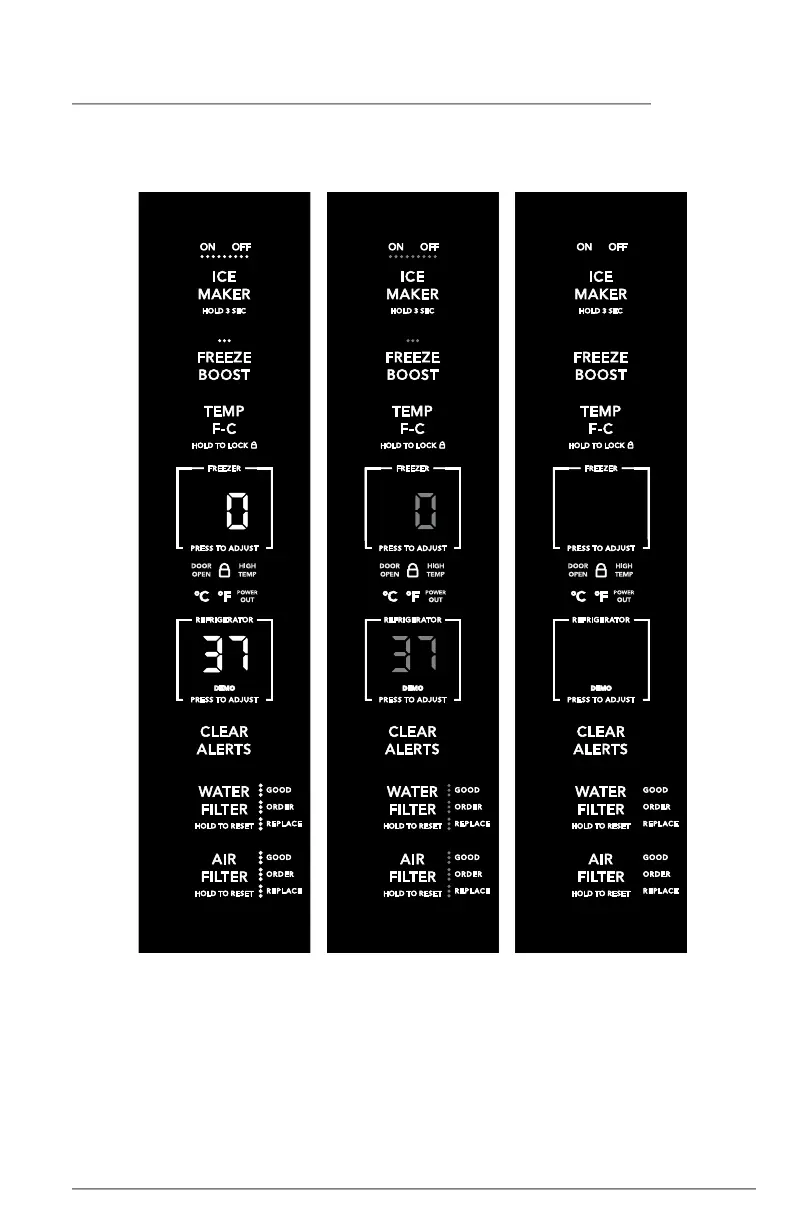
Side Door Appliance Control Display
Active Mode
Inactive Mode
Sleep Mode
Your appliance control display is equipped with a sleep and an inactive mode to prevent
accidental changes to the unit settings when you open and close the doors. When both
doors are closed, the display will be in sleep mode. When either door is first opened, the
display will be in inactive mode where all the current settings are visible but dimmed.
Pressing any button on the display will activate the display and a tone sound. All settings
will then fully light. Touch the display again to change any setting.
If you do not press a button for 10 seconds while any door is open, the display will default.



 To Next Page