Join Expérience VDSL V4-6.52 17
20- SETTINGS YOUR OWN MODEM
If you are using your own modem, the model and the firmware need to be compatible.
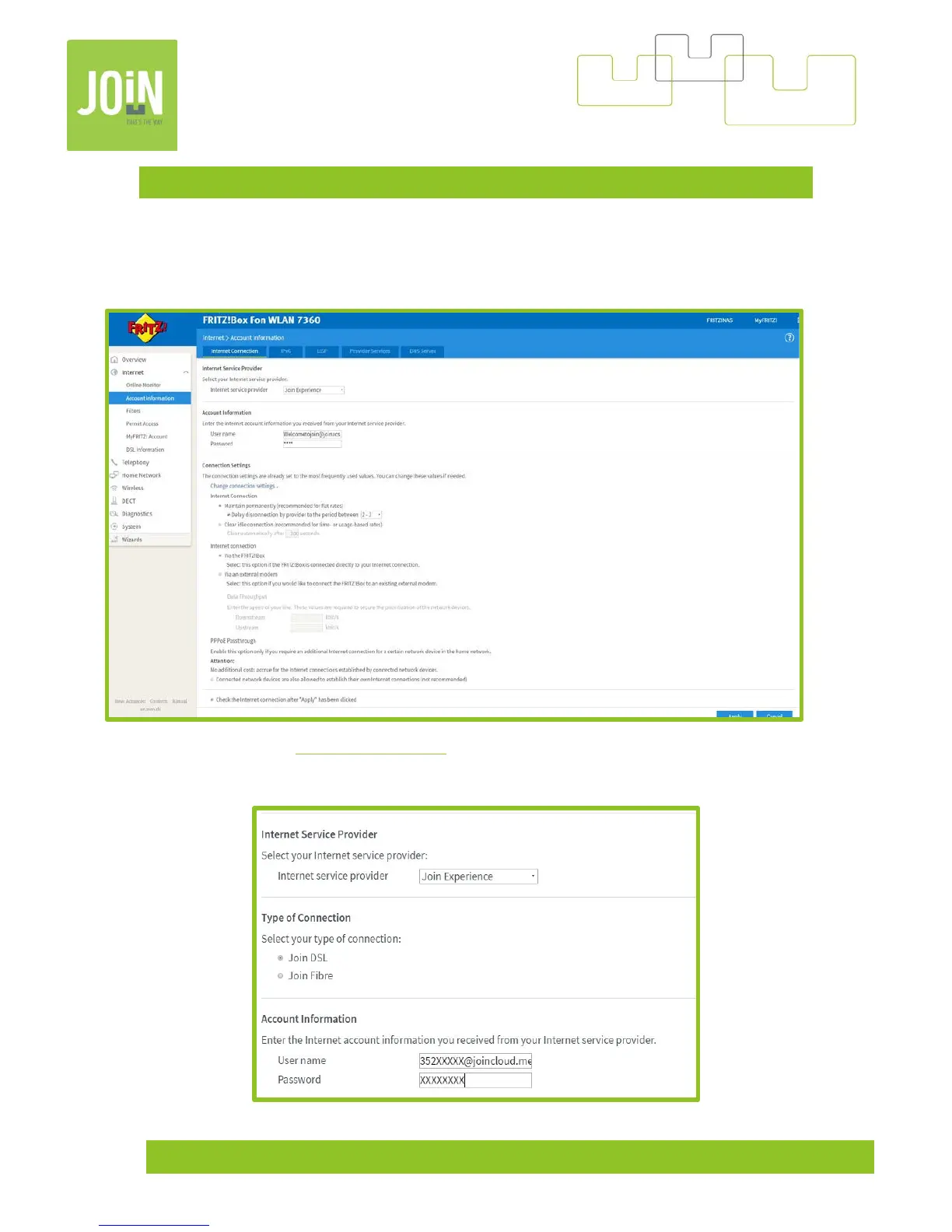
To add the login and the password sent by Join Experience. Connect on your modem, go to “internet” and then
“account information”, selected “Join Experience” for the “Internet Service Provider”.
Replace “User Name” by 352XXXXX@joincloud.me
(X corresponding to the number login).
Replace “Password” by XXXXXXX (X corresponding to the number and letters of your password, respect capital
and small letters)


 To Next Page