Join Expérience VDSL V4-6.52 24
23- CALLING LINE IDENTIFICATION RESTRICTION
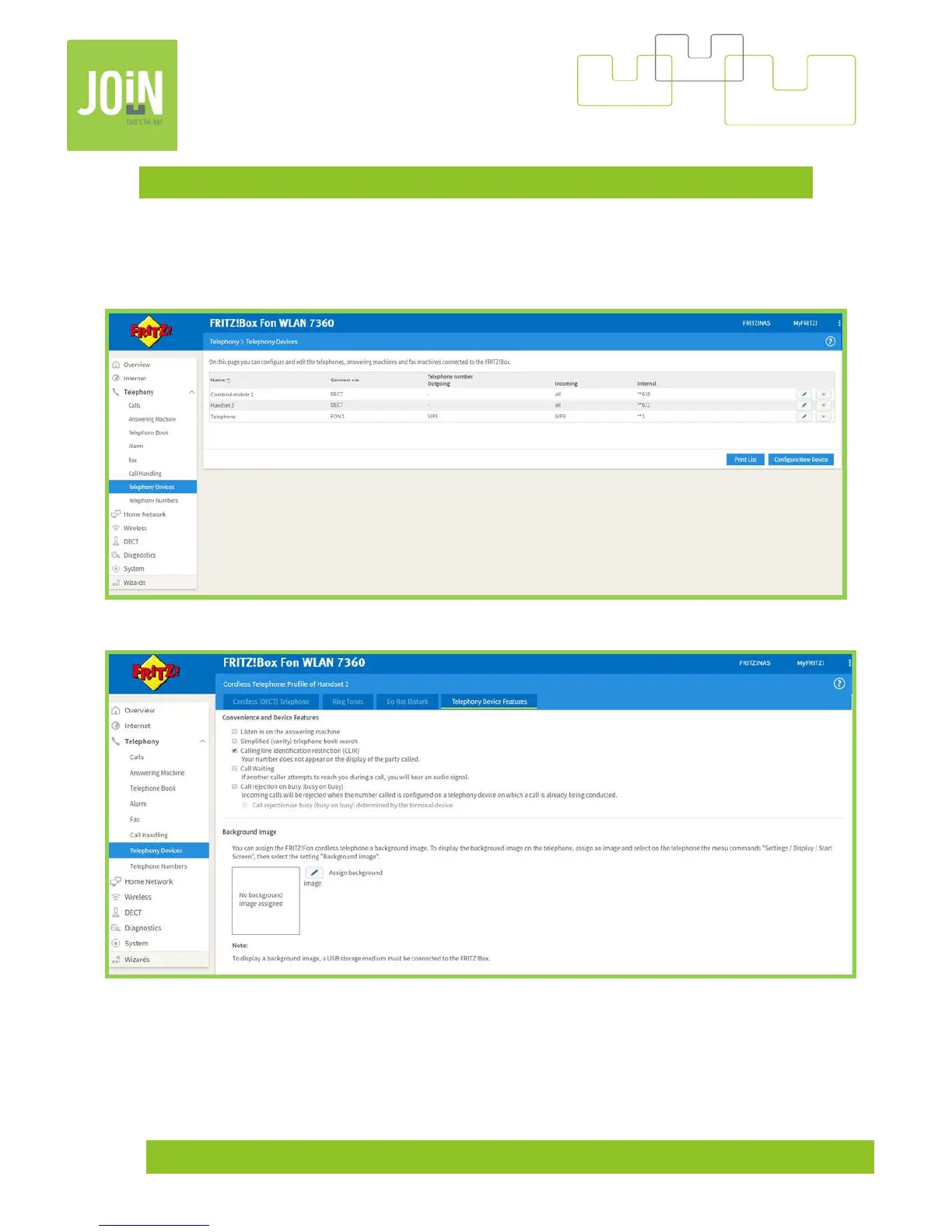
You have the option to hide your phone number during a call, in order to do this, you have two methods: First,
by connecting to your modem by browsing, on the menu "Telephony" -> "Telephony Devices" Select your
device, in this example "Handset 2".
Then on a tab « Telephony Device Features », check « Calling line identification restriction (CLIR) ».


 To Next Page