Join Expérience VDSL V4-6.52 23
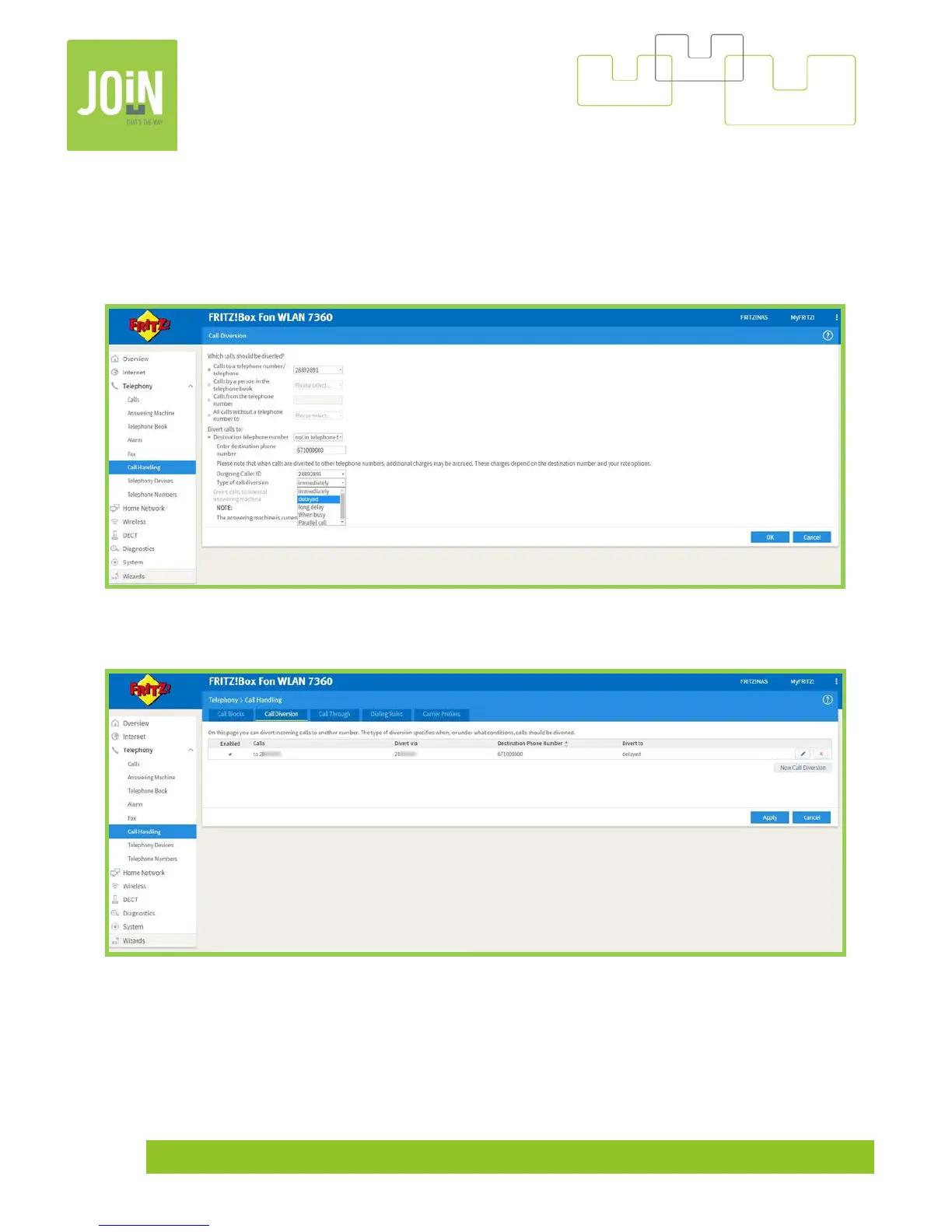
You have 5 solutions for your forwarding call:
- Immediately = your fix line doesn’t ring and the call will be directly sent to the destination phone
number, 671 000 000 for example
- Delayed = Forwarding call with average 4 – 5 tones (standard setting)
- Long delay = Forwarding call with 7 – 8 tones
- Parallel cal = Your destination phone number reacts the way as your fix line
Your call forwarding is now active, you can desactivate it simply by clicking on uncheck « Enabled ».


 To Next Page