EasyManua.ls Logo

FRITZ!WLAN Stick N - User Manual

FRITZ!WLAN Stick N
6 pages
Print Icon
To Next Page IconTo Next Page
Loading...
en.avm.de
© AVM GmbH · Alt-Moabit 95 · 10559 Berlin · Germany · Telephone +49 30 39976-0 · info@avm.de
Configuration
and Operation
Documentation release 03/2016 · 411329003
FRITZ!WLAN
USB Stick N
System Requirements
Computer with USB port (USB2.0 or higher)
Pentium-class computer or notebook
(500MHz or higher)
Installation in Microsoft Windows10,
Windows8/7 (32-bit and 64-bit edition),
WindowsVista (32-bit edition)
Customer Service
Manual en.avm.de/service/manuals/fritzwlan
Service en.avm.de/service
Support en.avm.de/service/support-request/
your-support-request
Download en.avm.de/service/downloads
Technical Specifi cations
Compatible with 802.11n (300Mbit/s),
802.11g,a (54Mbit/s), 802.11b (11Mbit/s)
With 802.11n up to 300Mbit/s (gross) for
wireless high-speed access (LAN/DSL); the actual
user data rate will be somewhat lower
Maximum wireless LAN security with WPA2
(802.11i), or alternatively, WPA, WEP (128/64)
WPS (Wi-Fi Protected Setup): simple wireless LAN
confi guration with compatible remote sites
Stick&Surf: Simple adoption of wireless LAN
settings from AVM FRITZ!Box products with a
USB port
guration
O
p
eratio
n
Question and Answer IconNeed help?

Do you have a question about the FRITZ!WLAN Stick N and is the answer not in the manual?

Summary

System Requirements and Technical Specifications

System Requirements

Specifies the minimum hardware and operating system requirements for the FRITZ!WLAN USB Stick N.

Technical Specifications

Details the wireless standards, speeds, and security features supported by the FRITZ!WLAN USB Stick N.

Product Features and Device Overview

Package Contents and Device Features

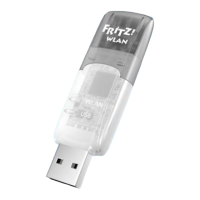
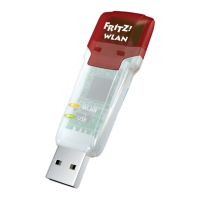
Illustrates the FRITZ!WLAN USB Stick N, its status display, and wireless LAN function.

This Is the FRITZ!WLAN USB Stick N

Introduces the wireless LAN device and its connection capabilities to access points or other devices.

Establishing Wireless LAN Connections

AVM Stick & Surf

Simple and secure connection by adopting FRITZ!Box security settings for wireless LAN.

WPS Quick Connection and Manual Connection

Fast and simple connection via WPS or manual setup for secure wireless LAN.

Direct Connections

Ad hoc network for direct data exchange between devices without an access point.

Connection Procedures and Software

Establishing a Wireless Connection Using WPS

Step-by-step guide to connect to wireless LAN access points supporting WPS.

Direct Connections

Details on setting up an ad hoc network for direct device-to-device communication.

FRITZ!WLAN Software

Information on the FRITZ!WLAN software for managing wireless LAN connections and stick settings.

Wireless LAN Standards and Compliance

Wireless LAN Standards

Lists supported wireless LAN standards (802.11a/b/g/n) and their transmission speeds.

Declaration of CE Conformity

States compliance with EU directives for radio equipment.

Licensing Terms

Provides information on licensing conditions and proper disposal of the device.

FRITZ!WLAN Stick N Specifications

General IconGeneral
WLAN Standards802.11n, 802.11g, 802.11b
Frequency Band2.4 GHz
SecurityWPA2, WPA, WEP
USB StandardUSB 2.0
Max WLAN Speed300 Mbps
Operating Systems SupportedWindows

Related product manuals