The FRITZ!WLAN
FRITZ!WLAN USB Stick AC 430 17
5The FRITZ!WLAN
The FRITZ!WLAN software is installed on your computer along with the
FRITZ!WLAN USB Stick.
FRITZ!WLAN offers you information on the wireless LAN connection
and various settings for the FRITZ!WLAN USB Stick.
The software is not required to establish wireless LAN connections.
5.1 Starting FRITZ!WLAN
Double-click the FRITZ!WLAN icon in the Windows task
bar.
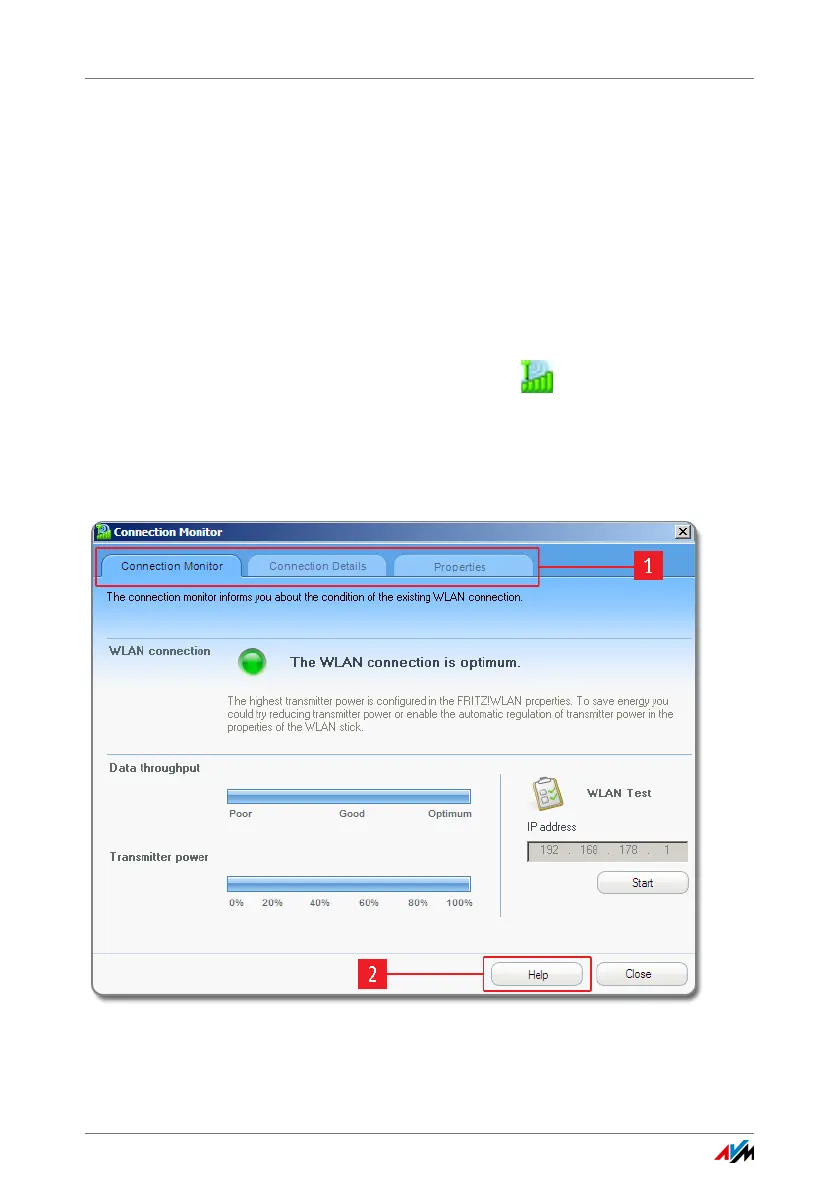
FRITZ!WLAN starts. The “Connection Monitor” tab is active.
5.2 The Control Software’s User Interface
1: Tabs
2: “Help” button to open the Online Help



 To Next Page