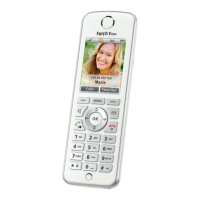
FRITZ!Fon MT-D 18
FRITZ!Fon C4 18
EN
Dialing Numbers
1. Enter a telephone number.
2. Press the Call button .
Accepting a Call
To pick up a call, press one of the following keys:
• Call button
• Select key with the “Accept” display
• Hands-free calling key
Navigating in the Menus
The functions of FRITZ!Fon are operated using a menu, which has a
main menu and several submenus.
With the control ring and the left display key you can navigate
up, down and back through the menus.
Select functions using the “OK” button or the right display key .
Up
Back
Back
Down
FRITZ!Fon C4_ka-international.book Seite 18 Mittwoch, 15. Juni 2016 2:47 14



 To Next Page